10 best Jira time tracking plugins in 2026

Jira already knows where your team's time goes. Every work log, estimate, and completed issue creates a record of effort. But even the most accurate tracking of raw time data across Jira projects doesn't equal decision-ready insights that delivery teams need to answer painfully common questions on a daily basis. Are we using our capacity effectively? Which projects are understaffed? What can we realistically commit to next?
And there you have it: the reason why many Jira teams resort to a dedicated Jira plugin. As there are so many, we've decided to ease your mental load and break down the best Jira time tracking apps in 2026, comparing their key features, strengths, and the types of teams they work best for. One of these ten may belong on your shortlist, becoming a big step toward better team productivity.
Top time tracking plugins for Jira, quick comparison
Here's the quick-scan version of the ten Jira time tracking plugins we're covering. Each row answers three questions: what the tool is best at, what it does, and what it costs. We'll go card by card right after.
| Plugin | Best for | Key capabilities | Pricing |
|---|---|---|---|
| Planyway | Cross-project time tracking & resource allocation | Manual time logging & built-in timer, List & Calendar views, Timesheets, Planned vs. tracked, Time tracking by user, project & work item, Actuals vs. planned capacity | Free up to 10 users; paid tiers from ~$3/user/month |
| Clockwork Pro | Automated time tracking | Auto-timer by issue status + manual entry, native Jira worklogs (real user, not service account), cost/rate tracking | Free up to 10 users; paid tiers from ~$1.30/user/month |
| Clockify | Free time tracking app | Manual timer, two-way Jira sync (standard fields only), generous free tier | Free forever, unlimited users |
| Tempo Timesheets | Enterprise timesheets + billing | Deepest Jira-native reporting, audit-ready reports, budgeting (no e-signature) | No free plan; the price starts from ~$5.21/user/month |
| Worklogs by SolDevelo | Advanced worklog reporting | Fully native (no parallel data layer), flexible filters incl. custom fields, sprint-range auto-dates | Standard is free up to 10 users; advanced is $5/month, flat fee |
| Timesheet Tracking by Cappsule | Management-facing project timesheet reporting | Project/ticket-based timesheets, management reports, Approval Process (Advanced edition) | Standard is free up to 10 users; advanced is $8/month, flat fee |
| ActivityTimeline | Workload management & resource scheduling | Forward-looking capacity view, personal/team/portfolio-level workload | Standard is $10/month, flat fee; advanced is $15/month, flat fee |
| TimePlanner by DevSamurai | Capacity planning + leave management | Capacity planning, timesheets, confirmed leave approval workflow (approvers, leave balances) | Free up to 10 users; paid tiers from ~$1.75/user/month |
| Reports and Timesheets by Appfire | Custom Jira time tracking reports | Calculated fields, pivot/matrix reports, publish without manual export | Free up to 10 users; paid tiers from ~$3.62/user/month |
| Timetracker by STAGIL | Cost tracking & CapEx/OpEx | Hourly cost/rate per user, CapEx/OpEx pivot reports, billing tags | Free up to 10 users; paid tiers from ~$0.85/user/month |
How we evaluated Jira time tracking plugins
Before we compare the ten tools, let’s agree on what “good” means in this context. To keep the comparison structured and fair, we assessed every plugin against the same four-point grid:
- Auto-timer or manual entry, or both. Some tools start a clock the moment you move a card; others expect you to hit start yourself. Neither approach is wrong, but if they do both, it changes how accurate your time tracking data ends up being, and how reliable tracking time feels.
- Attribution by task and project. Can you tell, at a glance, which Jira issues and which different projects actually ate the hours? A tool that can't split tasks and projects cleanly isn't giving you a real answer to this.
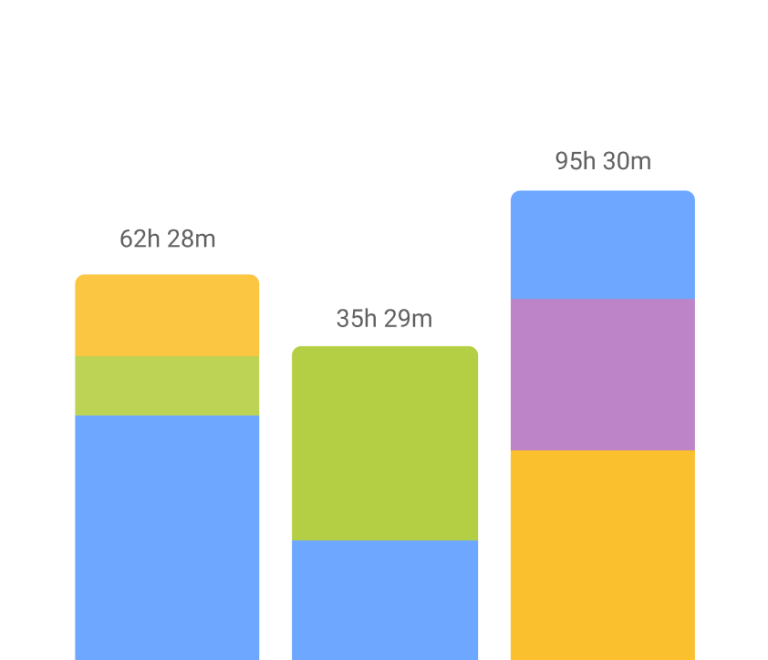
- Detailed reports and timeline views. A single number is rarely useful. You want a bar chart, a couple of pie charts, and something you can filter by date range.
- Billing and invoicing tie-in. For agencies and consultancies, billable hours need to turn into a client invoice without a manual reconciliation step.
Out of the box, Jira's native time tracking already gives you an original estimate, a remaining estimate, and logged time on every issue. The Jira Time Tracking Report shows the original estimate next to the current one. That's a reasonable start for time tracking in Jira, but it doesn’t roll up into the team's time or forecast capacity. Comparing estimated hours against actual time spent across a sprint means exporting and doing the math yourself. If your original time estimates were off, native Jira won't tell you the truth you’re looking for. That gap is exactly where the ten tools below step in.
Planyway: Best for cross-project time tracking and resource planning
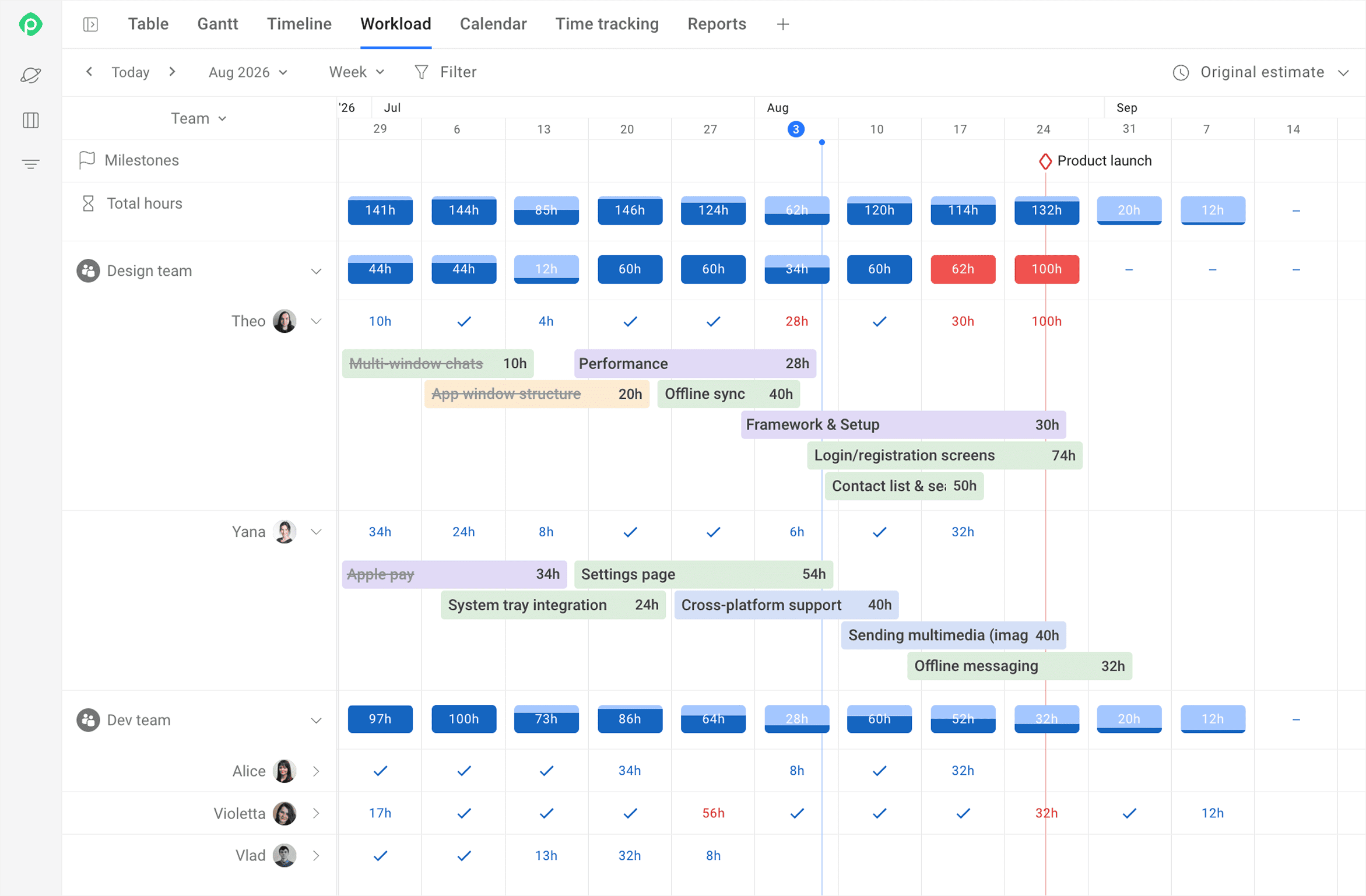
Planyway is a cross-project planning app that connects planned work with actual effort. Logged time feeds into workload and capacity views, giving you a clearer picture of your team's work and whether future plans are realistic.
Core features:
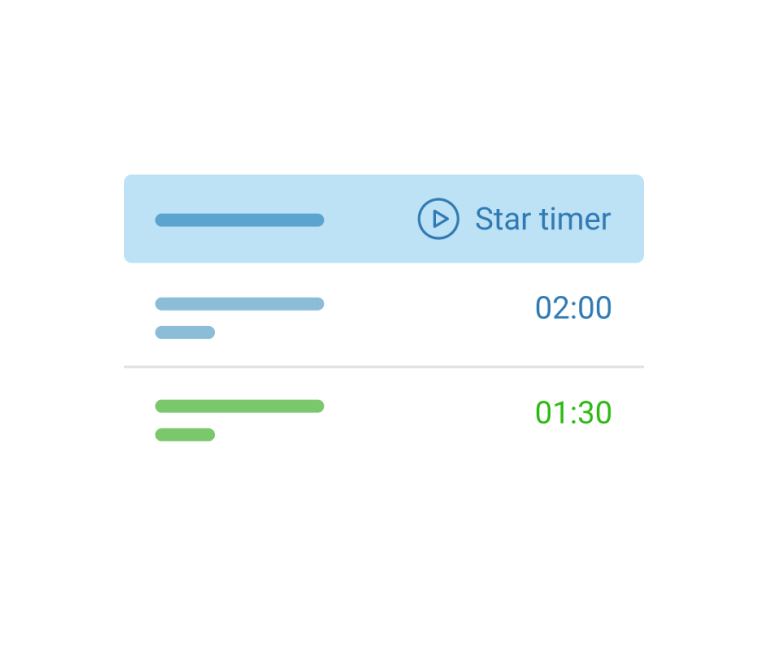
- Manual logging & built-in timer let team members record time directly from Jira work items or Planyway views in just a few clicks, with time entries being displayed in List/Calendar views.
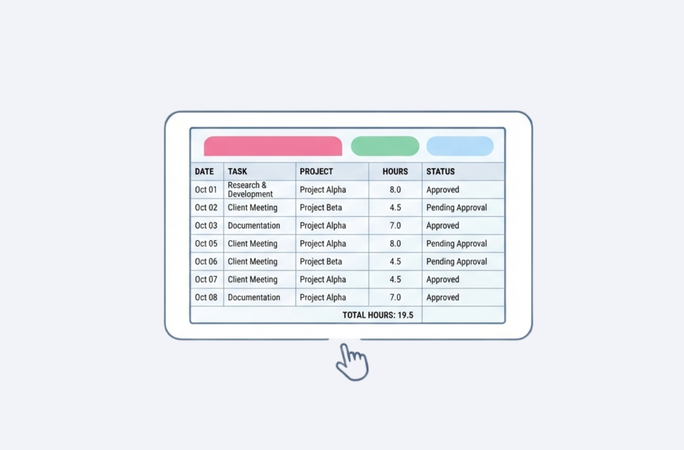
- Timesheets give users a detailed view of logged hours by team member and time period, helping spot overtime or missing/unused capacity.
- The Time Tracking Report compares logged and estimated time at the issue level, which helps to quickly spot where an estimate missed the mark.
- The Planned vs Tracked Report places planned capacity next to the time that was actually tracked.
- Integrated planning & tracking connects planned work, team capacity, and tracked time in one space.
- You can export data to CSV, Excel, PDF (or just generate a link) whenever a report needs to leave Jira.
Standout feature: Unlike tools focused only on recording hours, Planyway connects time tracking data with workload and project planning for one price. It ties the roadmap to both individual and team-level capacity, so you can compare actual time spent with time estimates, spot overcommitment, track progress, and see better estimates pay off sprint after sprint.
Trade-offs: There is no native billing or invoicing layer yet. For now, the vendor recommends exporting to CSV/Excel and handling client billing or accounting-department reporting outside Jira.
Pricing: Free up to 10 users; paid tiers from ~$3/user/month.
Clockwork Pro: Best for automated time tracking
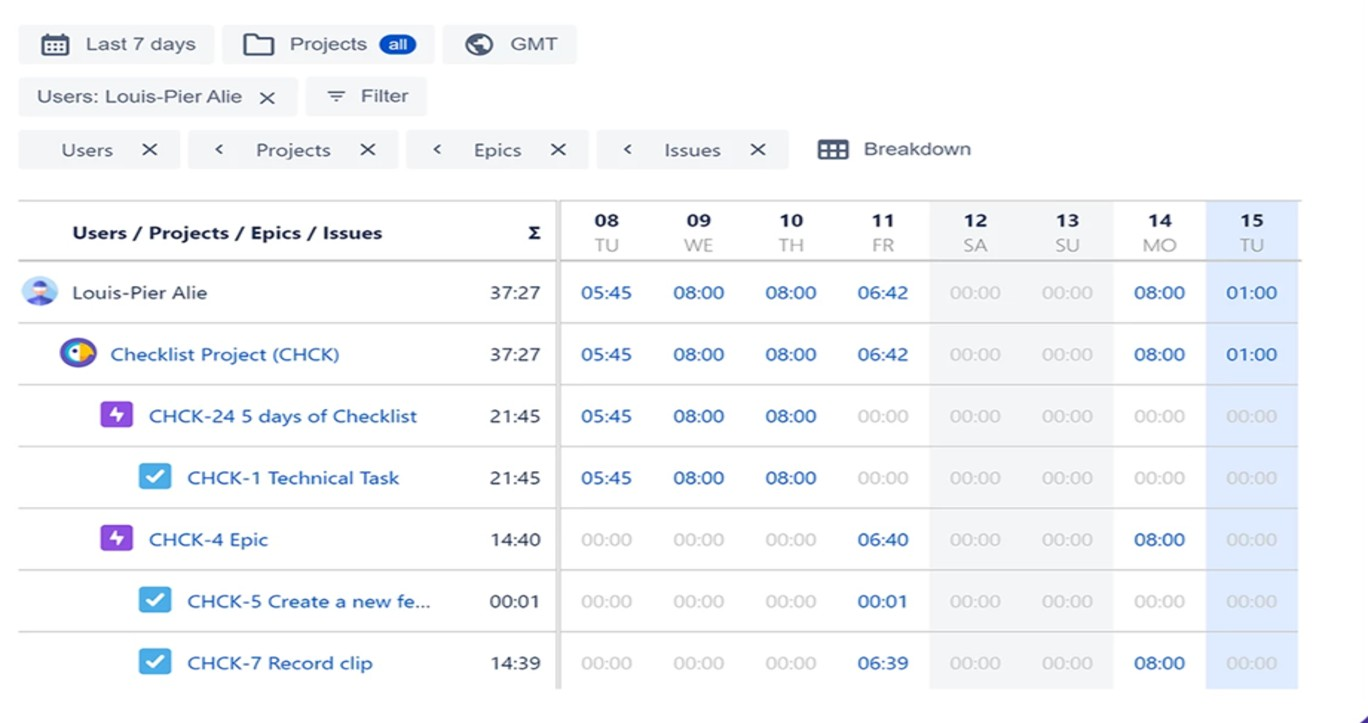
Clockwork Pro takes the friction out of time tracking in Jira by starting a timer when you drag a card into an active status.
Core features:
- Auto-timer triggered by dragging a card into an active Jira status.
- Manual entry as a fallback when a task doesn't fit the automation.
- Worklogs saved under the real Jira user, not a service account.
- Cost and Rates Tracker — hourly cost/rate per user for margin forecasting.
Standout feature: It records time automatically as issues move into active work, keeping the process close to where the work already happens. Worklog authorship under the real user matters directly for audit trails, since every entry traces back to who actually did the work.
Trade-offs: No team-wide view of currently running timers. If someone forgets to stop a timer, you'd have to check issue by issue.
Pricing: Free up to 10 users; e.g., $1.30/user/month.
Clockify: Best for free time tracking
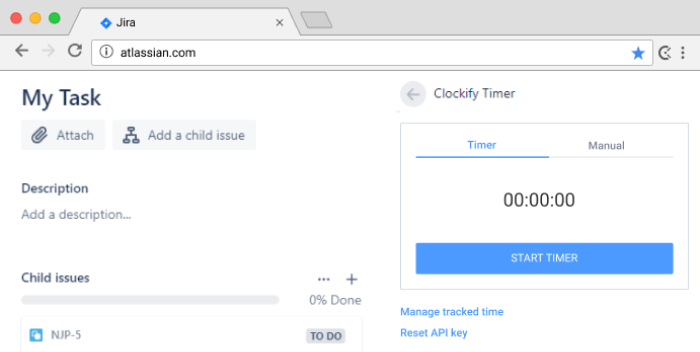
Clockify earns its spot the simple way: it's the forever free option, and setup takes minutes.
Core features:
- You can track time with a timer or add it manually through a timesheet.
- Time entries can be categorized by project, task, and tag.
- The team activity view lets you invite the whole team, see current activity, and check who worked on what.
- Reports provide a visual breakdown of time, with customization, sharing, and export options for PDF, CSV, Excel, or API-based workflows.
- Clockify works across web, mobile, and desktop.
Standout feature: The most generous free plan among the Jira time tracking plugins for a small team, with a working sync that keeps basic time entries aligned in both systems.
Trade-offs: Billing, invoicing, and budgeting features are on paid Clockify plans (outside the Jira plugin itself).
Pricing: Free, unlimited users, unlimited everything within the plugin's own feature set. Paid Clockify plans (billing, invoicing, budgeting) exist separately.
Tempo Timesheets: Best for enterprise timesheets + billing
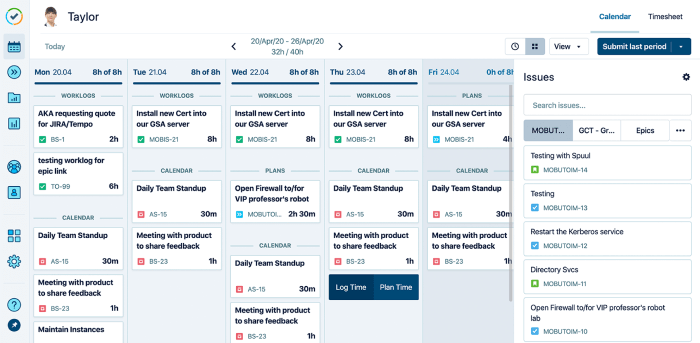
Tempo keeps showing up in user discussions as the usual benchmark for pricing and setup complexity. Its Jira integration is deep enough that logged time feels like part of the native interface.
Core features:
- AI-assisted time logging lets you add time in one click from activity suggestions.
- The app connects with your calendar, Slack, IDE, and mobile devices. Its weekly view turns meetings and Jira work items into time-blocked suggestions that you can click or drag into your timesheet.
- You can classify time as CapEx or OpEx, and as billable or non-billable, while logging it instead of sorting those entries in a spreadsheet later.
- Configurable governance supports approvals at the timesheet, project, or both levels, with period locking before payroll or invoicing.
Standout feature: Enterprise billing done properly — CapEx/OpEx and billable/non-billable classification happens at the moment of logging.
Trade-offs: Setup complexity and feature overkill for small software development teams is the single most repeated complaint.
Pricing: No free plan; the price starts from ~$5.21/user/month.
Worklogs by SolDevelo: Best for advanced worklog reporting
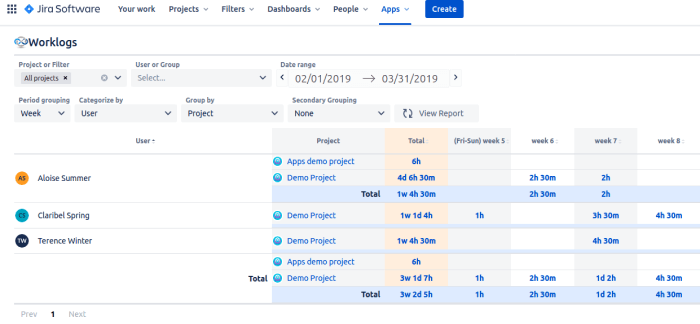
Worklogs takes a different technical approach than most of this list: it reports entirely off native Jira worklogs, with no parallel data layer sitting underneath.
- Reporting is built entirely on native Jira worklogs, so you can always drill down from a report to the individual worklog behind it.
- You can filter reports by dates, projects, users, groups, JQL filters, or Jira custom fields, then report on attributes such as billable hours tracking, overhours, or cost center.
- Dashboard gadgets let you bring reports into Jira dashboards, while export and sharing options make it easier to send findings directly to stakeholders.
- Permission controls let you restrict report access to selected users or predefined groups.
Standout feature: Because reporting draws directly from Jira worklogs, you can trace each figure back to the underlying entry without reconciling a separate data layer.
Trade-offs: It won't handle resource allocation or capacity planning — it's purely a reporting tool that shows where time went after the fact, not a forward-looking one.
Pricing: Standard is free up to 10 users. Advanced is $5/month, flat fee.
Timesheet Tracking by Cappsule: Best for management-facing project time reporting
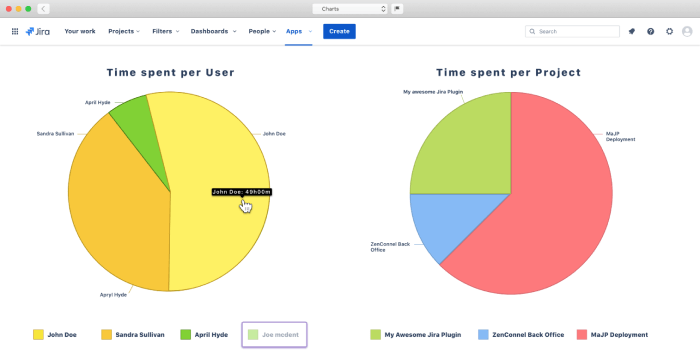
Cappsule gives managers full visibility into where a team's time is planned and spent, ticket by ticket and project by project.
Core features:
- The app includes timers, Agenda and Kanban calendar views, and Timesheet views with AI support. Google Calendar and Outlook events can be converted directly into worklogs.
- Its Issue Context view summarizes logged and planned work across the full issue hierarchy, from Initiatives and Epics down to Subtasks.
- You can build reports around any field, including fields used for billing, and review them through dashboards, Timeline, and Project Overview views.
- The Advanced edition includes an approval workflow, confirmed in the current Marketplace listing.
Standout feature: Gives managers a clean way to review time by ticket, project, and contributor without paying for resource-allocation features they won't use.
Trade-offs: It's built for project- and ticket-based time reporting, not resource planning. There is no capacity planning, workload forecasting, or resource allocation.
Pricing: Standard/Advanced editions. Standard is free up to 10 users. Advanced is $8/month, flat fee.
ActivityTimeline: Best for workload management and resource scheduling
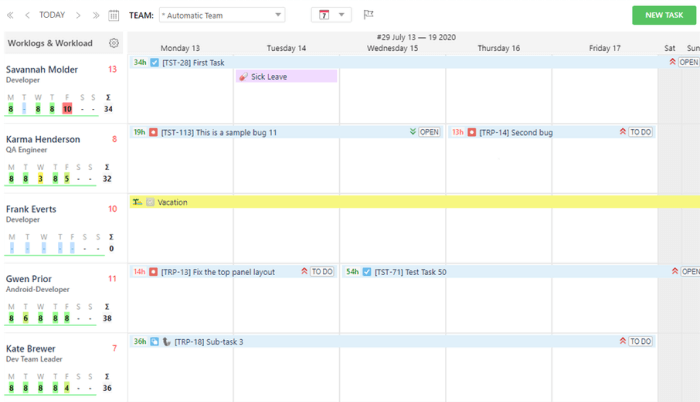
ActivityTimeline's core strength is a forward-looking capacity view. Its capacity view helps you see where people are likely to become overallocated in the coming weeks.
Core features:
- The capacity and workload dashboard includes a Workload/Availability Indicator that shows hours allocated per person, along with Team Capacity, Planned vs. Actual, and Team Utilization charts.
- Its personal time tracker offers smart suggestions by identifying the task a person is most likely to log time against.
- You can assign multiple people to a single issue by holding Shift while dragging the issue onto another person.
- Built-in integrations with Tempo Timesheets, Jira Advanced Roadmaps, and BigPicture let the app report on data already stored in those tools instead of creating a separate data silo.
Standout feature: Its whole focus is planning ahead rather than only explaining what already happened. The plugin is confirmed by multiple independent reviews as genuinely helpful for spotting overload and resource-allocation surprises across different projects before they hit.
Trade-offs: ActivityTimeline does not provide billing, invoicing, or CapEx/OpEx classification. It shows who is busy, available, or overallocated, but it will not calculate billable totals for client invoices.
Pricing: Standard/Advanced editions. Standard is $10/month, flat fee; Advanced is $15/month, flat fee.
TimePlanner by DevSamurai: Best for capacity planning
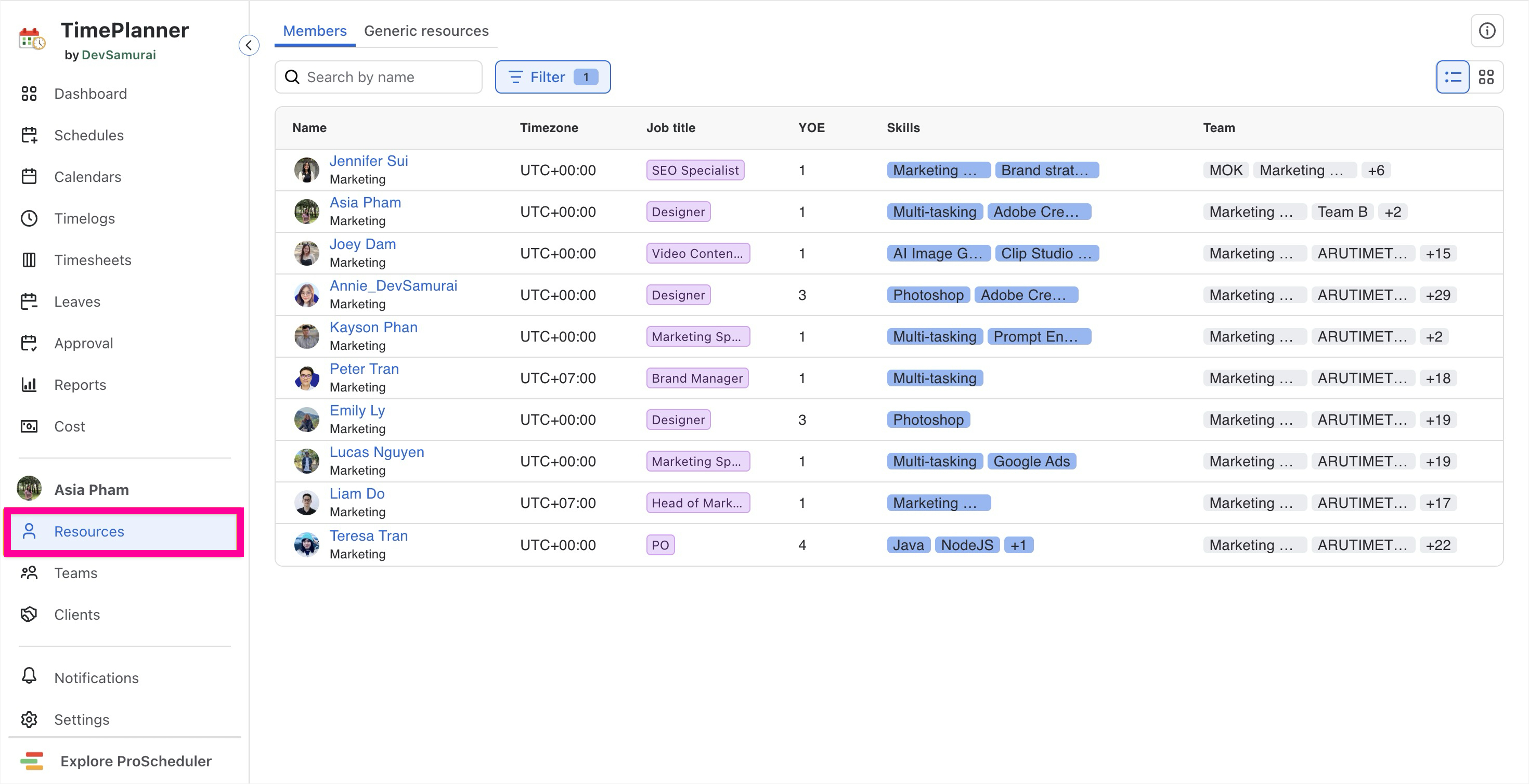
TimePlanner pairs capacity planning with something genuinely rare on this list: it lets people request and get leave approved inside Jira workflow.
Core features:
- The capacity planning view supports drag-and-drop task scheduling, skill- and availability-based assignments, and recurring tasks.
- You can track time with a stopwatch timer or manual entries, then send submitted timesheets through an approval workflow.
- Leave management lets team members request and approve leave directly in Jira, with holiday calendars for each person.
- Cost tracking and budgeting connect billing rates with tracked hours, let you set rates by resource, project, or group, and compare actual costs with the planned budget.
Standout feature: TimePlanner combines a leave-approval workflow with Jira timesheets, which is still unusual in this category.
Trade-offs: The app does not offer automated time tracking or synchronization with Google Calendar or Outlook.
Pricing: Free up to 10 users; paid tiers from ~$1.75/user/month.
Reports and Timesheets by Appfire: Best for custom Jira reporting
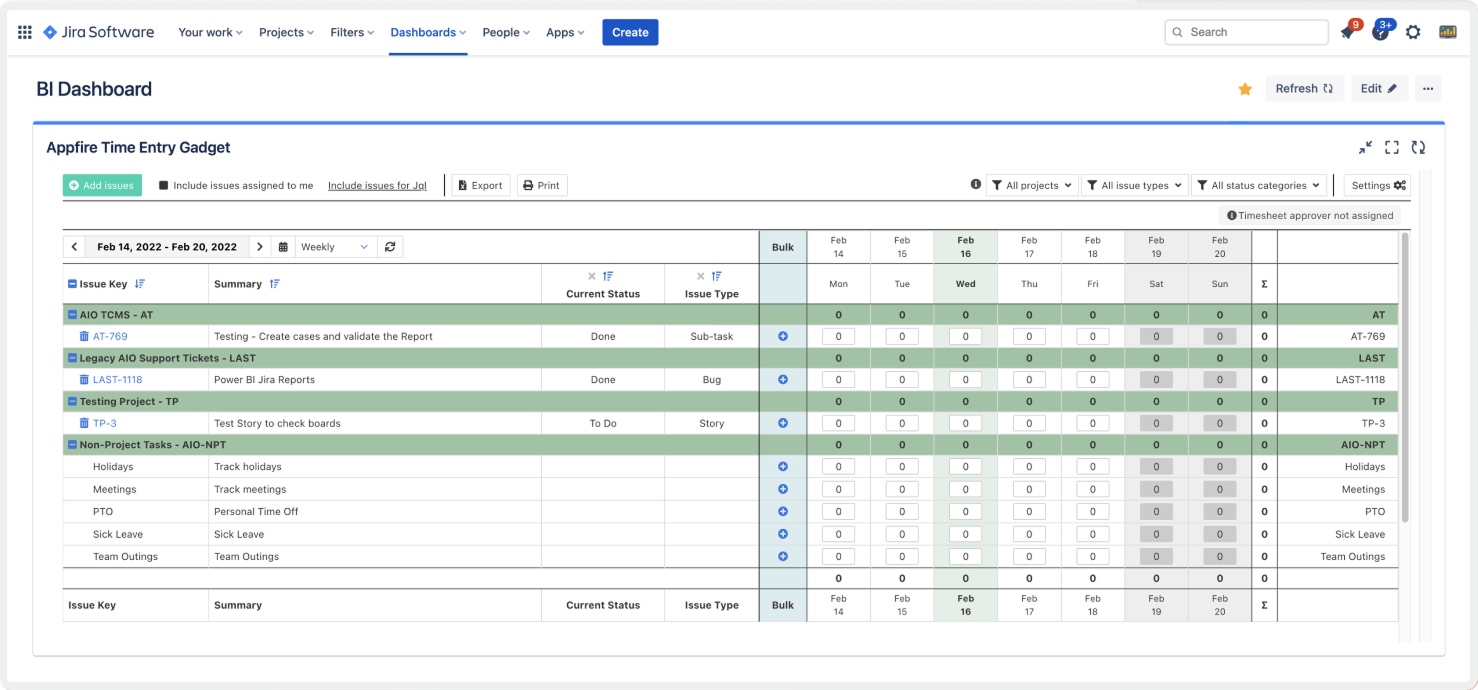
Reports and Timesheets builds custom Jira reports — timesheets, sprint, matrix/pivot, trend, hierarchy, and more — through a drag-and-drop editor instead of formulas or scripts.
Core features:
- The drag-and-drop report builder, now with AI assistance, supports dozens of report types, including timesheets, sprint reports, matrix and pivot reports, trend reports, hierarchy views, multi-axis charts, time-in-status reports, history reports, and capacity reports.
- You can log time quickly with custom worklog attributes, then use the manager approval workflow to review time entries and reporting data in the same app.
- Reports can be exported to Excel, JSON, HTML, or PDF without a limit on the number of issues included. You can also schedule reports by email or use the Publish feature to share them with people outside Jira.
- The app integrates with Tempo Timesheets and provides API access.
Standout feature: The most advanced reporting customization of all ten tools on this list. Users can build reports using formulas that combine actual time, original estimate, and custom fields.
Trade-offs: The plugin has no timer of its own; it's built to report on time that's already logged.
Pricing: Free up to 10 users; paid tiers from ~$3.62/user/month.
Timetracker by STAGIL: Best for cost tracking & CapEx/OpEx
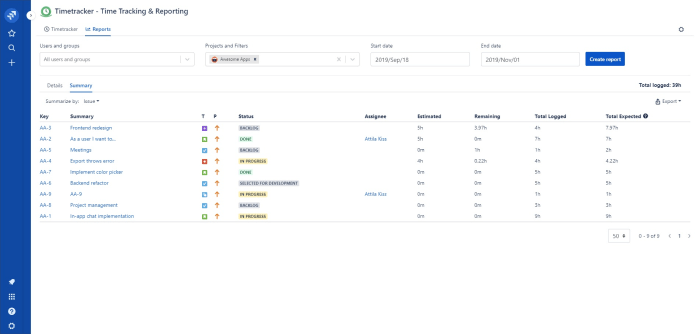
STAGIL's Timetracker is not just another Jira timesheet plugin. This app is geared towards transforming worked hours into cost and billing insights.
Core features:
- Pivot reports let you analyze billable and non-billable hours, CapEx/OpEx, and other business categories, with flexible filtering and grouping through custom fields.
- You can start or stop timers from calendar, timeline, or issue views, and log work on behalf of other people when needed.
- Worklog tags and billing categories help match logged work with the relevant client or invoice through tags or custom fields.
- Dashboard gadgets, a REST API, and editable, shareable, and exportable timesheets support reporting workflows inside and outside Jira.
Standout feature: The plugin turns Jira time tracking into cost tracking with clear CapEx/OpEx splits — for accounting-department teams, billing rates and billable-hours data sit directly inside Jira instead of a separate spreadsheet.
Trade-offs: There is no native approval workflow. To get timesheet approvals, STAGIL recommends exporting to Confluence and pairing with a separate approval app.
Pricing: Free up to 10 users; paid tiers from ~$0.85/user/month.
How to choose the right Jira time tracking plugin?
Start with the question you're actually trying to answer. If it's “are we going to hit the deadline,” you want capacity planning and a forward-looking view, such as Planyway. If it's “can we invoice this client accurately,” Tempo, STAGIL, or Cappsule's management reports are the better fit. If the honest answer is “we just need our whole team to stop guessing at work hours,” Clockify or Clockwork Pro will get you there without a steep setup.
Team size changes also matter. A five-person marketing team experimenting with time tracking for the first time doesn't need Tempo's audit trail or Appfire's calculated fields. That's setup cost with no payoff yet. A 200-person engineering org billing multiple clients probably does. And remember that Atlassian Marketplace bills for every user in your Jira instance, whether or not they open a given app. That's true platform-wide, so factor your full seat count into the price comparison before you commit.
Whatever you land on, the goal is the same: turn Jira data into informed decisions.


FAQ
To create a time tracking dashboard in Jira, add a dashboard, then add gadgets that show worklogs, filters, or a timesheet report. Configure each gadget with the projects, people, and date range you want to review. Keep the first version small, then build it gradually.
Native Jira time tracking capability includes a built-in time tracker at the issue level: original estimate, remaining estimate, and logged time. But it doesn't roll those numbers up across a sprint or a person automatically. For that, most teams add a Jira Cloud time tracking plugin to track time spent and turn individual worklogs into team-level reports, timesheets, and planning insights.
To set time tracking in Jira, turn it on under Jira Settings → Issues → Time Tracking, choose your estimation format (hours or days), and Jira adds estimate and log work fields to every issue from there.
Jira doesn’t have a native timesheet function. Jira tracks time per issue, but a proper timesheet report, hours grouped by person, project, and week, requires a plugin like the ones covered above. You can add a dedicated timesheet plugin, such as Planyway, to work around this limitation.
To add a timesheet gadget in Jira, open a Jira dashboard, select “Add Gadget,” and search for a time tracking or timesheet gadget from an installed plugin. Native Jira only offers the basic Time Tracking gadget; anything more detailed comes from the Marketplace apps in this list.