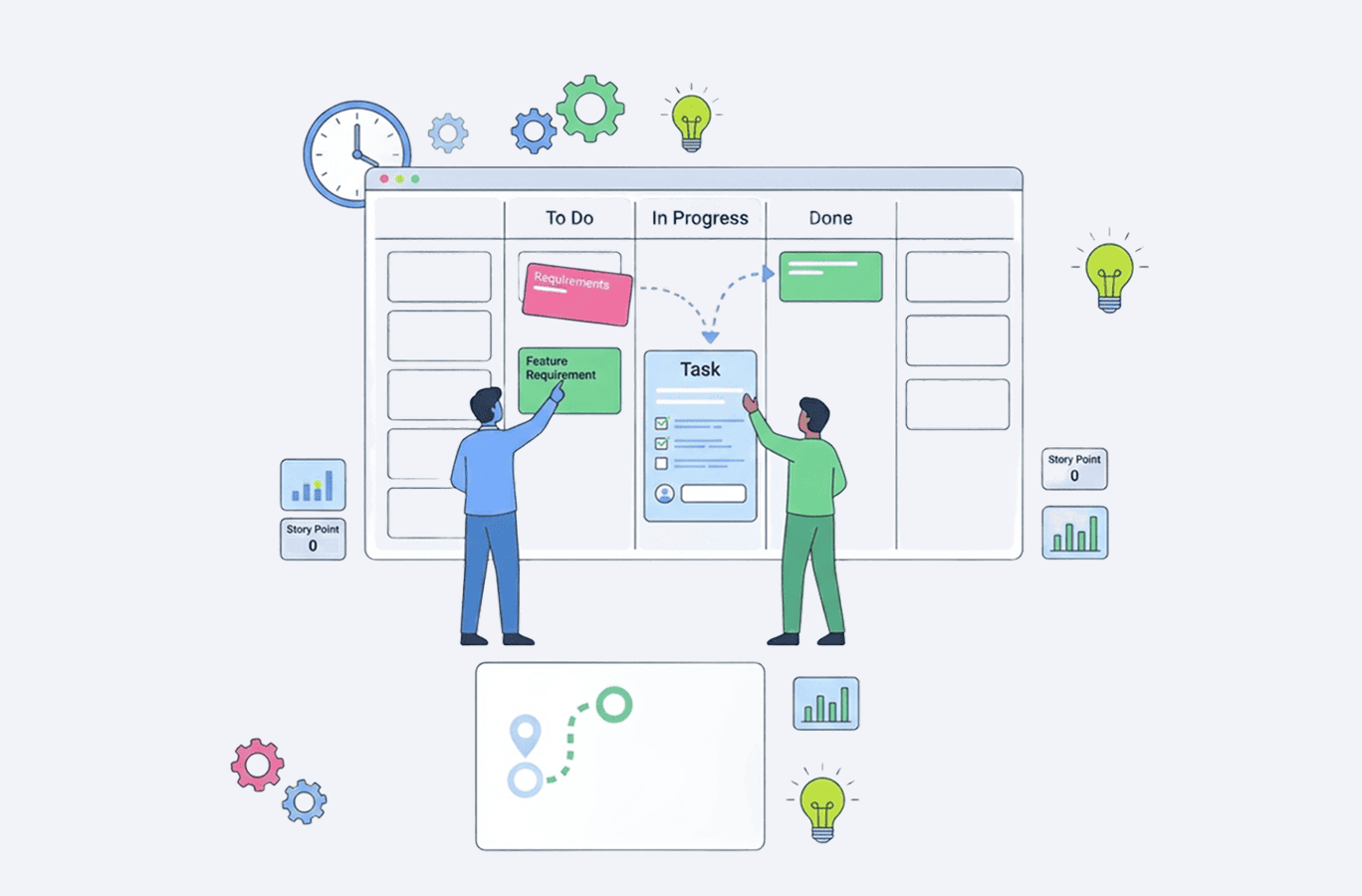
23 free project planning templates for Excel (easy download)

Without a clear project planning structure, it's easy for a project to go off the rails. But establishing that structure doesn't mean you have to commit to some complicated project management software. Excel is a great starting point for managing projects, which can go a long way, especially if you have a batch of ready-made templates to get you started.
With that in mind, our team has curated 23 free project plan templates for Excel to give you a head start at every stage of project planning, ready to download and use right away. For convenience, we’ve bundled all 23 templates into a single archive, so you can either download the full collection at once or choose individual templates as needed.
What is a project planning template?
A project plan template is a reusable blueprint in a structured format that can be used as a foundation to draw upon across the entire project, from the planning process to project execution. They can come in different flavors and zoom in on different aspects of managing projects, such as project goals, project deliverables, timelines, budget, team responsibilities, and many more.
Instead of starting with a blank spreadsheet every time you kick off a new project, you get predefined sections for all the tasks, key milestones, due dates, and resource allocation. They help project managers stay organized and keep key stakeholders informed without reinventing the wheel every time.
How to use a project plan template
- Choose the template that matches your specific project needs.
- Make your own copy of the template (File —> Make a copy).
- Break down work into manageable project tasks and organize tasks by phase or timeline.
- Fill in the key details, like a project scope, project objectives, and major deliverables.
- Allocate resources, which include assigning team members, estimating labor costs, and tracking financial resources.
- Customize it to your needs and processes.
- Update the template as work progresses to reflect the current status and timelines.
- Share with your project team and project stakeholders to align teams on expectations.
23 ready-to-use templates for project planning at every stage of the project lifecycle
Depending on the type of project, team size, and your role, you may rely on very different tools. Our templates can serve as a flexible foundation for many scenarios, ready to be mixed, rearranged, and adapted to the way your processes actually work. Again, to make things easier, we’ve also bundled all 23 templates into one downloadable archive, so you can either grab the entire collection at once or pick individual templates based on your current planning needs.
Simple project plan template
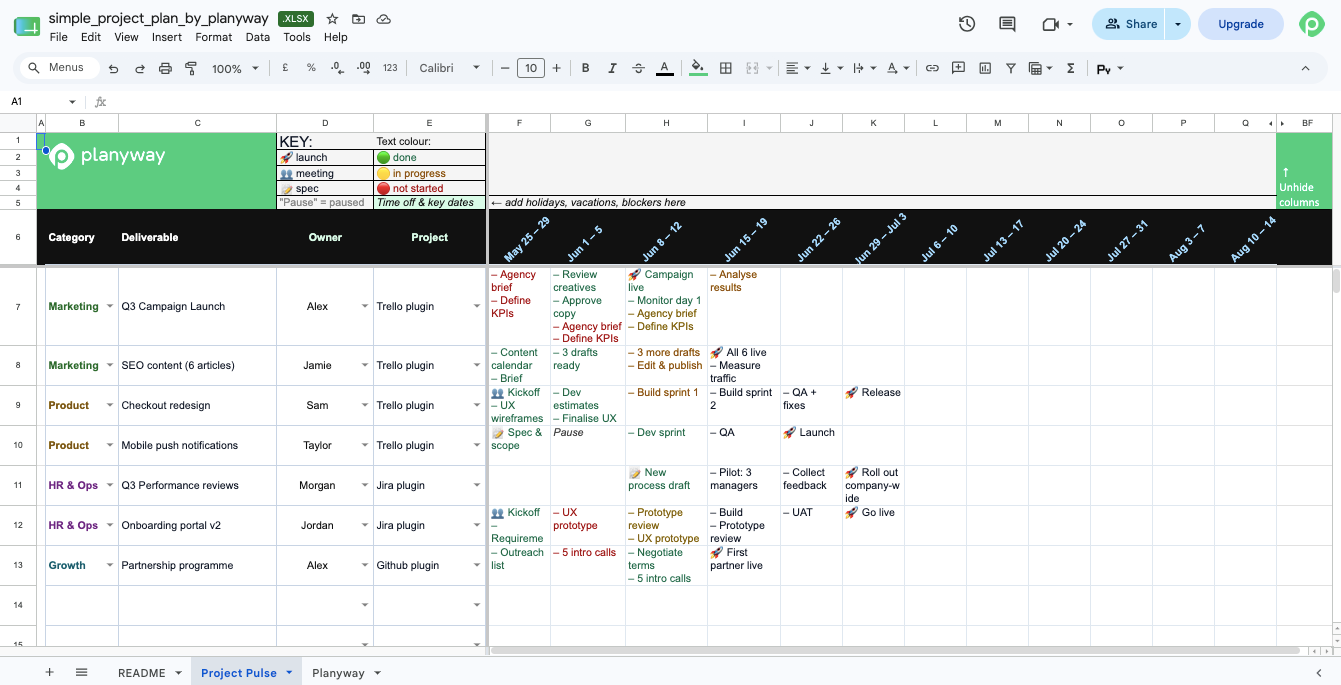 When you're planning your next project and just need to map out the basics, like tasks, owners, and deadlines, this barebones project plan template is your option. You get a clean, customizable layout, which is perfect for smaller initiatives or for when you want to track progress without a complicated process (because nothing kills the mood more than over-engineering a plan right off the bat).
Gantt chart template
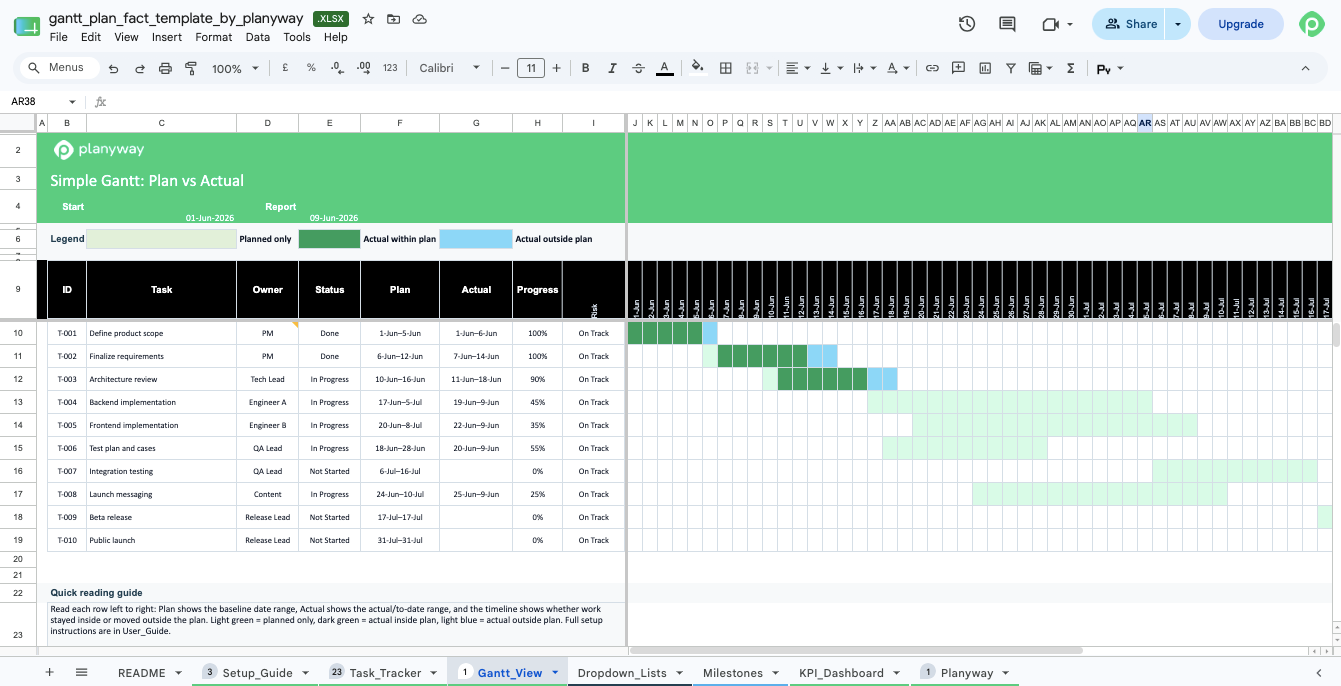
A Gantt chart template is a visual representation of your project timeline that connects the dots between project tasks and surfaces dependencies. It helps you see the whole picture: what's happening when, where bottlenecks might appear, and how delays in one area can ripple through the rest. A Gantt chart (preferably pre-configured) is a staple for complex projects with multiple teams or tight task dependencies.
Project tracker template
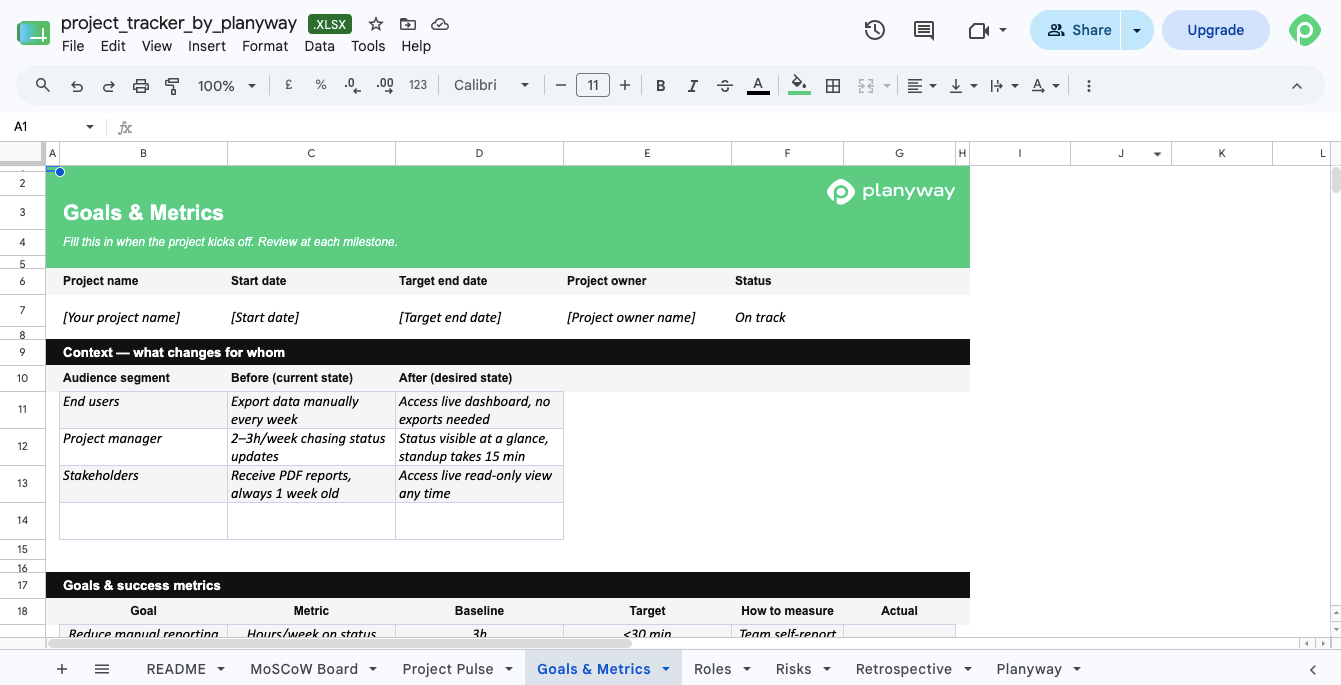
Usually, a project tracker acts as a source of truth that hosts the entire project context. It helps project teams track progress across deliverables, define project goals, map priorities with MoSCoW, clarify team responsibilities, and log risks. A project planner template like this one will help you keep everyone on the same page and also get a snapshot of the project during check-ins or stakeholder reviews.
Project schedule template
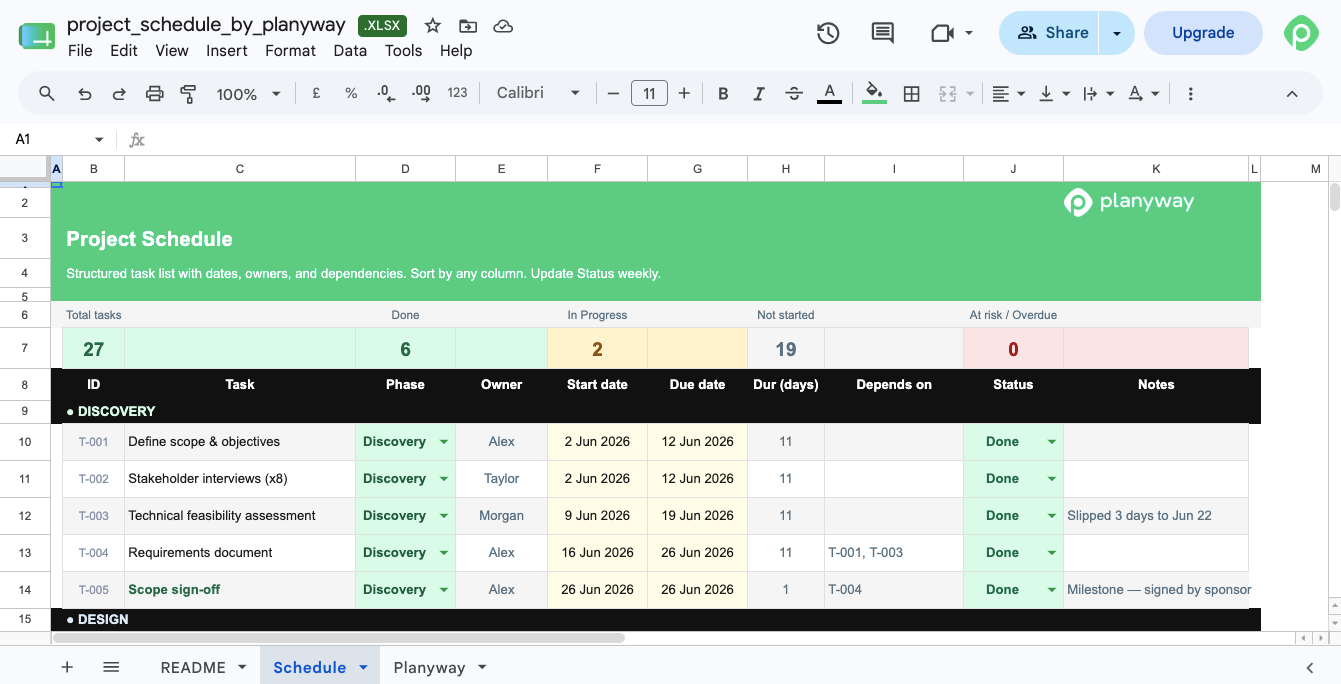
As the name implies, a project schedule template like ours maps out your project timeline with key dates and deadlines. It helps you schedule tasks logically, set realistic due dates, and show when deliverables will be ready. It's a must-have for keeping the entire project on track and stakeholders informed.
Capacity planning template
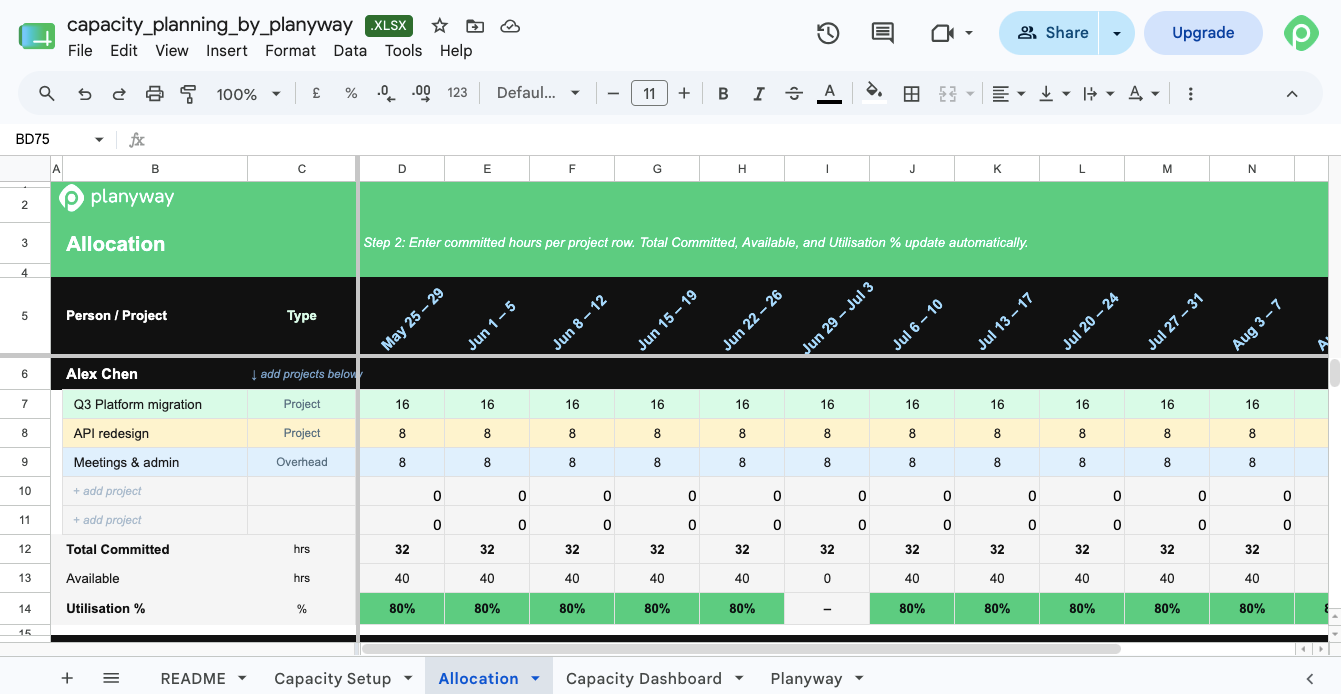
A capacity planning template proves its worth during resource allocation, since it can give you a clear view of who's overbooked and who can take on more work. Our template specifically highlights each team member's weekly utilization as a percentage and has a color-coded interface. For your convenience, we've also included a full setup for available hours with time-off tracking, a project allocation matrix, a team utilization dashboard, and skills inventory for reassignment decisions.
Agile project management template
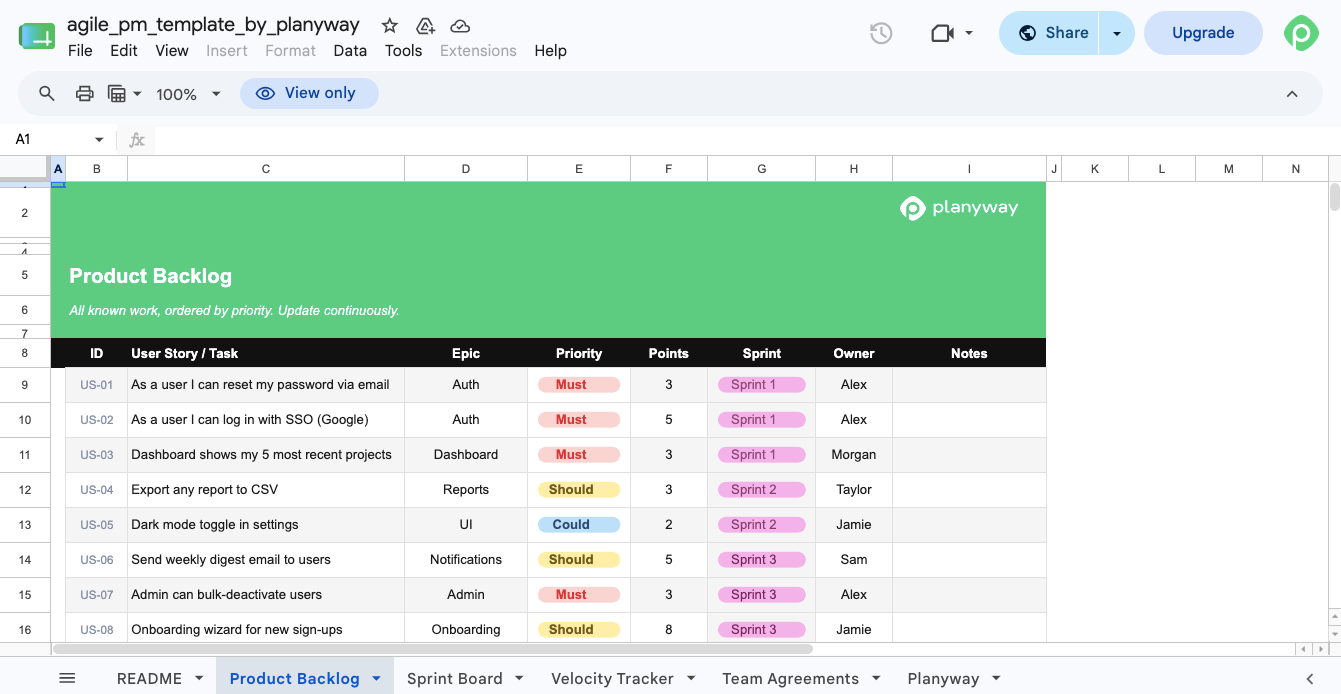
Our agile template bundles story point estimates, agreed-on readiness criteria, and velocity tracking. We've also included a prioritized backlog with MoSCoW and story points, a sprint board with status tracking, a velocity tracker with release date forecasting, and team agreements (Definition of Ready + Definition of Done).
Marketing project plan template
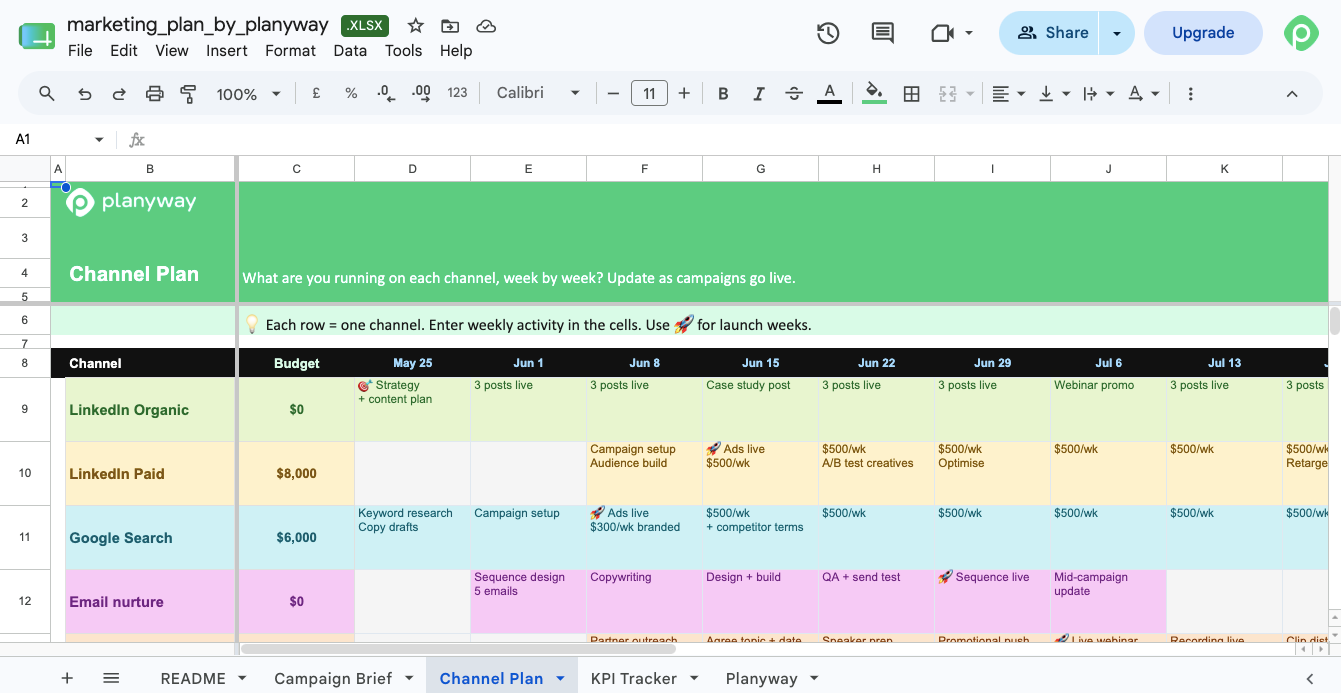
You know the drill with marketing campaigns: everything gets scattered and buried across channels, docs, and people, so you end up with a whole bunch of chaos. Marketing plan templates bring strategy, execution, and results into one place. Our edition also includes a one-page campaign brief (along with audience, message, budget, and deadlines), a week-by-week channel activity plan, and a KPI tracker with targets vs actuals per channel.
Project timeline template
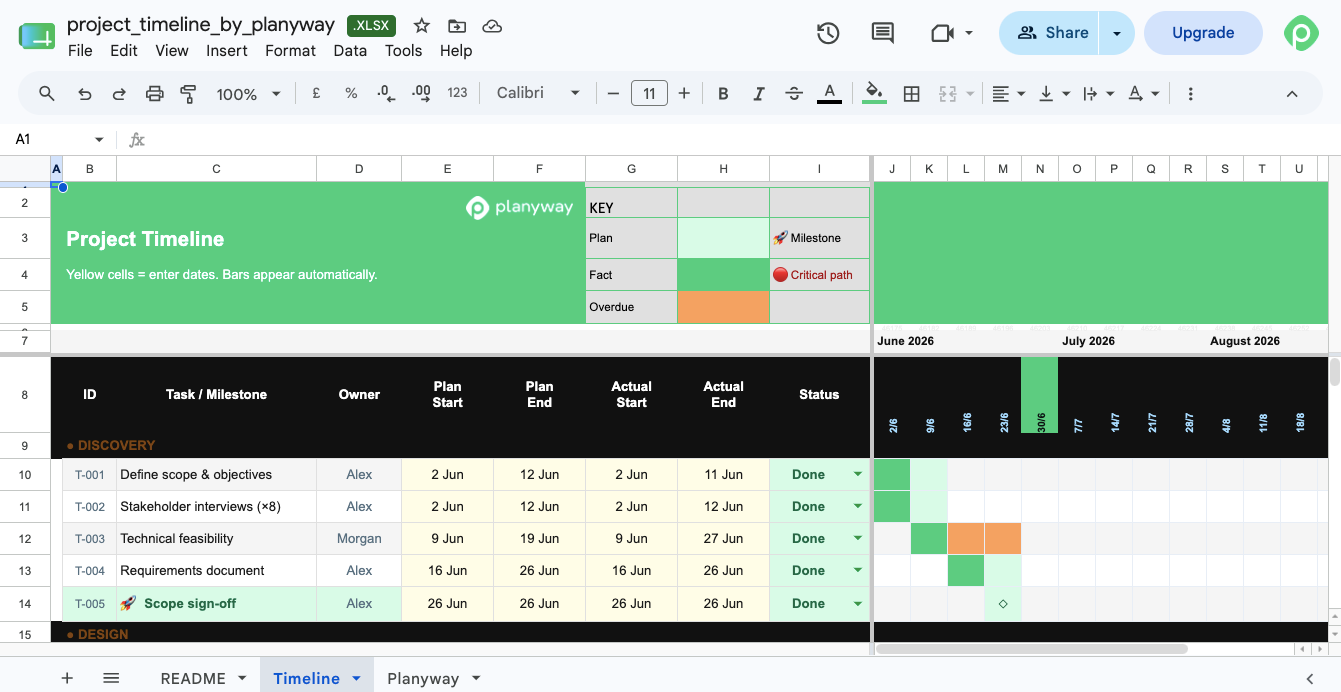
If you're handling a project that relies on multiple teams, and you need to see clear delivery stages, a project timeline template can come in handy. This project template shows who is doing what and when, highlights the critical path, and marks key milestones. It also features a phase overview with planned vs actual dates and a project timeline with team swimlanes, progress bars, and critical path flags.
Work breakdown structure template
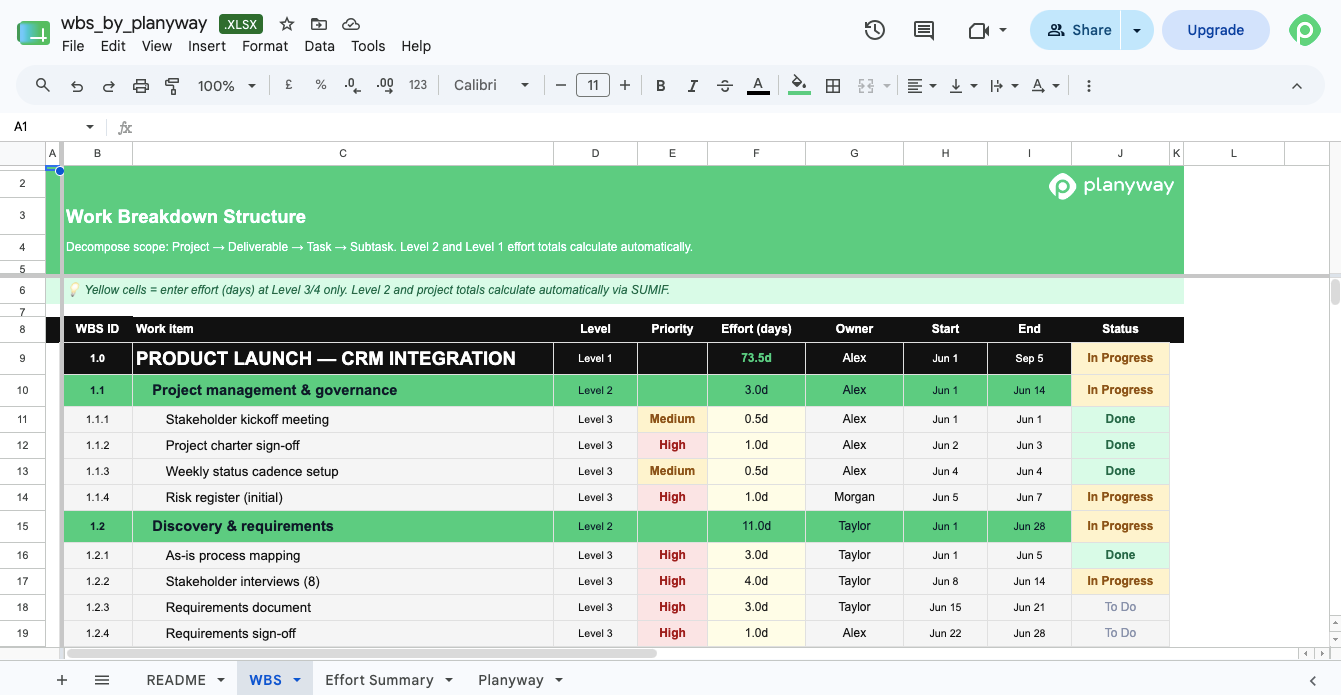
A WBS template is a must-have for accurate scoping because it helps decompose any new project into concrete, assignable tasks and surface hidden work that gets missed in early estimates. The template includes a four-level WBS (project → deliverable → task → subtask) with effort estimates and priorities, plus an effort summary with rollup by deliverable and per-owner capacity check.
Project scope template
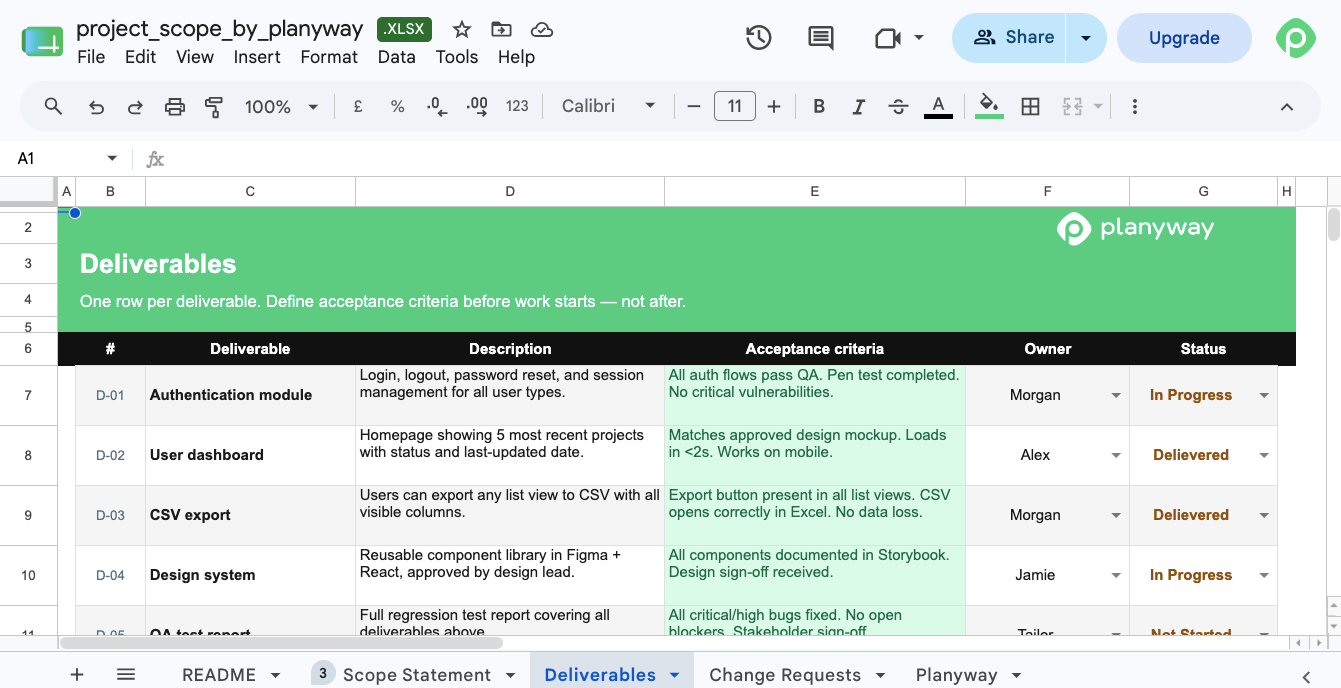
Successful projects aren't built on ideas only. Among other things, they draw upon a well-defined project scope that unites everyone around the same project objectives, deliverables, and boundaries. More importantly, a right-sized scope makes sure that the team doesn't end up taking on extra work that wasn't part of the original plan. Project managers can use this scope statement template in the early planning phase to document important details and key assumptions.
Project budget template
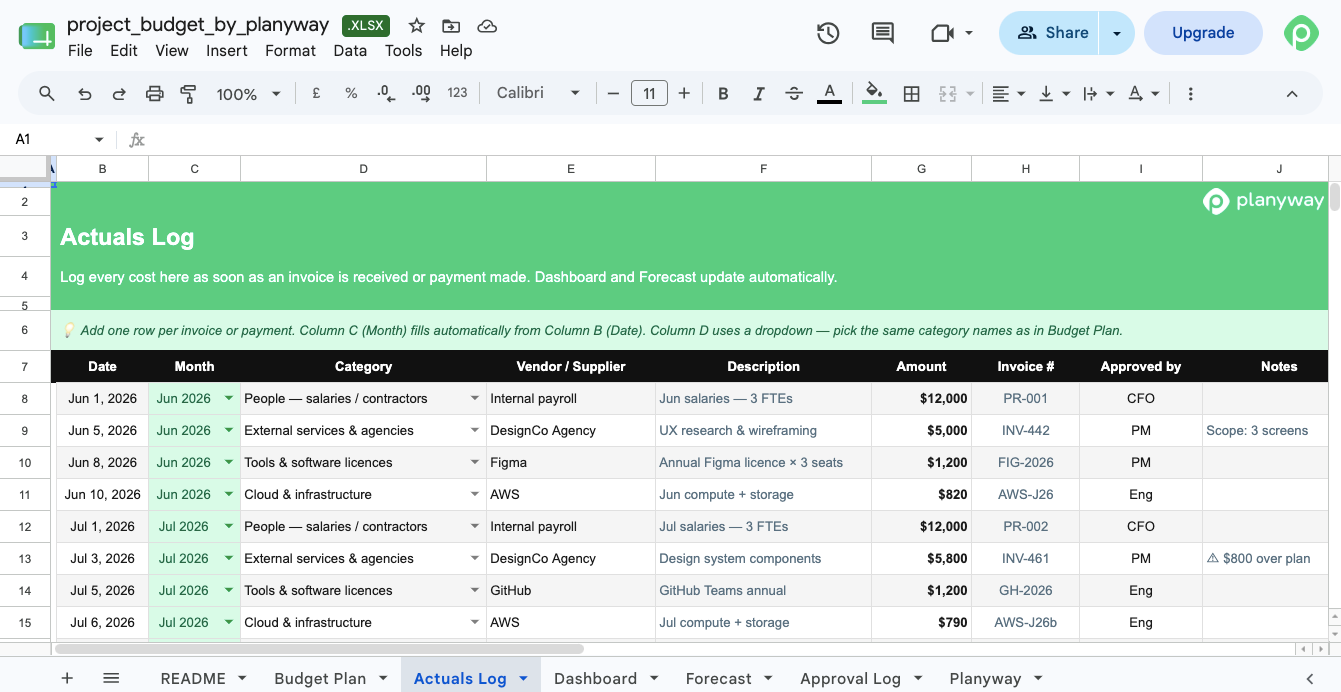
Money has a way of disappearing faster than expected during the project. That's why it's so important to keep tabs on project costs and where money's going. An Excel project budget template monitors actual costs against budget, catches overruns early, and keeps financial resources under control. We've also included an easy-to-skim dashboard for fast and convenient reporting to the project sponsor.
Stakeholder management plan template
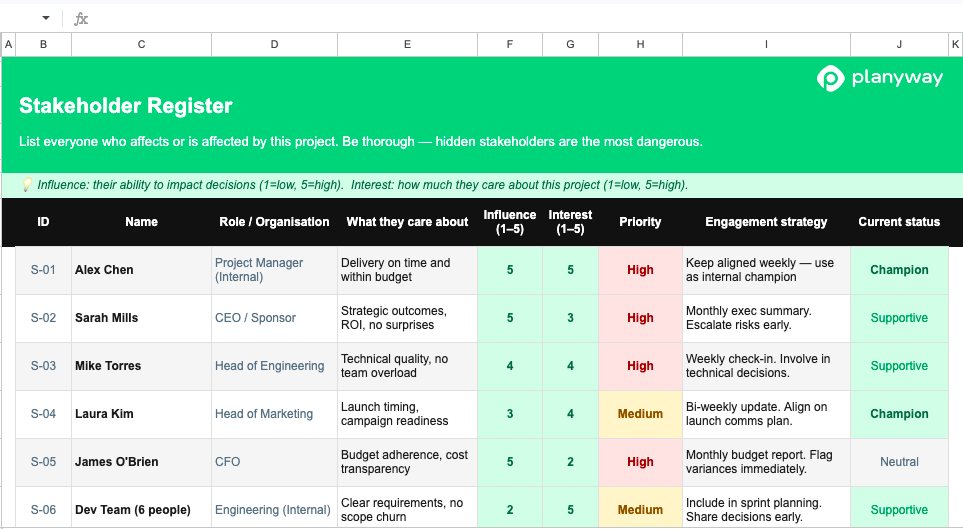
An Excel stakeholder management plan template is designed to help teams figure out who has a stake in the project, what they care about, and how to keep them engaged. It also maps key stakeholders by influence and interest, so teams can see at a glance who needs close attention and who just needs occasional updates. Overall, this template helps secure the support teams need at every stage of the project lifecycle.
Project milestone template
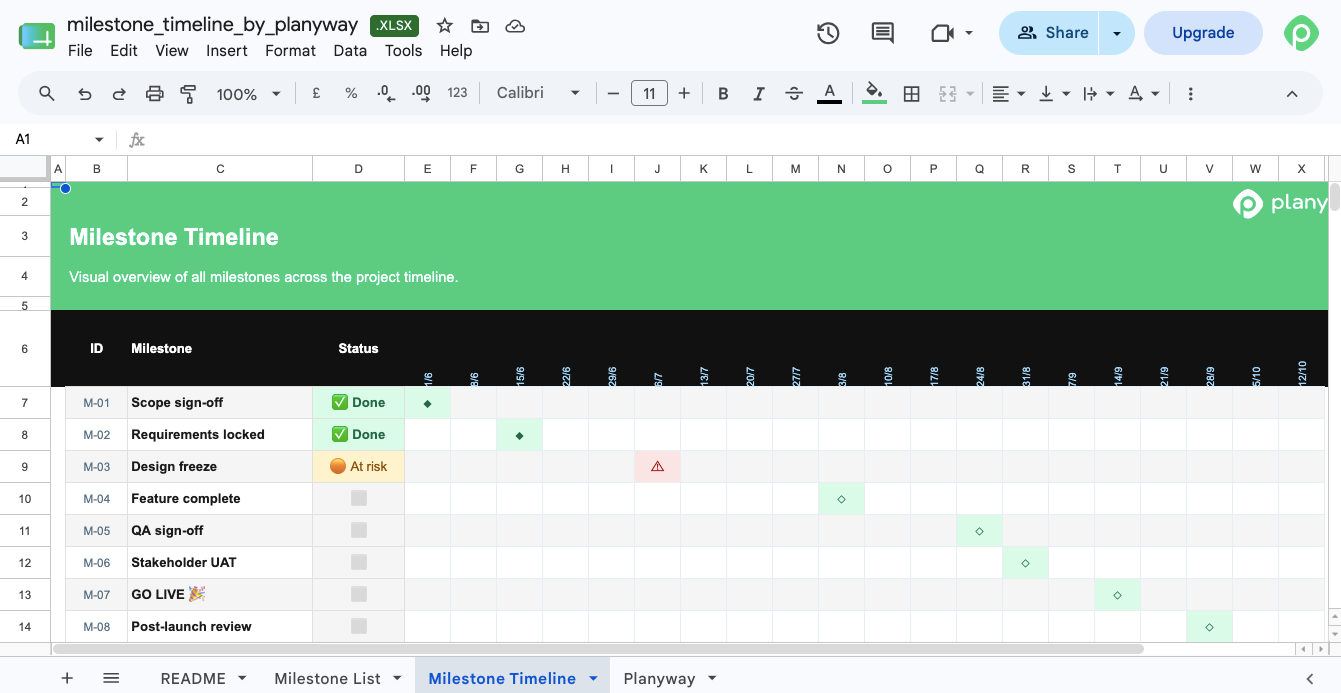
A project milestone template tracks key milestones and key decision points without getting bogged down in daily task details. Plus, it makes it easy to share the story of the project with stakeholders who want the high-level view, not the fine print.
Project resource planning template
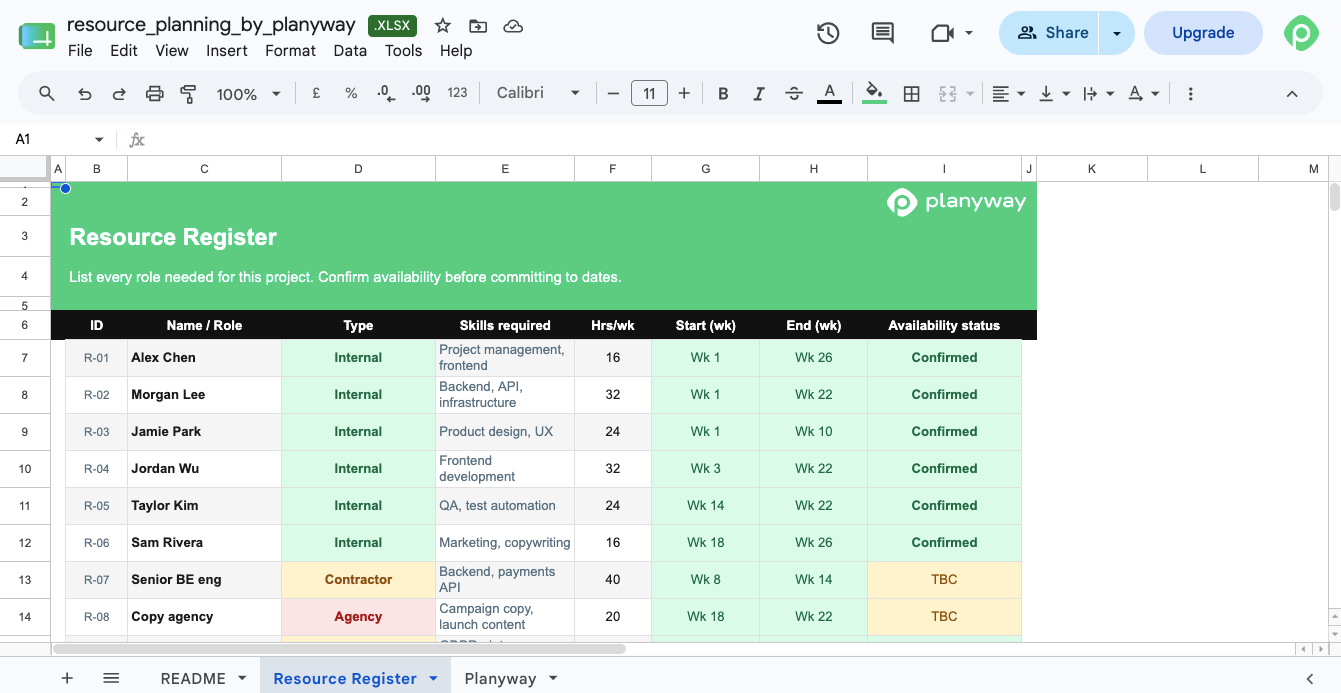
Probably one of the hardest parts of managing projects is fitting the work to the people. Structured Excel resource planners help get a better grasp of team capacity and resource allocation across multiple teams and initiatives because they provide an at-a-glance view of who's available and who's overloaded, and what happens if you shift resources around.
Risk management plan template
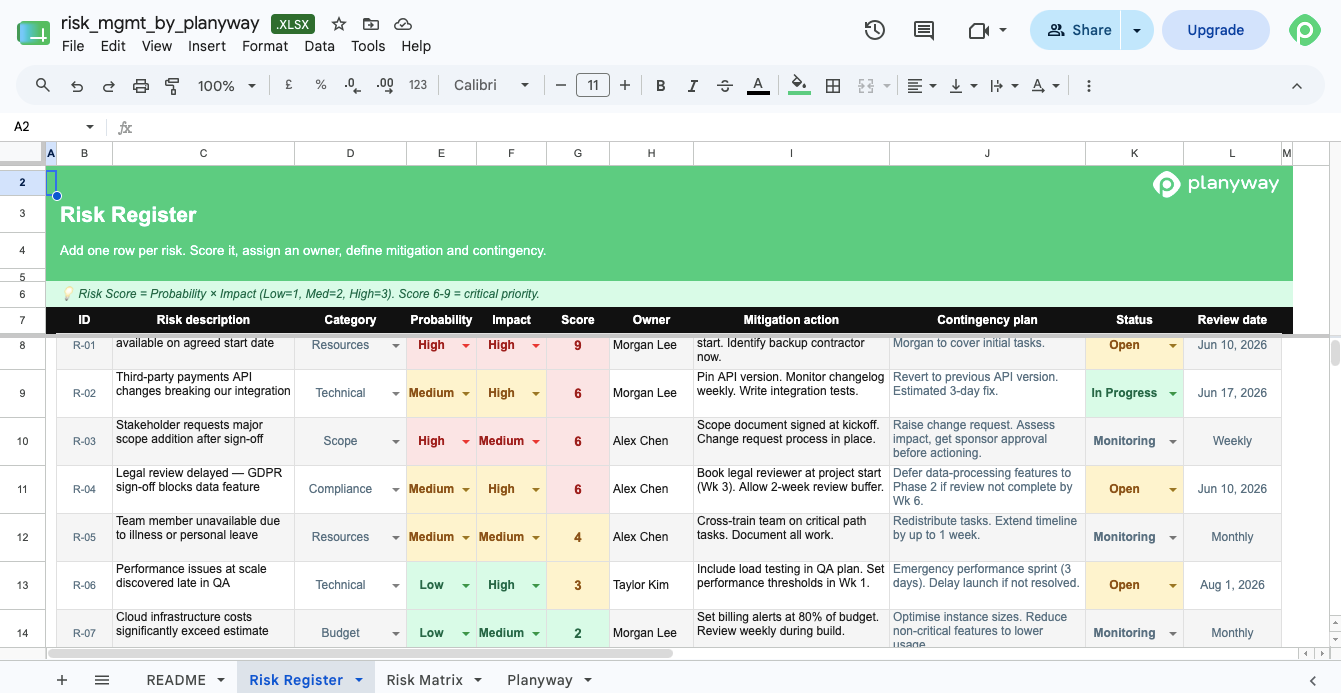
A risk management template identifies and tracks potential project risks before they grow into costly issues, which makes them critical for successful project delivery in a high-stakes context. We made sure to include risk probability, impact assessment, and mitigation strategies into the template to cover all the bases and give you a structured way to evaluate, prioritize, and respond to risks.
Meeting minutes template
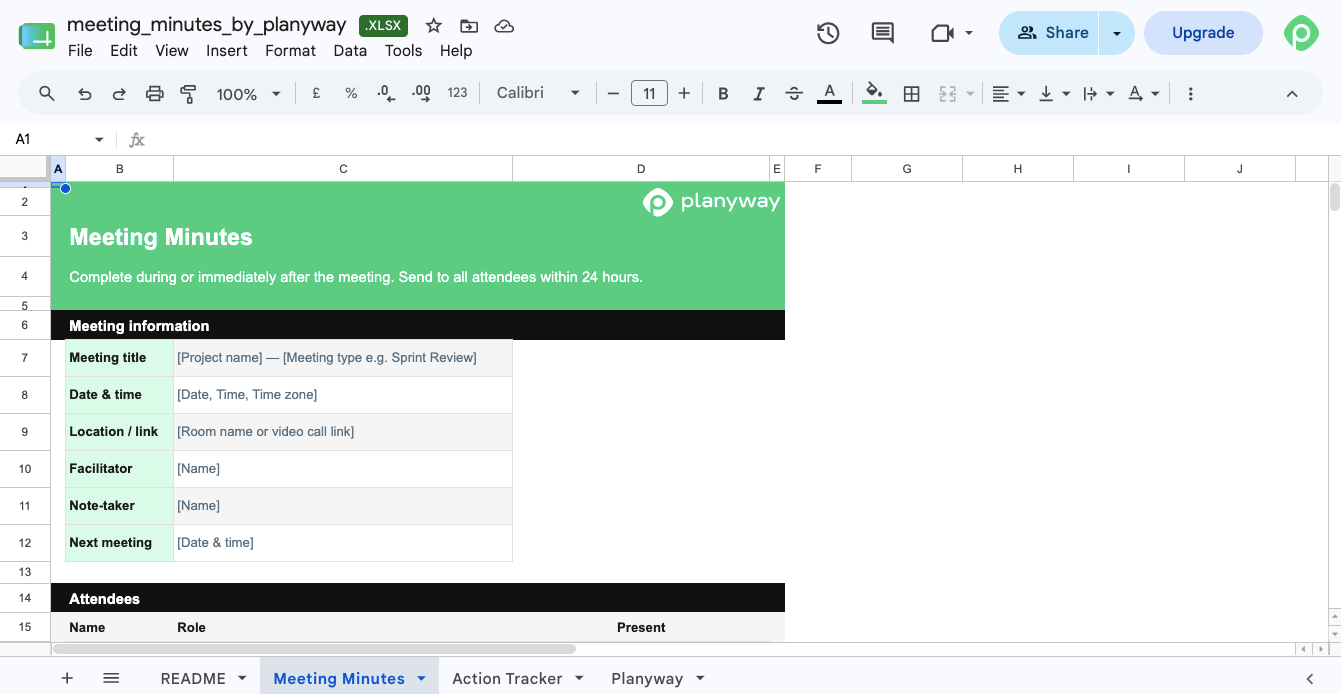
A good meeting minutes template jots down the important stuff from project team meetings — decisions, action items, and next steps. It keeps everyone on the same page about what was discussed and who's responsible for what. We made ours simple but enough to make sure nothing is lost in translation when mapping out the project.
RAID log template
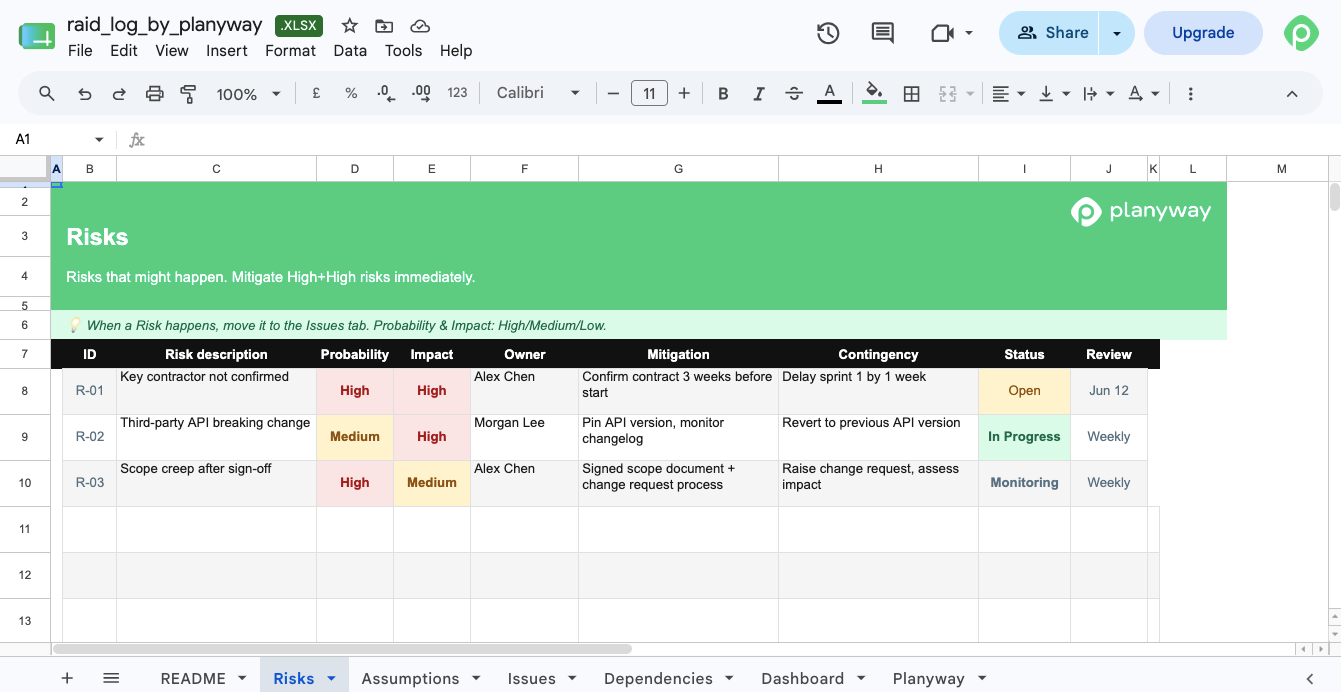
A RAID log template is a centralized space where the team can keep track of Risks, Assumptions, Issues, and Dependencies. On a high level, this log helps you stay on top of potential problems and factors that could derail your project. On a daily basis, it provides a structured way to assign ownership, track updates, and ensure each risk, issue, assumption, and dependency is actively managed. We've also included a live summary of open items across all four categories for a quick overview.
Milestone timeline template
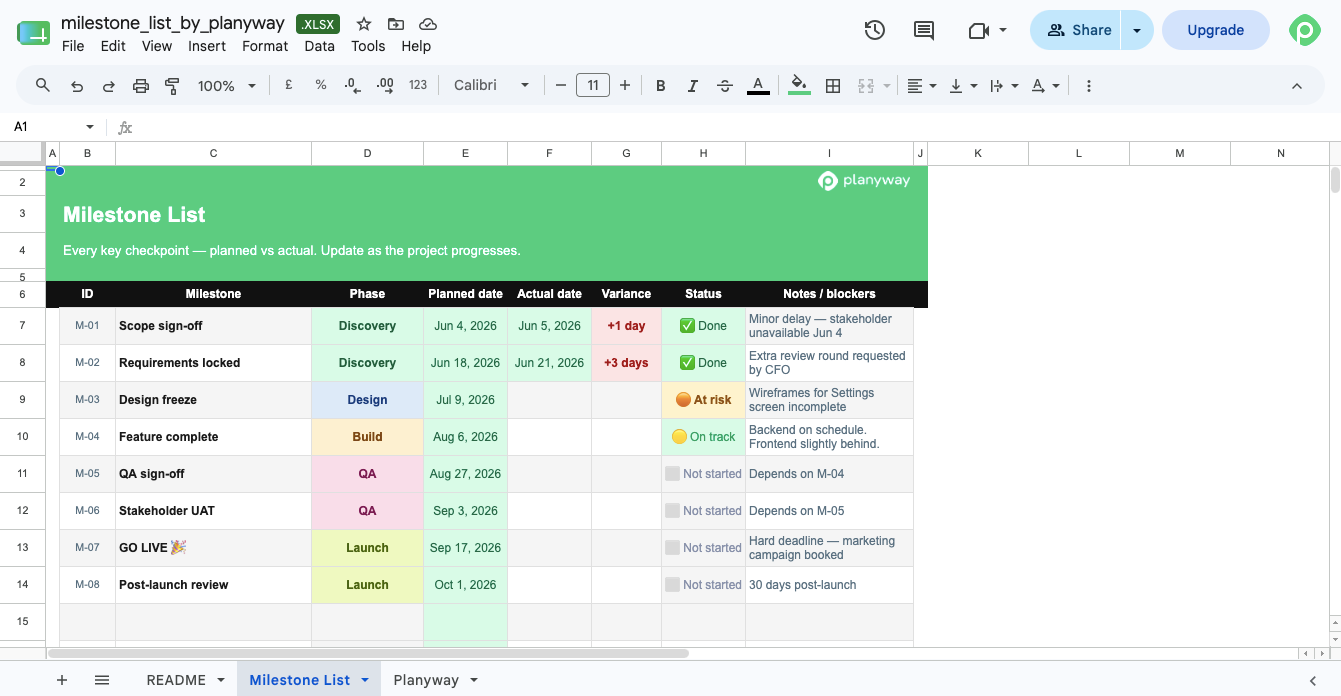
A milestone template highlights your key project milestones, so it is easy to understand overall progress at a glance. This one includes both a structured list of milestones and a visual timeline view, making it useful for planning upcoming checkpoints and presenting status updates. It works particularly well in a collection of project templates where you want to highlight simple, visual ways to communicate progress.
Project forecast template (time + cost)
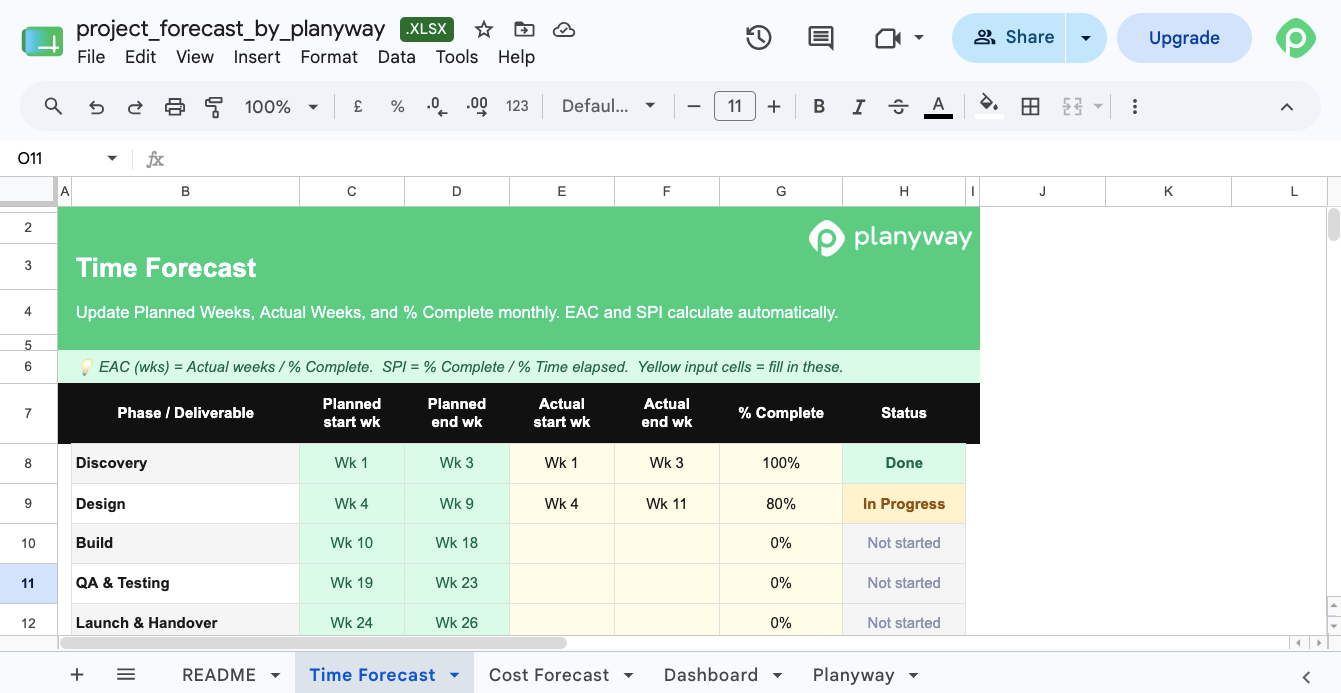
Project plans tell you what should happen, while project forecasts help you get a sense (and estimate) of what will likely happen based on the current project progress. A project forecast template allows you to estimate future costs and timelines, compare planned vs actual costs, and adjust course if needed. It also helps prioritize tasks and make the right calls about resource allocation for the rest of the project.
Work plan template
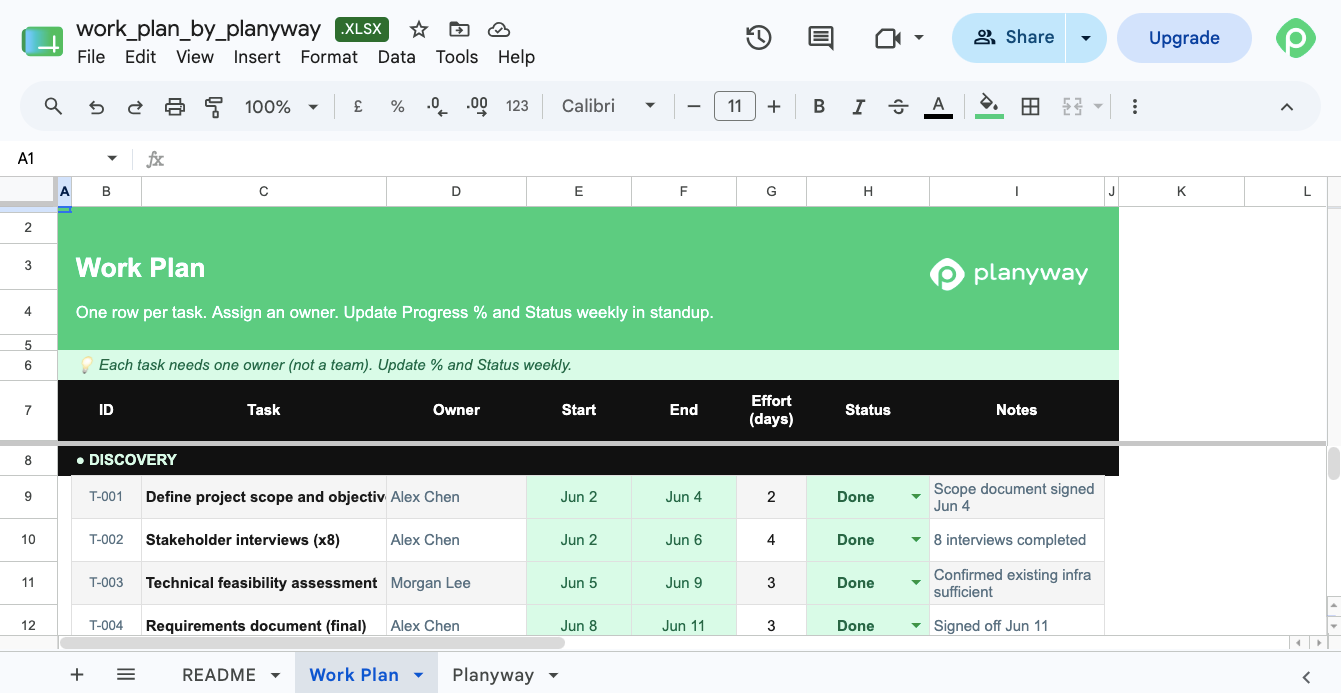
This work plan template is ideal for keeping the project team accountable and organized, as it lays out exactly what needs to be done and breaks work into clear, actionable steps with assigned owners.
Project requirements template
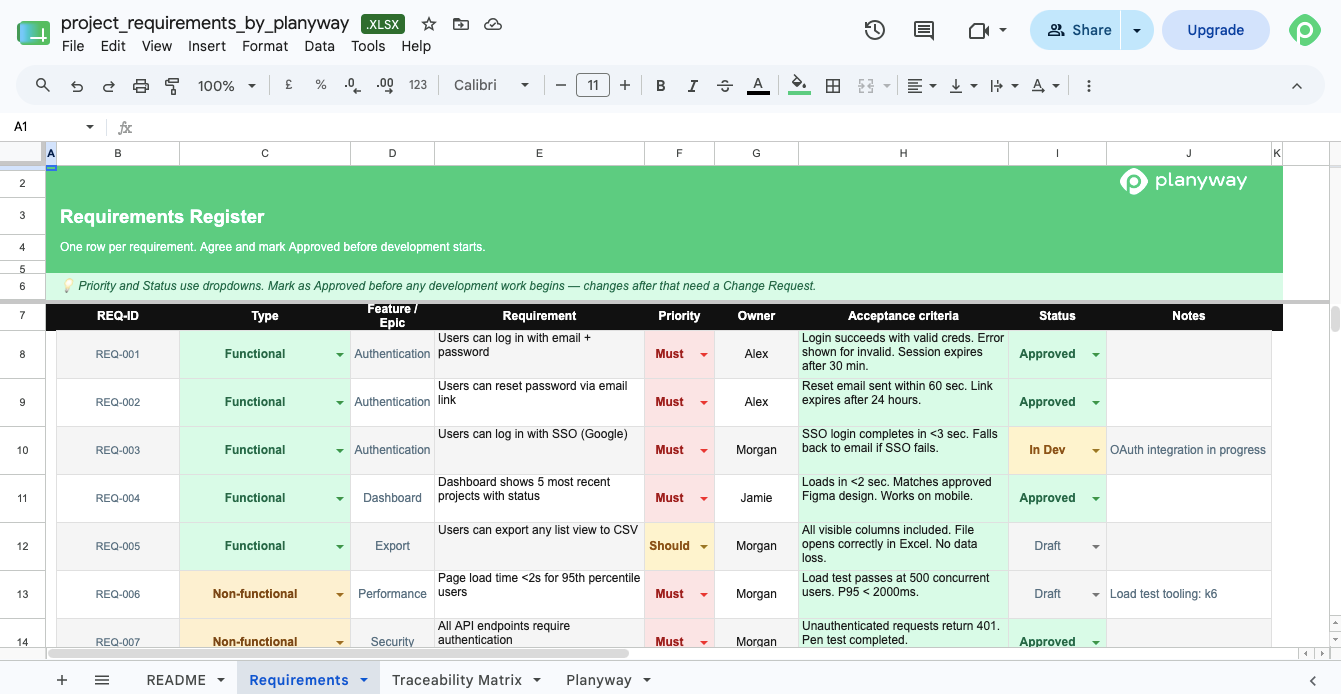
A project requirements template is a standardized document that captures, organizes, and tracks functional and technical requirements of your project. It defines what "done" looks like and ensures alignment between stakeholders on what the project must deliver. At the end of the day, getting all the requirements clearly down just helps avoid misunderstandings down the line.
RACI matrix template
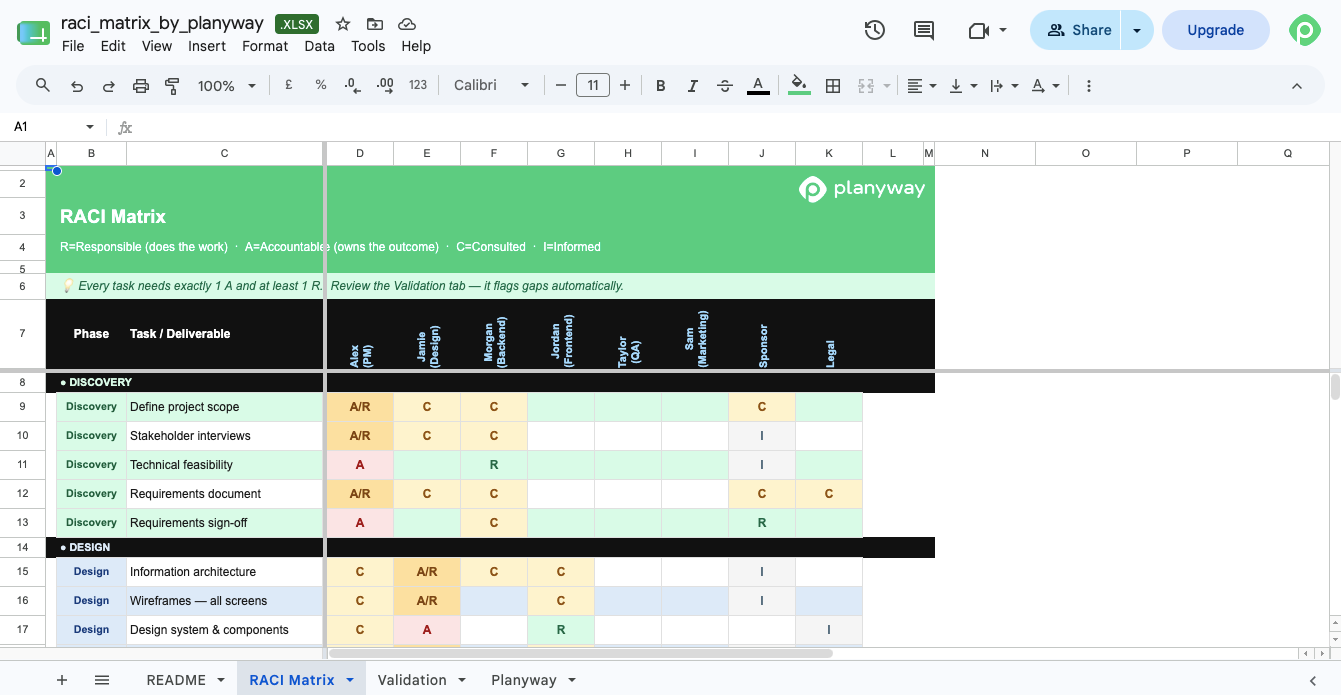
As you would expect, a RACI matrix template breaks down team responsibilities through the lens of the RACI framework (Responsible, Accountable, Consulted, Informed). In the long term, it prevents confusion about who does what and makes sure nothing falls through the cracks. Like many other templates in our list, it's a go-to for complex projects with multiple teams.
Risk register template
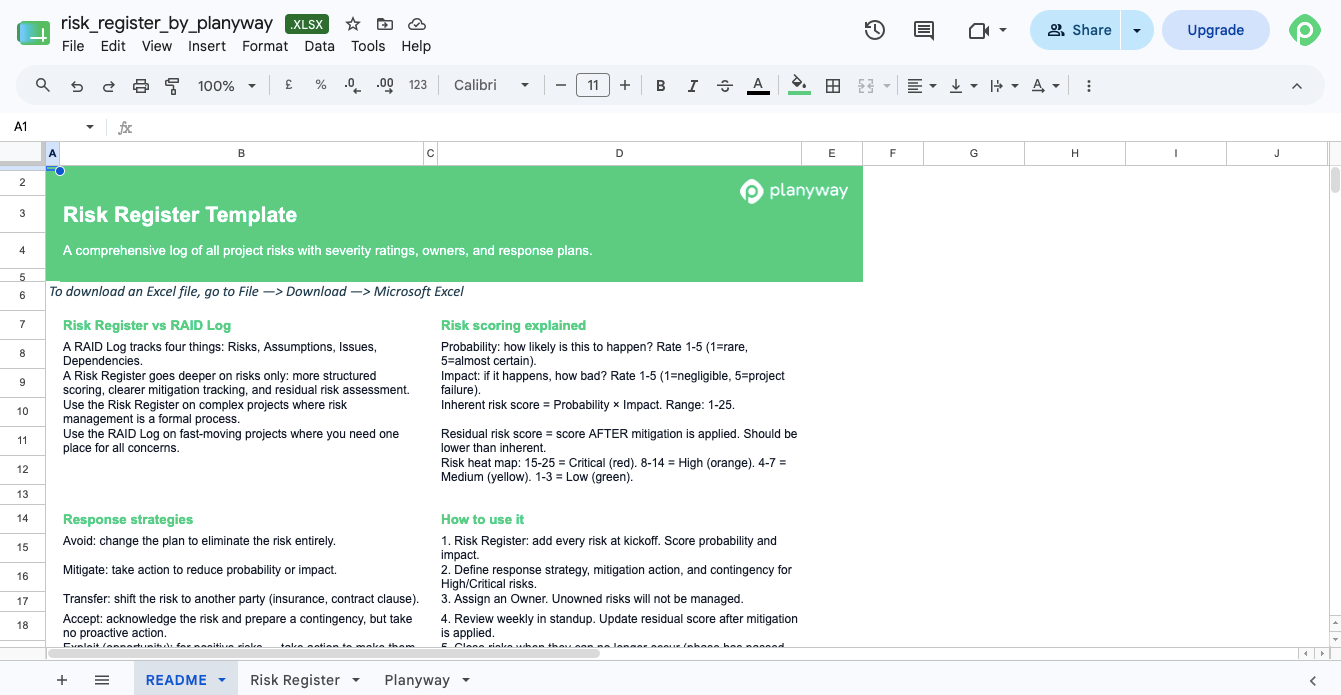
Unlike a RAID log, a risk register template zooms in only on project risks, along with severity ratings, owners, and response plans. It also goes deeper into risk tracking and mitigation strategies throughout the project lifecycle, so the risks are actively handled as the project hums along.
How Planyway helps with project planning (spreadsheet-free)
With Excel, you have to manually update data and manage different versions of your plan. Plus, it’s a static snapshot that doesn’t work with live project insights, so spreadsheets can quickly grow stale.
If you’re working in Jira, a more convenient and dynamic alternative to spreadsheets would be using a dedicated project planning and resource management tool like Planyway. Planyway has everything you need for project planning — cross-project Gantt, resource management, a lightweight team calendar, built-in time tracking, and reporting — bundled into one Jira-native tool.
One shared, live portfolio view of all your projects instead of a dozen Excels
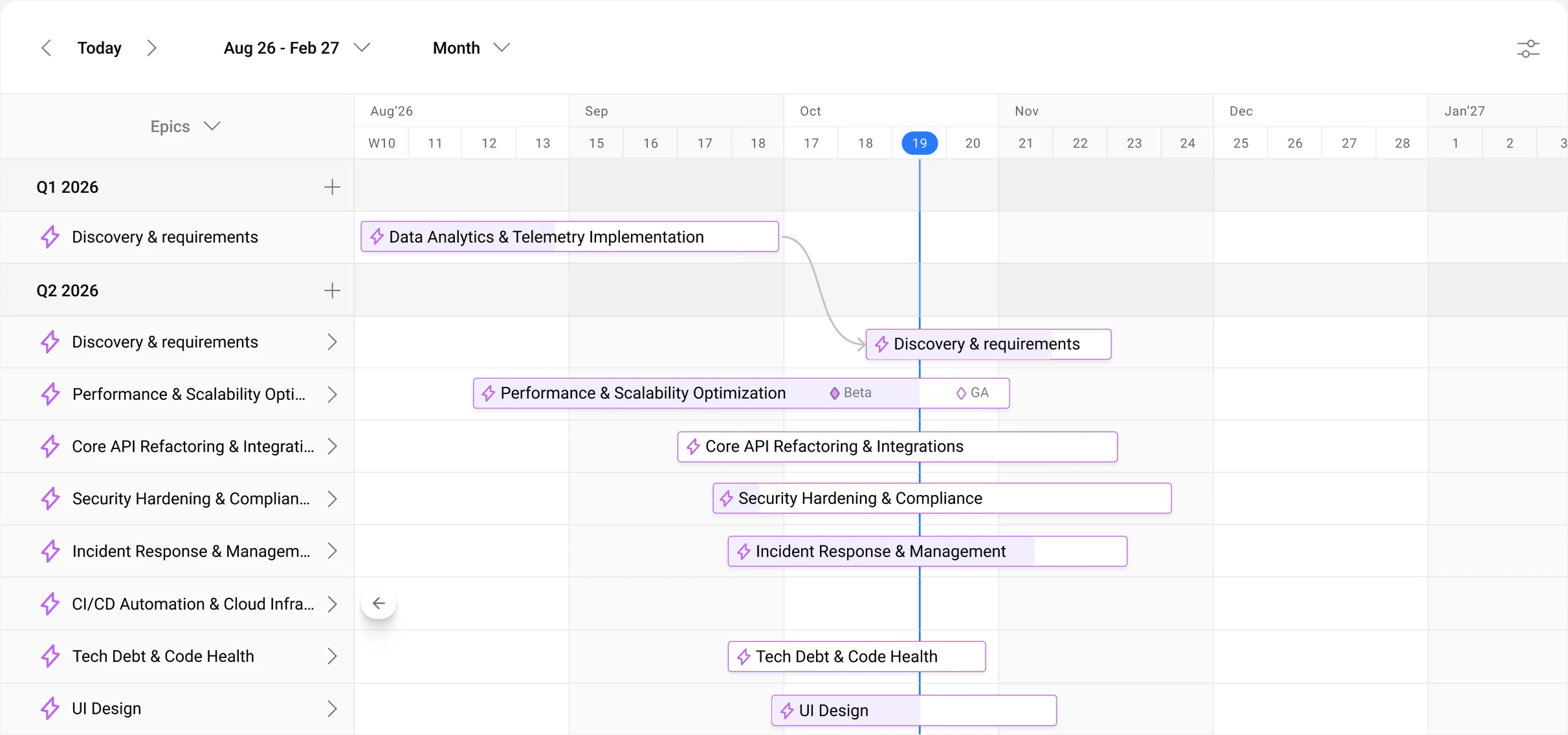
Planyway’s portfolio view gives you a high-level, cross-project snapshot of all your projects, grouped by the way you work - epics, projects, initiatives, or quarters - on a single timeline. Instead of managing scattered spreadsheets, teams can manage their projects in one shared, real-time workspace, track their own project-specific data (hierarchy, custom fields), and make planning decisions with up-to-date information on timelines and dependencies. The view is executive-ready, too.
Visual, drag-and-drop resource management
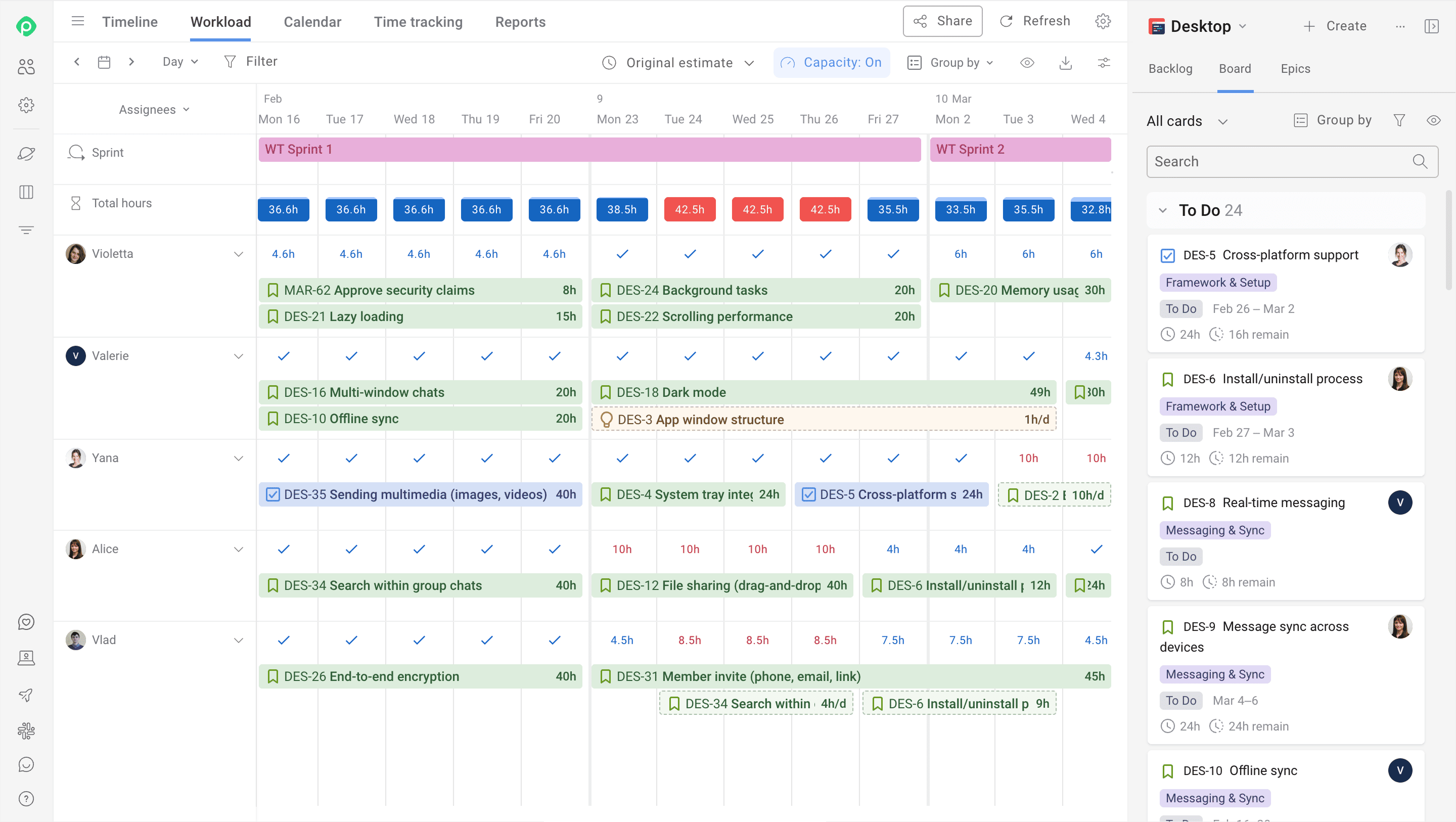
Planyway turns capacity planning into a visual, drag-and-drop experience. It calculates workload from task estimates and available working hours, then shows it directly on the timeline so you can instantly see who is under- or over-allocated. You can easily drag tasks between team members, stretch or shorten them to rebalance effort, and adjust schedules in real time. Team and individual capacity are always visible, and resource plans can be shared with stakeholders as a live view or PDF for full transparency.
Spreadsheets can work, but there’s a more convenient way to stay on track
Easy-to-edit templates in Microsoft Excel can suffice for relatively simple projects.
But with multiple teams, shifting priorities, and lots of task dependencies, keeping spreadsheets current becomes a full-time job. You're constantly updating cells, reconciling different versions, and manually tracking project status across disconnected project management templates. It's not a reliable way to monitor progress on high-stakes work.
If you’re already working in Jira, a dedicated planning tool like Planyway can make that process easier. Instead of maintaining separate spreadsheets, it gives teams a shared view across projects and timelines that stays in sync automatically.


FAQ
Project planning templates come in many forms depending on what you're managing. Gantt charts give you timeline visualization. Budget templates help track project costs. RACI matrices clarify team responsibilities. Risk logs help manage project risks. Scope templates define project boundaries. Work breakdown structure templates help organize tasks into manageable pieces. Some templates focus on specific methodologies like Agile, while others work for general-purpose planning across the project lifecycle.
The seven steps of a good project plan typically include defining project goals and objectives, assigning roles and responsibilities, identifying deliverables and scope, breaking down the work into simple steps, estimating time and resources, creating a schedule, and establishing risk management processes. Each step builds on the previous one to create a comprehensive plan that guides the entire project from start to the end date.
To create a simple project plan, start by outlining your project goals and key deliverables. Then break down the work into phases and identify the specific tasks needed to achieve key milestones during the project lifecycle. Assign responsibilities, estimate timelines, set deadlines, and finally, add any task dependencies or constraints that might affect the project schedule. Using a project planner template as a foundation makes the project planning process easier and faster, especially when launching a new project.
To find the best format for a project plan, take time to analyse your project complexity and team preferences. The format should match how your project team actually works. Gantt charts work well for timeline-heavy projects, while simple task lists suit smaller, more flexible ones. For managing projects with multiple teams, a structured format with clear key phases and resource allocation works best. For executive audiences, milestone timelines provide high-level visibility.
To make your own project plan, begin with the basics: what you're trying to achieve and why. List out your major deliverables, then work backward to identify the tasks and milestones needed to get there. Add time estimates, assign owners, and note any dependencies between tasks. Build in some buffer time for unexpected delays. Review it with your team to catch anything you missed and make adjustments before you kick off. Even when making your own, looking at free project plan templates first gives you a solid foundation to customize for your specific project needs.