5 capacity management & planning challenges every PM hits (and ways to fix them)

Most guides on this topic open with a definition and a maturity model. Let's take a different route.
We spend a big part of our week on calls with teams who use Planyway: project managers, delivery leads, and resource managers, in organizations from 20+ people to a few hundred. We also have PMs on our own team, and PMs who know other PMs. So yes, we know the pattern well when it comes to capacity management challenges.
Almost none of them are about not knowing what capacity planning is. Everyone knows. They know who's overloaded, and they usually knew last month too. The problems that actually hurt are structural: when a decision gets made, who is allowed to make it, whether it's an informed decision, and who finds out afterwards.
Below are the five we hear most, and what the teams did that changed things.
TL;DR
- The five most common capacity management challenges are fake baselines, late warnings, views built for the wrong scale, invisible future demand, and nobody owning the trade-off.
- Most of them aren't about not knowing how capacity planning works. They're structural: who makes the call, on what data, and who finds out about it afterwards.
- All five have fixes, but only three of them are about software. Planning tools can fix baselines, timing and scale, so everyone works from the same accurate picture. The other two are about people: who gets to promise a date, and whether a rough first estimate is allowed to stay rough. No app can make those calls for your organization.
What makes capacity planning so hard?
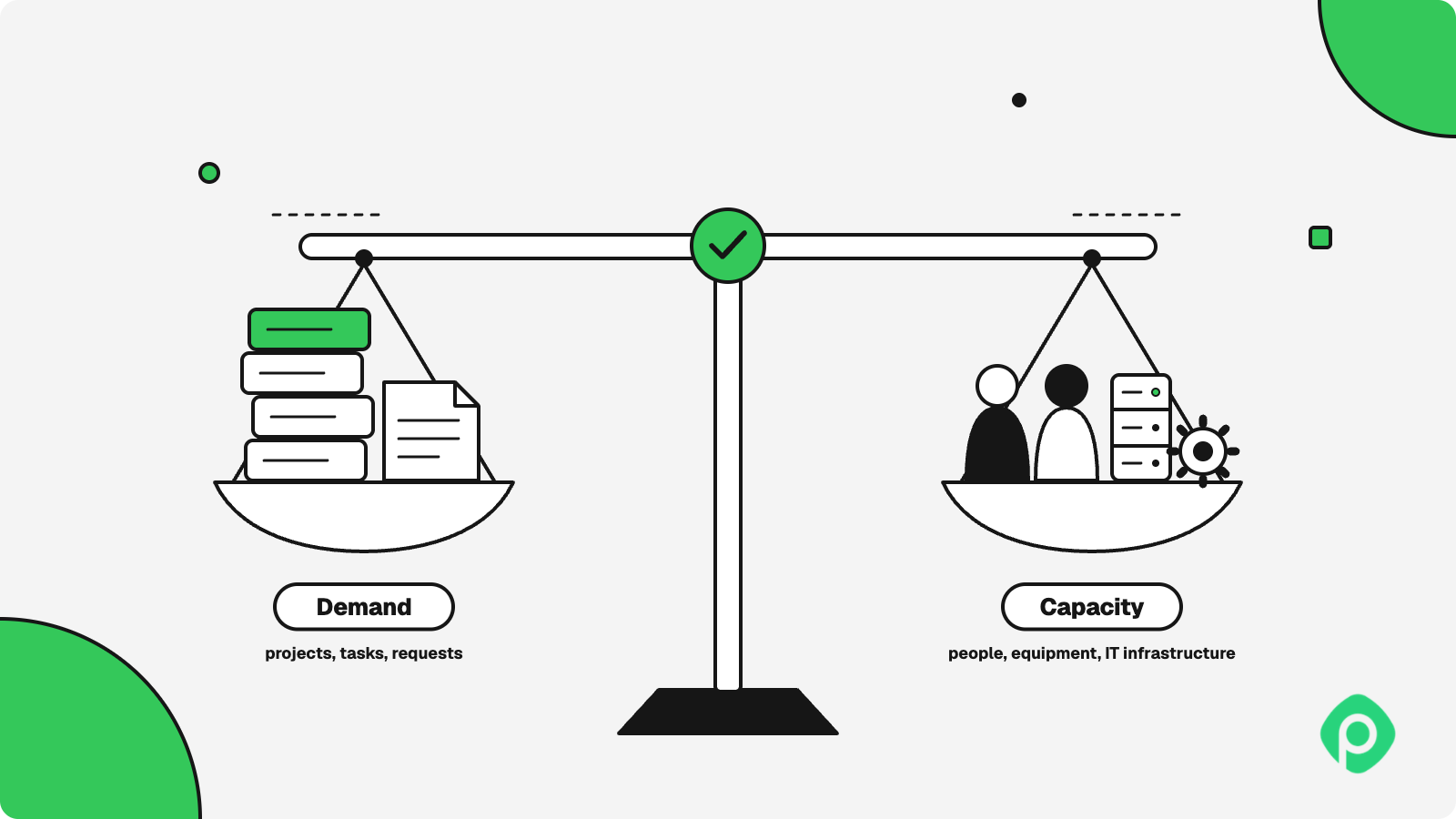
Capacity planning is the process of aligning a team's production capacity and available resources, such as people, equipment, or IT infrastructure, with customer or project demand. Done well, it keeps a project from getting buried under unrealistic expectations and burnout.
The trouble is that it can be done carefully and still fail. The plan can be accurate for about two weeks, and then reality hits, even though the team keeps performing.
PMs try many methods: resource utilization sheets and formulas, velocity tracking, even AI tools. The calculations hold up until the first time someone gets pulled onto something else. Some teams say velocity tracking doesn't work. Others insist it should be part of every retro, then admit that when they did it every two or three sprints, it still left room for surprises.
The challenges here have less to do with calculation. Where the data lives, when it reaches you, and who owns it all shape the process, and the real-life cases below show it.
Problem 1: The commitment is made at the moment you know least
A delivery lead described their estimating process to us. A new piece of work appears, and the team does a rough sizing by team, not by person, because nobody knows yet who will do it. Then discovery happens, and they estimate again, properly, with a real understanding of the implementation.
It's a sensible process. A realistic one, even. The only problem is that the date was agreed upon after the first rough estimate.
This is the structural problem under most capacity failures. The commitment is made at the point of minimum information, and the better number that arrives three weeks later has nowhere to go. The date is already in a contract and maybe in someone's quarterly goals. The team has the second estimate, which is better and more sensible, but the organization only has the first, and that's where the unrealistic demands come from.
How to fix project deadline estimates in capacity planning
Make the first number explicitly provisional, in writing, with a date attached for when it gets revised. Your output is a range and a review point, something like "four to seven weeks, we'll know which by the 14th."
This costs nothing, and almost nobody does it, probably because a range feels weaker in the room than a single number. But it's a reasonable way to show uncertainty and protect yourself from unrealistic expectations from key stakeholders.
If the gap has already happened, arguing "we only have 200 hours, and this work needs 500" rarely goes well with senior management. Instead, describe what has to be sacrificed to fit the timeframe, in scope or features. "We can hit the original date, but we'll need to cut features from the MVP" is a much easier sentence to hear.
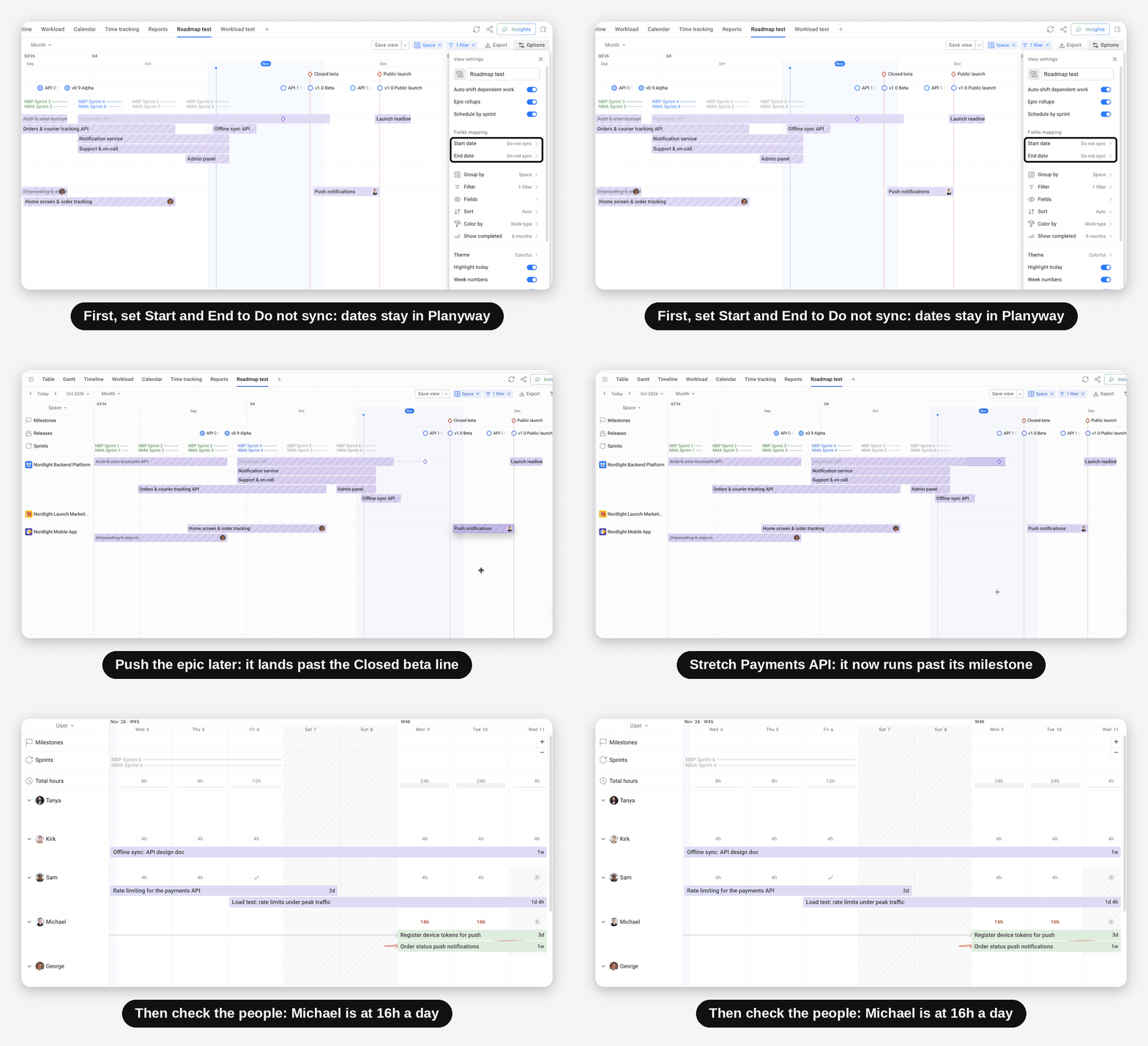
To make that conversation concrete, lay the work out on a roadmap first.
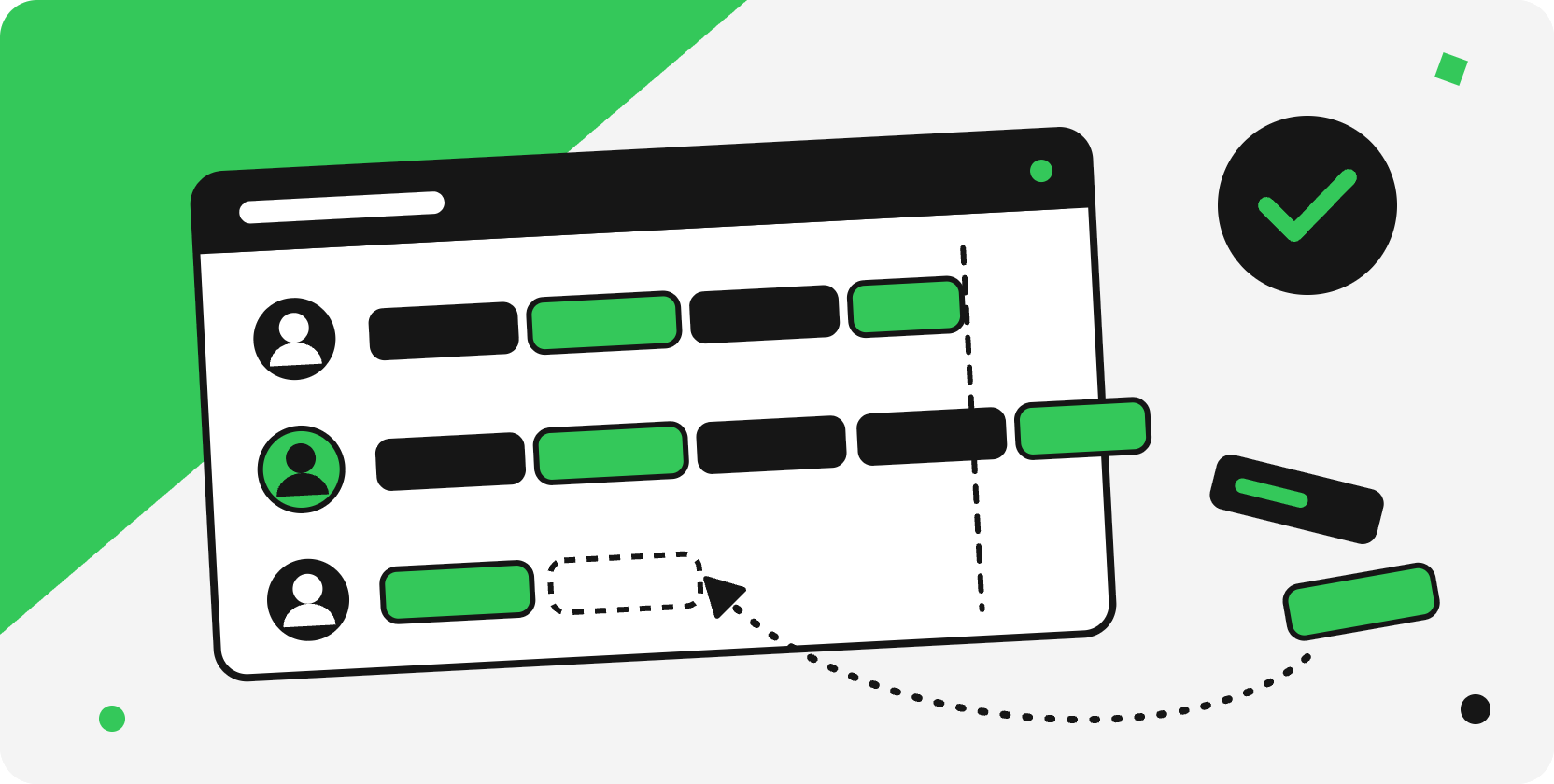
In Planyway's Roadmap (Planyway is our all-in app for cross-project planning in Jira), you can drag an epic a few weeks later without touching Jira and see which epics move with it, whether you miss a milestone, and who ends up overloaded.
Problem 2: Demand is created by people who don't carry the cost
One team lead summed up his whole capacity problem in a single question: does our internal capacity match what sales keeps selling?
That gap isn't an accident or a communication failure. Sales is measured by what it closes. Delivery is measured by what it ships. The difference between them is sometimes where capacity goes to die. No amount of accurate demand forecasting fixes a structure where one function generates commitments and another absorbs them.
How to fix the demand discrepancy in capacity management
Put a capacity check into the path of the commitment, not after it. In practice, that means an internal rule: nothing gets a date until someone has checked whether the team actually has available capacity.
The check takes a few minutes if you can see the numbers.
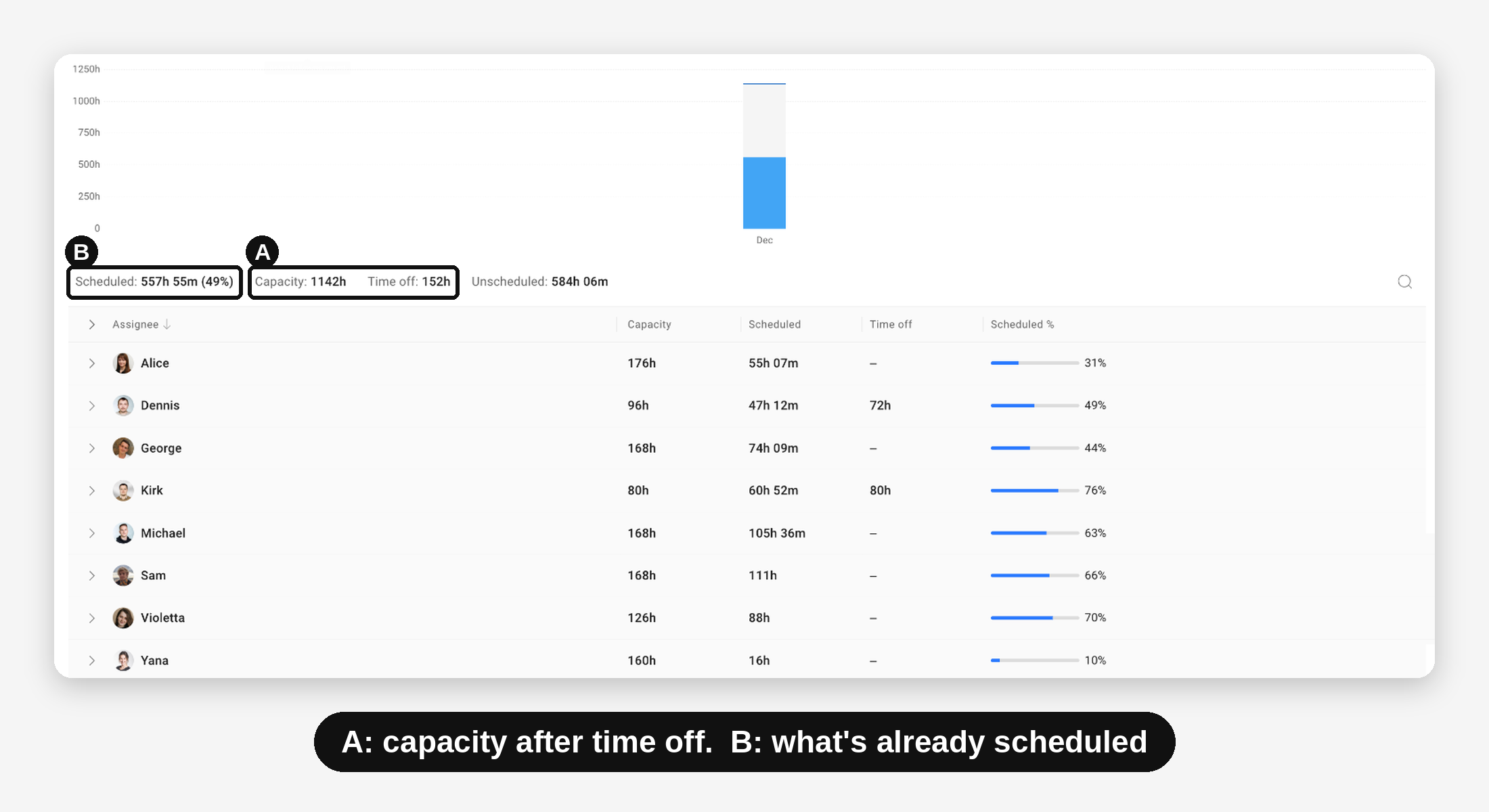
In Planyway's Workload report, you pick the period the new work would land in and look at two figures: the team's capacity (with holidays and time off already taken out) and how much of it is already scheduled. If the team is at 85% for that month, the answer to sales is "not before the 20th," and you have a number to back it up.
Problem 3: In a matrix, nobody owns a person's total time
A program lead we work with manages a few hundred people in a matrix structure spread across several companies. His question was whether a whole team was stretched across multiple projects, more than three at once.
This is one of the most common challenges in matrix organizations. Functional managers own the people, PMs own the work, but nobody owns the person's actual week. Each project manager sees a reasonable slice and commits to it. The functional manager sees headcount and assumes availability. The individual is the only one holding the full picture.
At that headcount, nobody can scan individual bars and add them up in their head. Yet most capacity planning tools start from the person and stop there.
How to make total time count in team capacity management
Make team capacity the primary unit, with individuals as the layer underneath.
Also name, explicitly, who is allowed to say a person is full. In most matrix organizations, nobody has been given that authority, so it defaults to the person themselves.
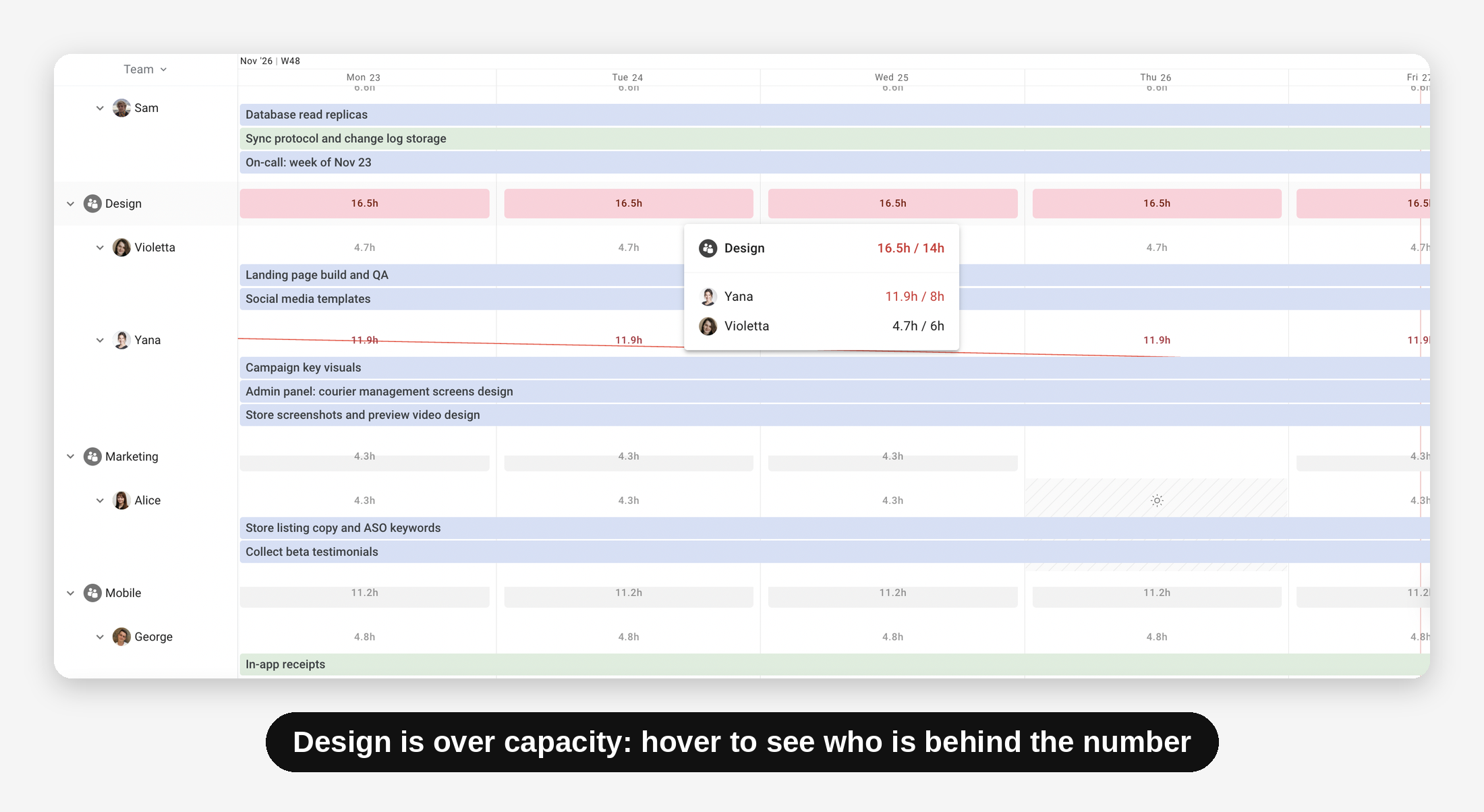
This is how Planyway's Workload view is set up. You group by team, so the first thing you see is each team's load for the week or month. Pick the projects the team works on, and the hours from all of them add up. A person split across several projects shows up as one booked week, not as three reasonable slices. A team that's overloaded turns red, and you open it to see which people are behind that number.
Problem 4: The capacity decision runs on self-reported data
We asked one project manager what happens when there aren't enough people. He said it gets raised to management, who decide whether there's budget to hire or whether things get reprioritized internally.
Then he described how management gets the picture. His VP of operations wanted one place to see all the projects and where the conflicts were, because the alternative was emailing each project manager individually to collect it.
So a hiring decision, or a decision to stop someone's project, gets made from five replies to an email. Each reply comes from someone with a stake in the answer, and they arrive over three days. Every one of them is reasonably advocating for their own project. What could possibly go wrong?
How to step away from self-reported data in capacity management
Move to one shared view that the decision-maker can open themselves. It should cover every project and be built from the same data the teams work in, not from what people report.
We're not accusing PMs of lying. But which number would you trust more for resource allocation: one that someone gave you off the top of their head, or one that comes out of a workload report?
Capacity data, self-reported or not, has some early warning signs worth watching for:
| Sign | What it usually means |
|---|---|
| Carry-over rises two sprints running | The team is committing above real capacity, not underperforming |
| The same name appears in every escalation | A key-person constraint |
| Estimates get rounder (8, 16, 40) | Nobody has time to estimate properly, which is a capacity signal in itself |
| People stop booking leave | A sign they don't believe they can be spared |
Problem 5: Replanning is expensive, so teams stop doing it
This one took us a while to notice.
One project manager we talked to wanted a sandbox. Drop someone to four hours a day, move part of their work to a colleague, and see what happens to everything else. He wanted to do that without touching the real tickets, and without everyone's boards filling up with updates.
Most project management tools make that impossible: every exploratory move is a real move. So if you actually drop someone to four hours, people conclude the plan has changed. That's why PMs stop experimenting, or why team members stop trusting the boards.
How to safely test changes in capacity planning
The safest option is a place to try things without making them public right away. It can be a parallel copy, or a layer that reads the real data but doesn't write anything back until someone commits. What won't help is asking people to be braver about dragging tickets around in front of everybody.
Choosing meaningful capacity planning strategies
There are more than five capacity challenges, since every project and team is different. What matters is matching the strategy to your particular problem.
Even when problems differ, a few strategies can bring your planning closer to reality, as long as you still leave room for surprises. There are three classic approaches to almost any capacity challenge: lead, lag, or match.
| Strategy | What to do | Works when | Hidden catch |
|---|---|---|---|
| Lead | Add capacity before demand arrives | Your constraint is a scarce skill | Paying for idle capacity |
| Lag | Add capacity once demand is proven | Current and future demand is steady and predictable | A guaranteed overload gap every time |
| Match | Add capacity in increments as demand builds | Most professional services and product teams | More planning effort to run |
No single one is always right. But if your team never makes the choice, it will drift into a lag strategy by default. The resulting overload then gets treated as a personal failure, when it's really the predictable outcome of a strategy nobody picked.
How Planyway can solve some of your capacity management challenges
Two of the five problems above aren't tool problems. Who gets to promise a date, and whether a rough first estimate is allowed to stay rough, is decided by your organization and processes, not your software. The other three are about who can see what, and that's where we can help.
Planyway is an all-in-one app for cross-project planning in Jira that brings together resource management, roadmaps, and time tracking. It helps you see how much work your teams can take on, spot capacity conflicts, and adjust plans before they affect delivery.
With Planyway, you can:
See your team's real capacity — Set individual work schedules, account for part-time hours, holidays, vacations, and days off.
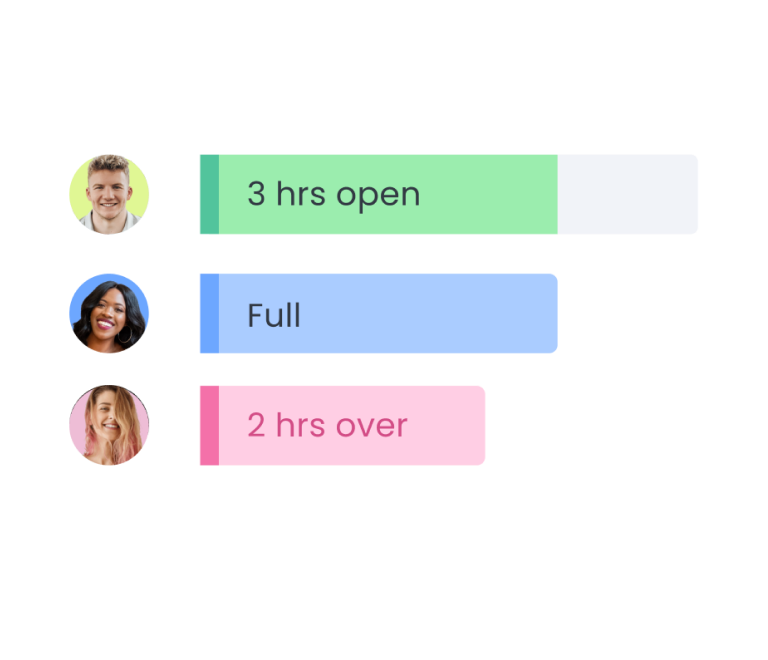
Track workload across projects — Group work by person or team to see who's overloaded across spaces. Overloaded people and teams are highlighted in red.
Compare planned vs. actual time — Track estimates against logged hours to understand where work takes longer than expected and make future planning more realistic.
Explore different scenarios — Test schedule changes and resource allocation options before committing to them.
The part that isn't about capacity planning tools
Ask anyone, from clients in daily syncs to PMs on project management subreddits, and you'll hear the same thing. In nearly every organization, the cost of a capacity decision lands somewhere other than where the decision got made.
Stakeholders create demand, project managers make promises to meet it, and an executive wants measurable business results. The person who absorbs the gap that inevitably appears is usually a developer who wasn't in any of those rooms, and it keeps happening to perfectly reasonable people.
So yes, resource capacity planning can fail even where the data is good. Visibility only helps if somebody is accountable for what it shows. If there's one thing worth taking from all this, it's this: before a date goes out, ask who pays for it, and whether they know yet. Once you can answer that, capacity planning and resource management start to make sense.


FAQ
Baselines built on headcount instead of real schedules, warnings that arrive after commitments are made, views designed for a smaller organization than yours, future demand that hasn't become tickets yet, and no clear owner for trade-offs between competing projects.
Capacity planning asks whether you have enough people for the work. Resource planning decides which people do which work.
Common guidance is 15–25% for non-project activities, but treat that as a starting point. Track what your team actually spends on meetings, support and admin for a month, then use your own number.
You can plan two to three weeks ahead for operational decisions, and a quarter for staffing ones. Beyond a quarter, you're usually doing demand forecasting rather than capacity planning.
Three of the five, realistically. Tools fix baselines, timing and scale. But resource management tools can't create demand data you never captured, and they can't give anyone the authority to say no.