How to prioritize your work as a project manager: 7 steps that hold up

Most advice on how to prioritize work assumes you're sorting your own to-do list. However, as a project manager, you almost never are.
You're prioritizing work you won't do, for people who don't report to you, against requests from senior executives who each believe that theirs deserves immediate attention. While it may be easy to rank them, the challenging part is that your decision has to survive contact with everyone who wants a different answer.
In this step-by-step guide, we’ll cover seven practical steps: how to build a complete task list, how to separate urgent tasks from important tasks, which prioritization framework to use when, how to check your priority list against the hours you actually have, and how to defend the result when someone senior disagrees.
TL;DR
- Prioritize the work that matters most: consider urgency, impact, dependencies, deadlines, and effort
- Use a clear process: collect requests, separate urgent from important, rank the rest, check capacity, and make trade-offs when priorities change
- Keep priorities flexible: review them regularly and use Jira with a timeline and workload view to turn priorities into a realistic plan
Why task prioritization is different for project managers
Prioritization in project management may significantly differ from personal task management — sometimes in a more challenging way. It’s mainly happening because of three important factors.
- No intake control. Requests may be coming from multiple directions at the same time, with the majority of them already labeled urgent priorities
- Owning the work done by others. Your priority list is a claim on other team members' time, which makes it a negotiation rather than a decision.
- Changing priorities. Project managers constantly need to reassess priorities as scope, risks, dependencies, deadlines, and team capacity change.
Let’s see how these factors play out and how to handle it — in a practical set-up, step by step.
How do you prioritize your work? 7 steps
A priority list is easy to write until three stakeholders want the same developer’s time. The steps below help you work through those competing requests: decide what comes first, make room for it, and explain what will have to wait.
Step 1. Build one complete task list
It’s hard to prioritize tasks that have not yet formed a bigger picture. When requests reach you through several channels — from Slack channels to hallway meetings, you never see them together.
Practical steps:
- Pick one front door for incoming work and be boring about enforcing it.
- Require three things with every request: what outcome it produces, who is waiting on it, and the date it's genuinely needed by.
- Add tasks to one list regardless of source, including the small internal ones that never get written down.
Here’s how a request template that takes thirty seconds to fill in may look:
| Field | Why you're asking |
| What outcome does this produce? | Separates the request from the solution the requester has already imagined |
| Who is waiting on it, and what are they blocked from doing? | Distinguishes blocked work from work that would simply be nice to have sooner |
| What date is it actually needed by? | A real, checkable date (no “ASAP”, please) |
If you have a specific form for receiving requests, add these quick questions in. The point is to outsource prioritization a little bit to the requester. This way, requests that aren’t able to pass the questions won’t waste your time, and those that are will already arrive with the information that will help you prioritize more effectively.
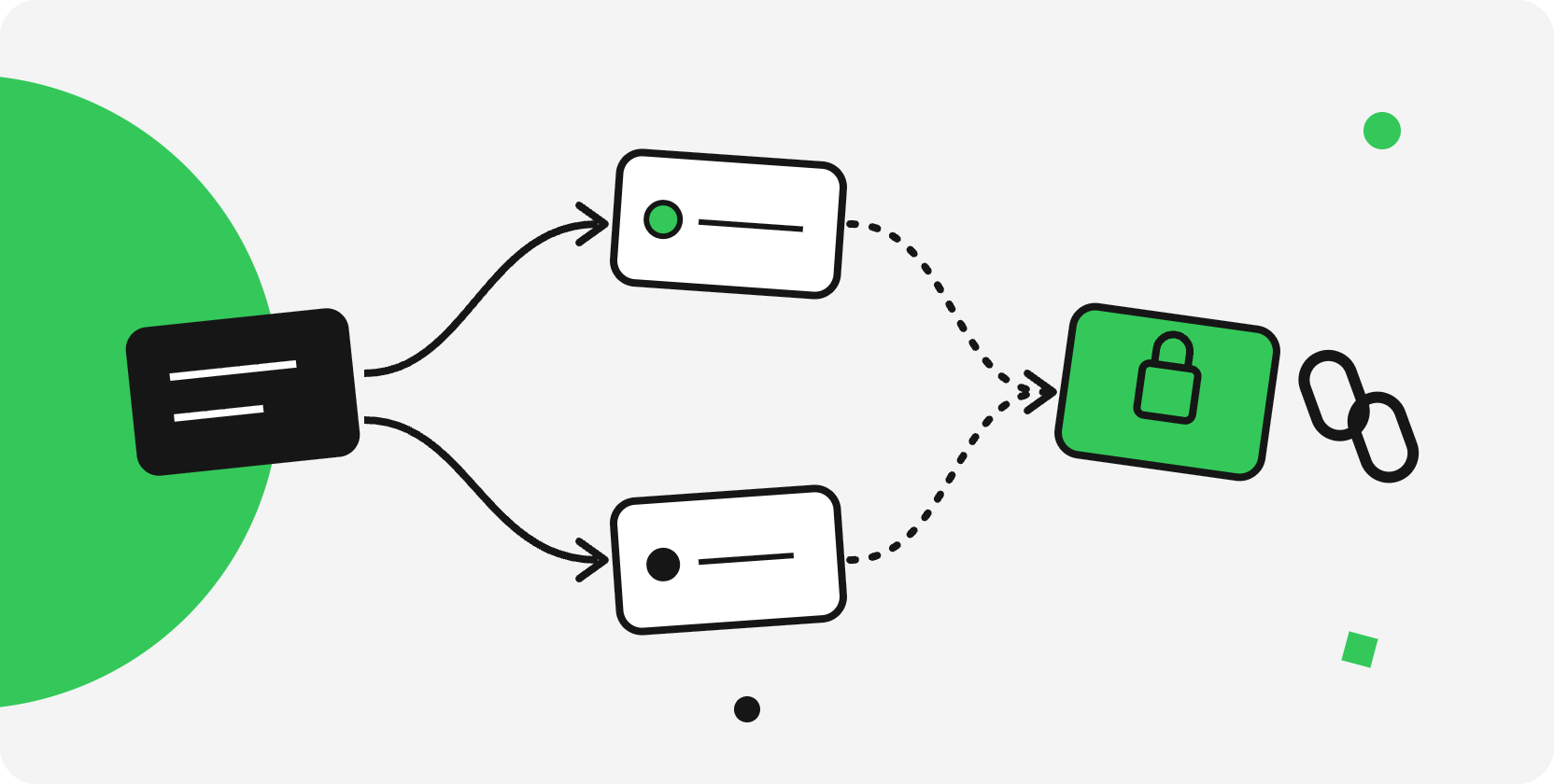
This intake process gives you the inputs to build a delivery plan: outcomes, constraints, and the people involved. There are two frameworks that can help you take things from here.
Kano Model
The Kano Model is a framework that may prove particularly useful at this step. Developed by Japanese researcher Noriaki Kano in 1984 to study the relationship between product features and customer satisfaction, this model comes in handy when you need to categorize things at the discovery stage.
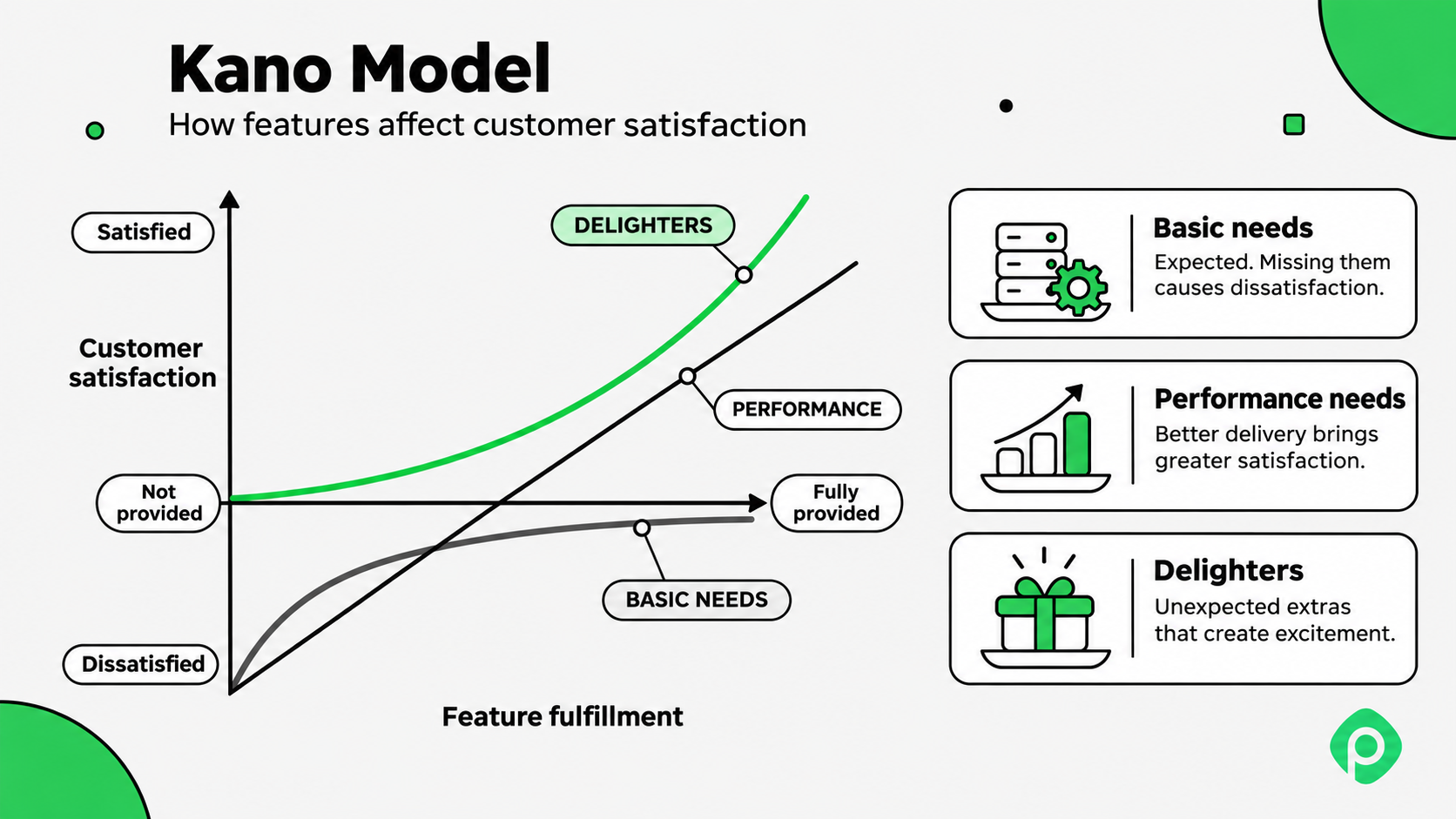
It breaks features into three main categories:
- Basic features. These are expected — if absent, it will cause dissatisfaction (a fitness app can’t be successful without the ability to track your session or record your exercises)
- Performance needs. The more the better — satisfaction grows with investment (more exercises, lighter visuals to help understand technique better)
- Delighters. Nice-to-have’s that won’t be missed (personalized recommendations from your own AI fitness coach)
Kano is known among project managers as a great tool for strategic-level evaluation and prioritization, but a heavy option for day-to-day planning. Also, keep in mind that cost/effort isn't part of the calculation here. If two features score similarly, but one takes longer to build, the Kano model alone won't help you decide what to cut first.
WSJF
The Weighted Shortest Job First (WSJF) method comes out of the Scaled Agile Framework (SAFe) and Lean-Agile portfolio management. The method focuses on dividing an initiative’s cost of delay by its estimated duration, helping prioritize tasks that deliver value the fastest against how time-sensitive it is.
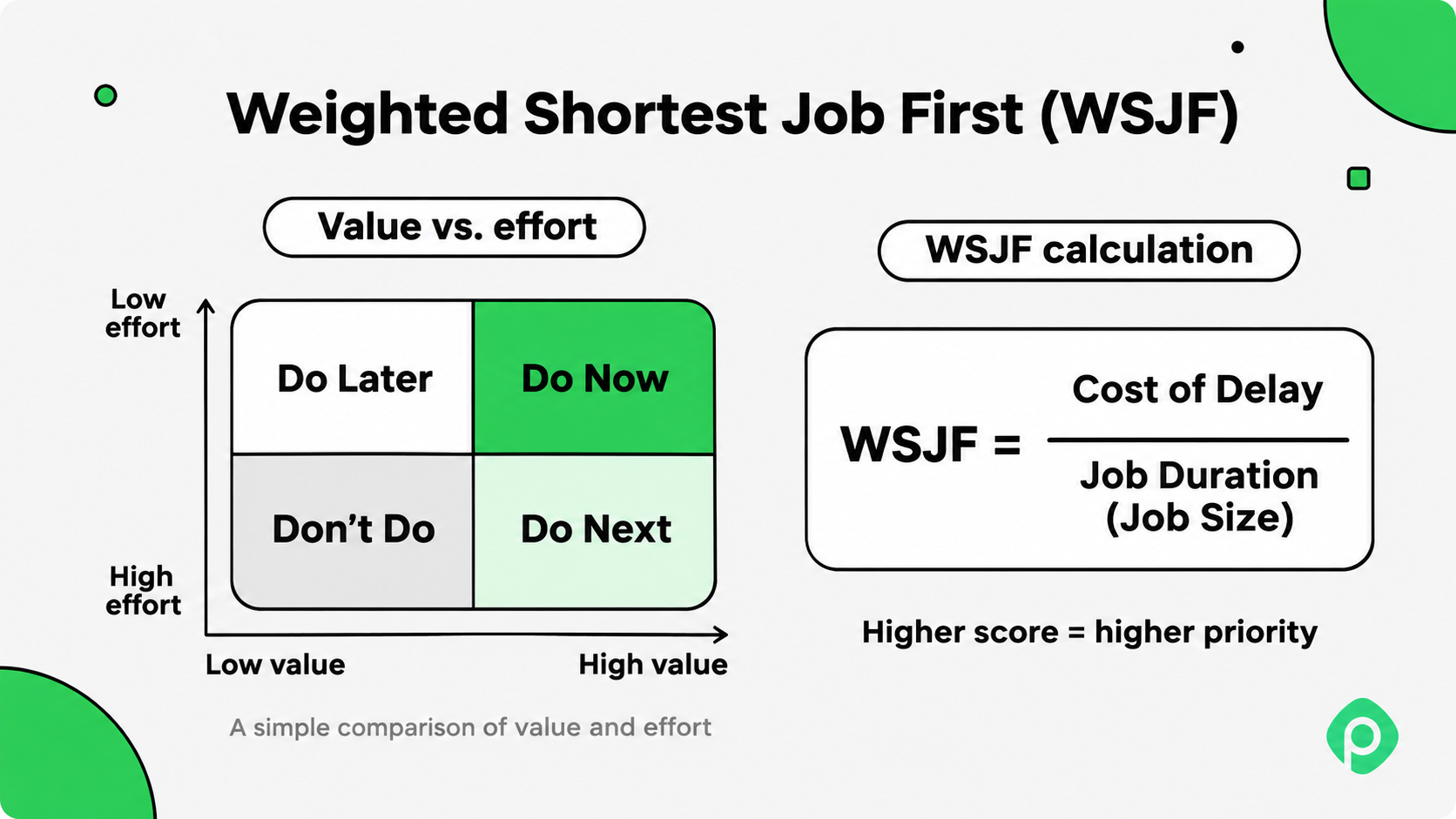
Basically, you have to answer how valuable it is, how urgent it is, and how long it will take. The idea is to tackle the work that could lose the most value if delayed.
WSJF is a useful and rational conversation starter for prioritization, but many practicing PMs find it overly complex, subjective, and even “over-engineered” to the point where people can start wrapping their guesses in a “fake math” formula. For teams that are new to Agile, this model can seem intimidating,
Step 2. Separate urgent tasks from important tasks
How do you prioritize your work when everything feels urgent? Well, not all tasks that feel pressing are valuable. Urgent work has a deadline attached and someone chasing it. Important work such as the risk register, the dependency nobody has confirmed, the documentation gap can stay in the background until the week it costs you.
Eisenhower matrix
The Eisenhower matrix is the standard tool here, and it sorts everything into four priority levels:
| Urgent | Not urgent | |
| Important | Do now — crises, tight deadlines, blocked team members | Schedule — planning, risk work, stakeholder alignment |
| Not important | Delegate or timebox — most meetings, most of your inbox, routine data collection | Cut — be honest about this quadrant |
Before putting a task in the urgent quadrant, check its actual deadline and what happens if it slips. A request labeled “ASAP” may have more flexibility than an important task due tomorrow.
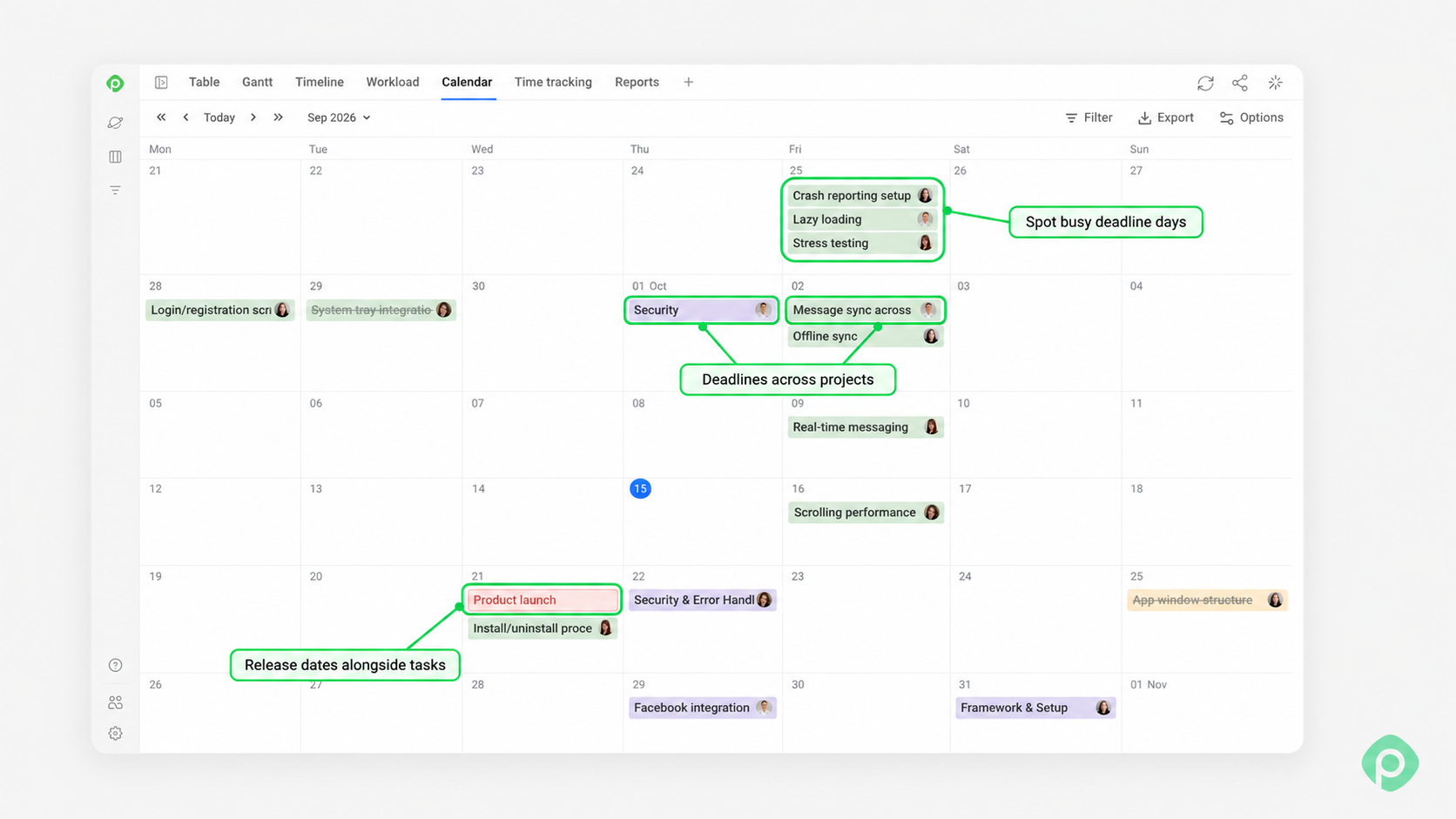
If you work in Jira, there's an easy way to wrap your head around looming emergencies and planned deadlines. Planyway for Jira’s Due Calendar brings upcoming deadlines into one view, helping you see what’s due soon. Use those dates alongside the consequences of delay to decide what needs attention now and what can wait.
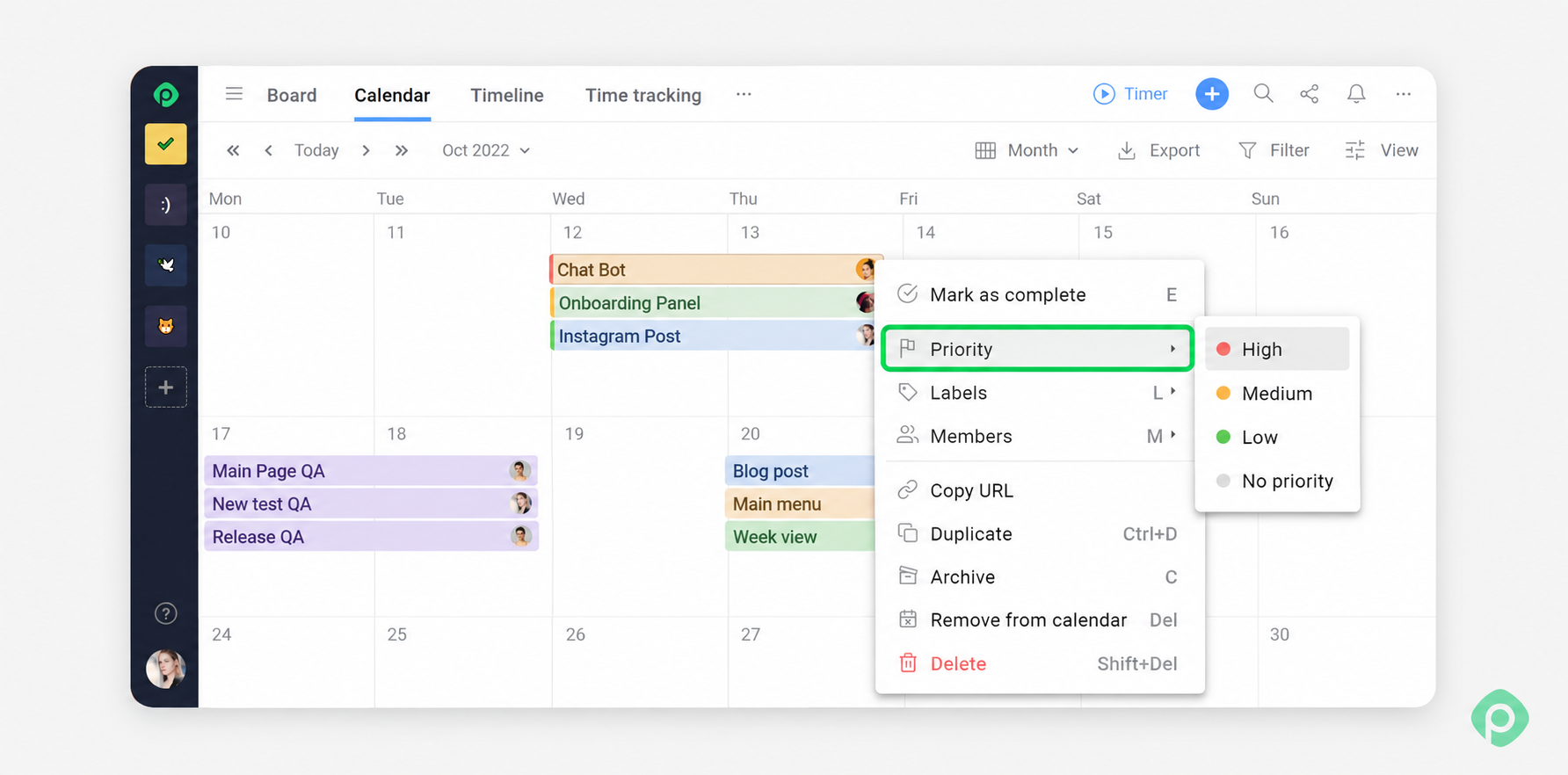
If your system of choice is Trello, then you can use Planyway for Trello. Here, in Calendar view, you can mark tasks as high, medium, or low priority. Each level adds a colored indicator to the card, and all-day cards are automatically sorted by priority in the calendar, keeping high-priority tasks at the top.
Step 3. Rank the rest with a prioritization framework
When you’ve dealt with the urgent tasks, there is still the “important” part to take care of.
There are several prioritization frameworks that can help you move forward and distinguish between urgent and important tasks. While you surely can try and get the best of each, it may prove more effective to pick one and stay with it. This is because switching between the frameworks can cost more than the difference provides.
| Framework | Best for | How it works | Criticisms |
| MoSCoW | Fixed deadline, flexible scope | Sort into Must have, Should have, Could have, Won't have this time | Teams often classify too many items as Must have, which defeats the purpose of prioritization. It also doesn't rank items within each category, so you may still have to decide which “Must” comes first |
| Multi-criteria chart | Many stakeholders, competing definitions of "important" | Score each item 1–5 against agreed criteria, then average | The result depends heavily on which criteria you choose and how you weigh them. Averaging can also hide important differences — for example, a high business-value score might cancel out a serious technical risk |
| RICE | Long list of features, improvements, or projects | Score each initiative based on four factors:
| The numbers can create a false sense of objectivity. Reach and Impact are often estimates, and small changes in assumptions can significantly change the ranking |
| ICE | Long list of features when you need results faster | Strips RICE down to three inputs: Impact, Confidence, and Ease, dropping Reach entirely | Simpler and faster than RICE, but that simplicity comes at a cost. Without Reach, it's harder to distinguish between a change that benefits thousands of users and one that benefits a small group |
Step 4. Check the priority list against real capacity
There are only so many hours in a working week. Your priority list tells you what matters most, but with multiple tasks competing for limited resources, you also need to check what fits.
Adding one critical task may mean postponing another. A good rule when setting priorities is to check three things:
- Who needs to complete your top tasks?
- What specific tasks are they already committed to, including tasks spread across other projects?
- If this one task starts now, what has to move?
Decide whether to postpone work, reduce scope, or agree on a later date before committing. This helps prevent missed deadlines, maintain a steady workflow, and protect work-life balance without relying on people sacrificing their personal life.
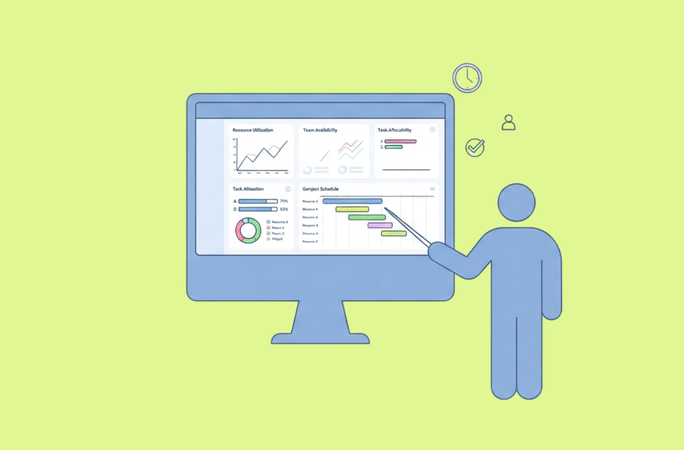
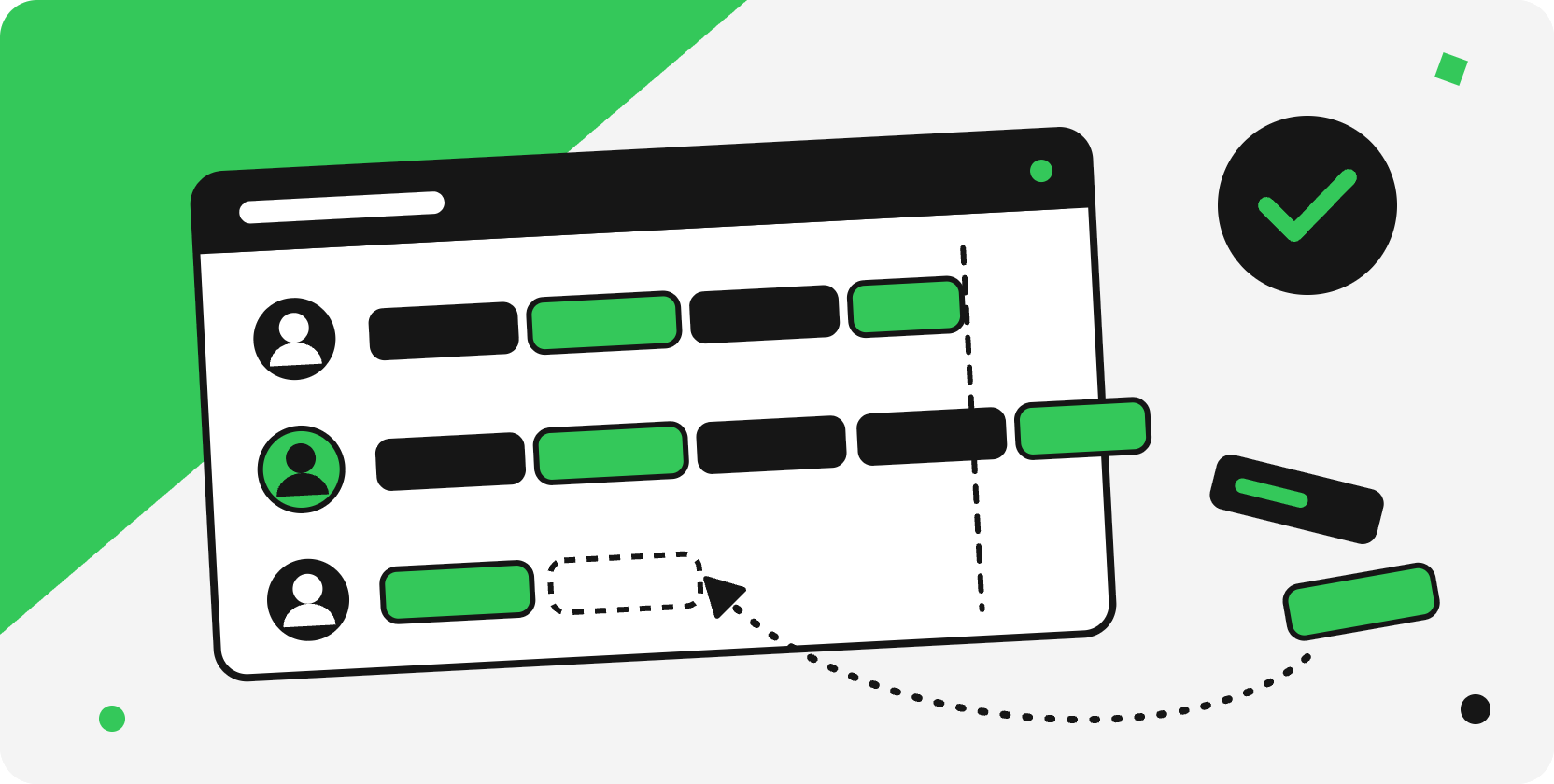
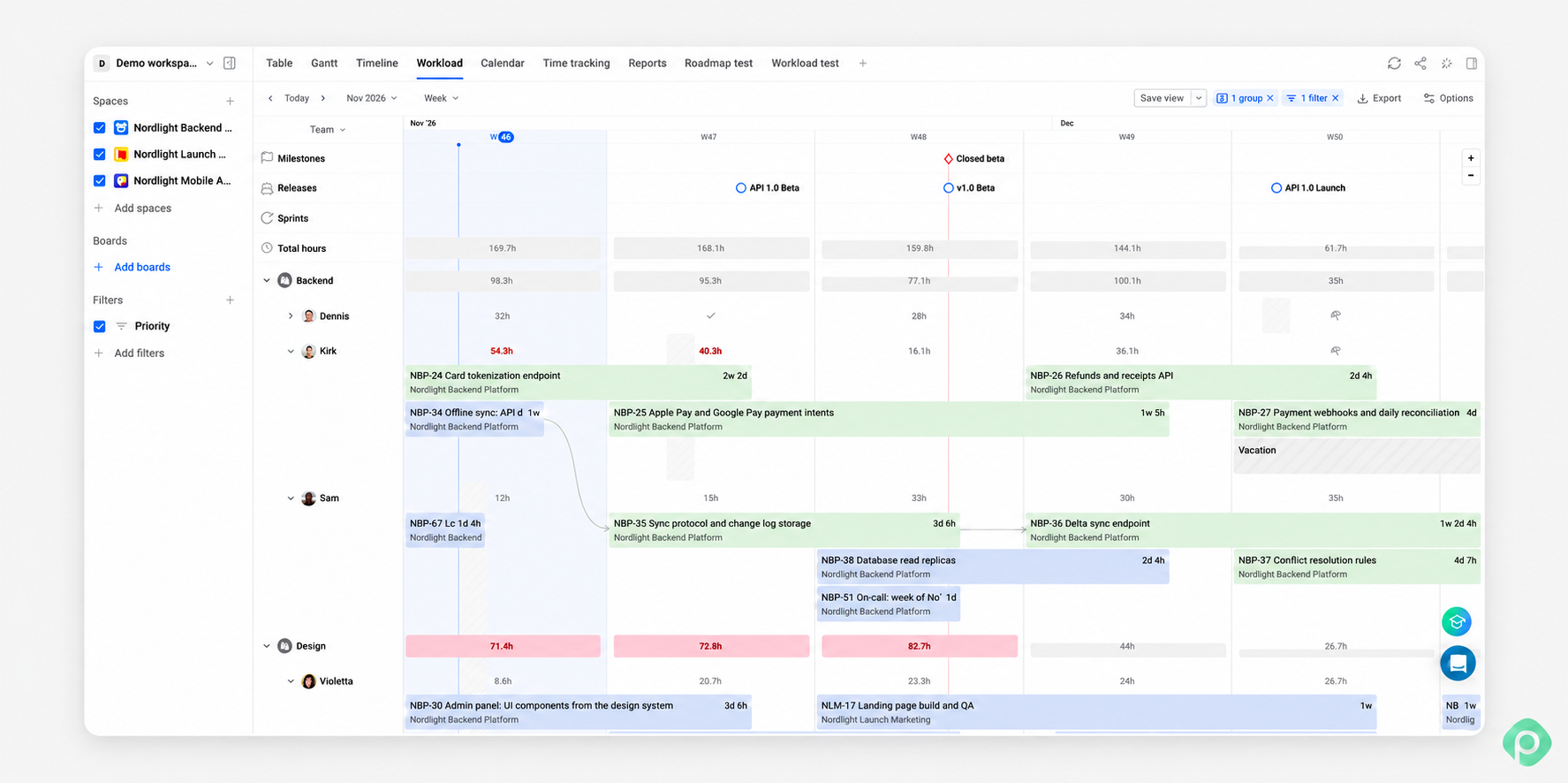
To save time checking commitments, Planyway for Jira brings tasks from multiple projects into one workload timeline, where you can compare scheduled effort with each person’s capacity.
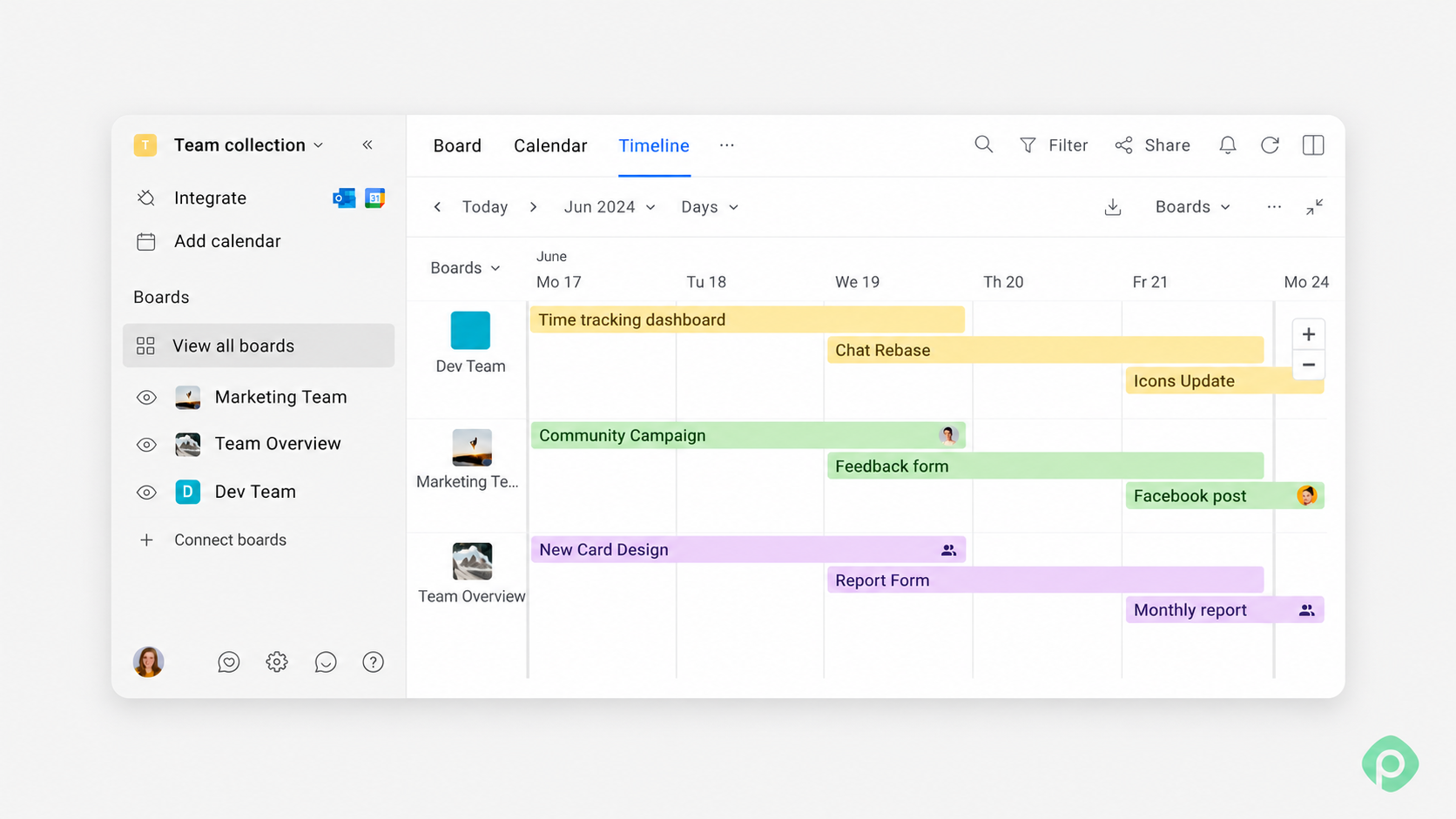
Planyway for Trello combines cards from multiple boards, with workload indicators to help you spot overloads and adjust the schedule.
Step 5. Trade instead of refusing
Prioritizing will require you to say “no” to some of the tasks, and it can be challenging for you and upsetting for the requester. To avoid that, try trading instead of outright rejecting.
"We can pull the integration work forward. That pushes the reporting module to the following sprint, which means the client demo shows an incomplete dashboard. Want me to make that swap?"
Half the time they withdraw the request themselves, because they were expressing a preference and hadn't priced it. The other half you get a real decision from someone with the authority to make it — on record as theirs. (Also, always leave some room for an inevitable 1% of conflicts and misunderstandings).
When someone senior disagrees, defend the reasoning, not the decision. Bring three things: what's currently committed, what the new request would displace, and what capacity looks like across the relevant weeks. A timeline showing three deliverables converging on the same fortnight, with the team already over capacity, ends an argument, because it becomes a shared constraint you're both looking at.
Step 6. Sequence your own daily tasks
Can you believe prioritization was that easy all along? Of course not — because everything above relates to the project, and you still have your own work to do and stay focused. PMs do tend to let it dissolve into other people's existing priorities.
Here are four methods that work, in rough order of how much structure they impose:
The Ivy Lee method
At the end of the day, write the six most urgent tasks for the following day, in priority order. Work them top to bottom. Don't start the second until the first is done. The core idea is removing deliberation from the morning, when re-deciding is most expensive.
The ABCDE method
Label each item A (must do, serious consequences), B (should do, mild consequences), C (nice to do, no consequences), D (delegate), E (eliminate). Then work A items before touching anything else. This method helps focus attention on consequence rather than on how loudly a task is asking to be done.
The 1-3-5 Rule
Plan your day around 9 things total: 1 big task, 3 medium tasks, and 5 small tasks.
Frog technique
Do your hardest, most-avoided task first thing. The frog technique works because willpower is highest early and because avoidance compounds — the frog gets heavier every hour you leave it.
Also, three habits that can help you once you’ve already prioritized your own tasks and just have to improve focus:
- Batch similar tasks. Context switching is the largest hidden cost in a PM's day. Group your status updates, your reviews, your stakeholder replies. Fragmenting them across the day multiplies the switching cost without moving anything forward.
- Protect one block for meaningful work. A day made entirely of small tasks feels productive and produces nothing. One protected block for complex tasks beats four hours of easier tasks scattered between meetings, and it's the difference between activity and meaningful progress.
- Pomodoro technique. Break your work into focused 25-minute sprints followed by short 5-minute breaks. If you’re a remote worker, a specific YouTube playlist already split into sections can help.
Step 7. Regularly review priorities
Every new request feels time sensitive in the moment it lands, and almost none are by Thursday. Re-sequencing continuously means the team never gets a stable run at anything.
Here are three ways to do it:
- Weekly: a proper review of the whole task list against capacity. Re-rank, re-commit, cut what's no longer worth doing.
- Daily: a few minutes to catch genuine emergencies and shifting deadlines. Nothing more.
- Hold everything else: "That's in the queue for Monday's review" is an answer people accept easily, because it has a date attached. Convert an interruption into an agenda item.
Look beyond the current week, too. A forecast of upcoming demand helps you see whether new requests are a temporary spike or a longer-term staffing gap.
Remember that shifting deadlines and adjusting schedules do not indicate poor planning. Just like life itself, project management rarely tends to go strictly according to plan and not require adaptability.
7-step process to prioritize tasks based on a real example
Let’s put the seven steps together. Say, you’re managing a website redesign when marketing requests a campaign landing page, the client asks for a pricing page update, and developers flag a checkout issue.
1. Collect the requests
Put all three requests in one place. For each, record the expected outcome, who is waiting on it, and the actual deadline.
2. Separate urgent from important
The checkout issue blocks purchases and needs immediate attention. The landing page has a fixed campaign deadline. The pricing page update matters, but its deadline hasn’t been confirmed.
3. Rank the remaining work
Using RICE, compare reach, impact, confidence, and effort. The campaign landing page ranks above the pricing page update.
4. Check capacity
Both pages need the same designer and developer. After accounting for the checkout fix and their existing commitments, only one page fits before the campaign launch.
5. Make the trade-off explicit
The client asks to bring the pricing page forward. You explain that this would delay the campaign landing page. After reviewing the consequences, you agree to keep the landing page first and schedule the pricing update afterward.
6. Plan your own day
Your first task is getting the landing page design approved, because the developer cannot start without it. Status updates wait until later that day.
7. Review when circumstances change
The campaign launch moves forward by a week. At the weekly review, you agree to reduce the landing page scope to meet the new date and schedule the remaining work after launch.
Five prioritization mistakes that are easy to make
Even after a sync with a real-life scenario, project prioritization can bug you with some (unpleasant) surprises. To prevent as many mistakes as possible, here’s what you definitely should not be doing.
- Treating the loudest stakeholder as the highest priority. The person who emails three times a day gets attention that the quiet team lead with a more pressing dependency doesn't;
- Confusing progress with movement. A day of small tasks feels productive and leaves major projects exactly where they were. If your task list only ever loses its easier tasks, you may simply be avoiding complex ones;
- Prioritizing at the team's altitude. Deciding which of two tickets a developer picks up on Wednesday isn't your call. You own the order of deliverables and the commitments attached to them; the team owns the order of tasks inside a deliverable;
- Re-ranking on every arrival. Too much re-prioritization is a false friend. If you overdo it, nothing gets a stable run, context switching multiplies, and the team learns that this week's top priorities are provisional;
- Letting overcommitment stay implicit. An explicit "not this cycle," said out loud to the person waiting, is cheaper for everyone than a silent slip.
Key takeaways for good prioritization
Good prioritization means deciding what comes first and what will have to wait. Bring incoming work into one place, separate urgency from importance, and check team capacity before committing. When a new request takes priority, make clear what it displaces. Review regularly without reopening every decision whenever another request arrives.
If your team works in Jira or Trello, Planyway adds visual planning to the tasks you already manage there. Bring work from multiple projects or boards into one timeline, keep deadlines in view, and check team workload before taking on more. That makes it easier to turn your priorities into a plan your team can realistically deliver.


FAQ
A simple five-level system is critical, high, medium, low, and optional. Critical tasks need immediate attention because they affect deadlines, blockers, or major project risks. High-priority tasks have a significant impact but may not require immediate action. Medium and low priorities can be scheduled around more important work, while optional tasks are considered only when there is spare capacity.
The 3-3-3 rule is a way to structure your workday around three levels of focus: one major task that requires deeper concentration, three medium-sized tasks, and three smaller tasks that can be completed relatively quickly.
The five D's are Delete, Delegate, Defer, Do, and Decide. They provide a quick way to determine what should happen with an incoming task:
- Delete tasks that don't need to be done.
- Delegate tasks someone else can handle.
- Defer tasks that aren't a priority yet.
- Do tasks that need your attention now.
- Decide when a task requires a clear decision before it can move forward.
Three commonly used approaches are MoSCoW, RICE, and the Eisenhower Matrix. They solve slightly different prioritization problems:
- MoSCoW method helps decide what must be included when scope is constrained by a deadline.
- RICE helps compare potential features or initiatives using Reach, Impact, Confidence, and Effort.
- The Eisenhower Matrix separates urgent work from important work so you can decide what needs attention now and what can be scheduled, delegated, or dropped.