10 free project workplan templates to get you started (easy download)

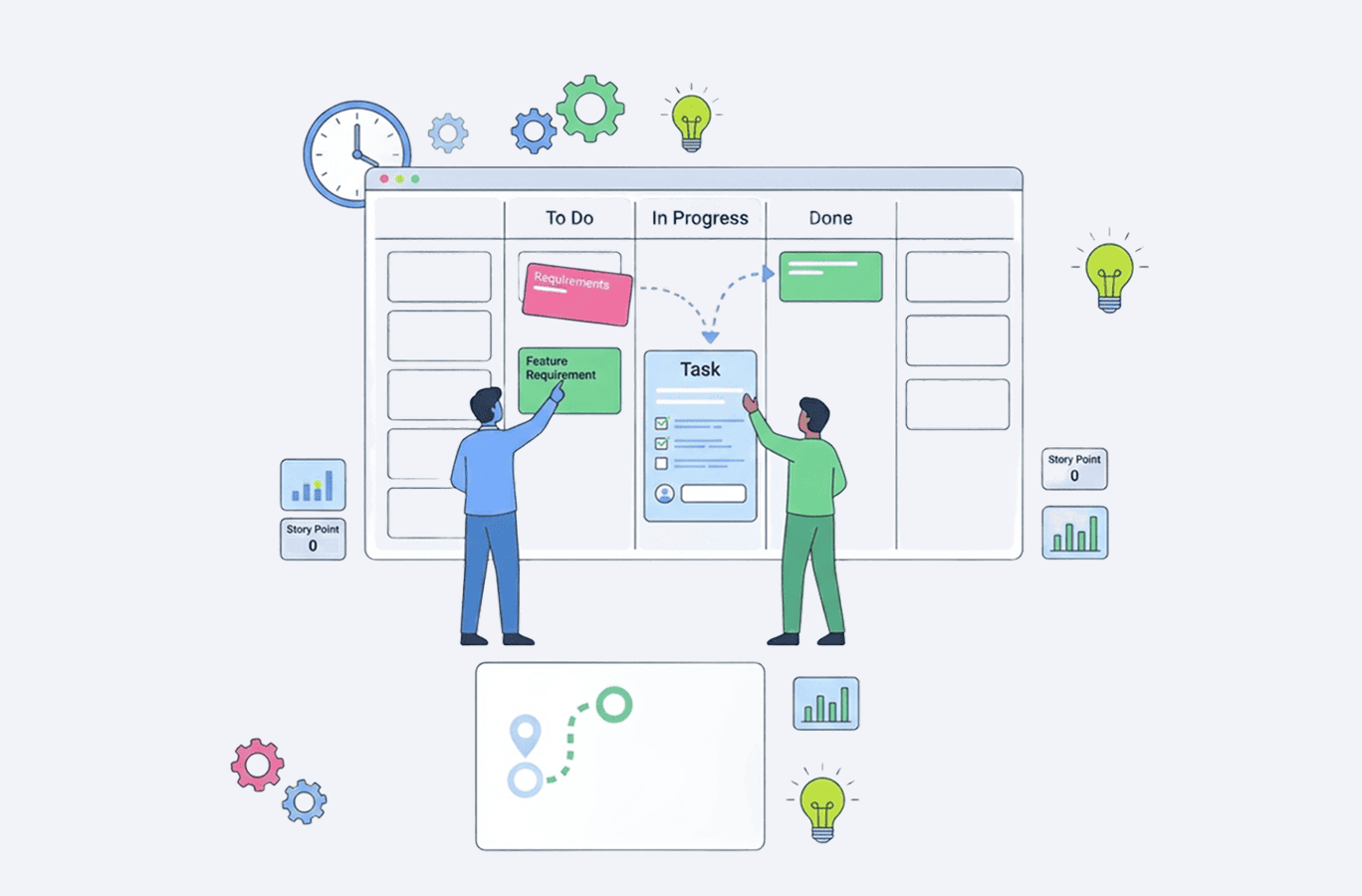
A new project usually comes with a lot of moving pieces — data, tasks, deadlines. It's much easier to get your work plan in order when you're not building the framework yourself. A solid project workplan template gives you a clear structure that helps to organize work and track progress.
Below are 10 free work plan templates covering different project types and planning styles. Whether you're managing projects with multiple phases, coordinating a team, or simply need a straightforward way to structure your tasks, these templates offer a ready-made starting point.
All of them are available as Excel files for convenience, and they work fine in Google Sheets too if that's your team's preferred format. You can download the whole catalog via one link.
What is a work plan?
A work plan is a structured document that outlines actions necessary to achieve the goals of a project. It offers a road map with clear action items, roles, deadlines, and expected outcomes. The purpose of a work plan is to create enough clarity and direction for the team to prioritize work efficiently, avoid duplication, coordinate efforts, and set up project execution for success.
A short version, in bullet points, for anyone skimming the key takeaways:
- A work plan defines the project’s key objectives, purpose, and priority levels.
- It breaks large initiatives into manageable steps, assigns responsibilities, and clarifies team roles.
- A good template helps save time by giving you a ready-made structure, while keeping everyone on the same page about progress and expectations.
How to use a work plan template
- Choose the template that matches your specific project needs.
- Make your own copy of the template (File ⇒ Make a copy).
- Break down work into manageable project tasks and organize tasks by phase or timeline.
- Fill in the key details, like a project scope, project objectives, project timeline, and key milestones
- Allocate resources, which include assigning team members, estimating labor costs, and tracking financial resources.
- Customize it to your needs and processes.
- Update the template as work progresses to reflect the current status and timelines.
- Share with your project team and project stakeholders to align teams on expectations.
10 work plan templates for different project types
General work plan template
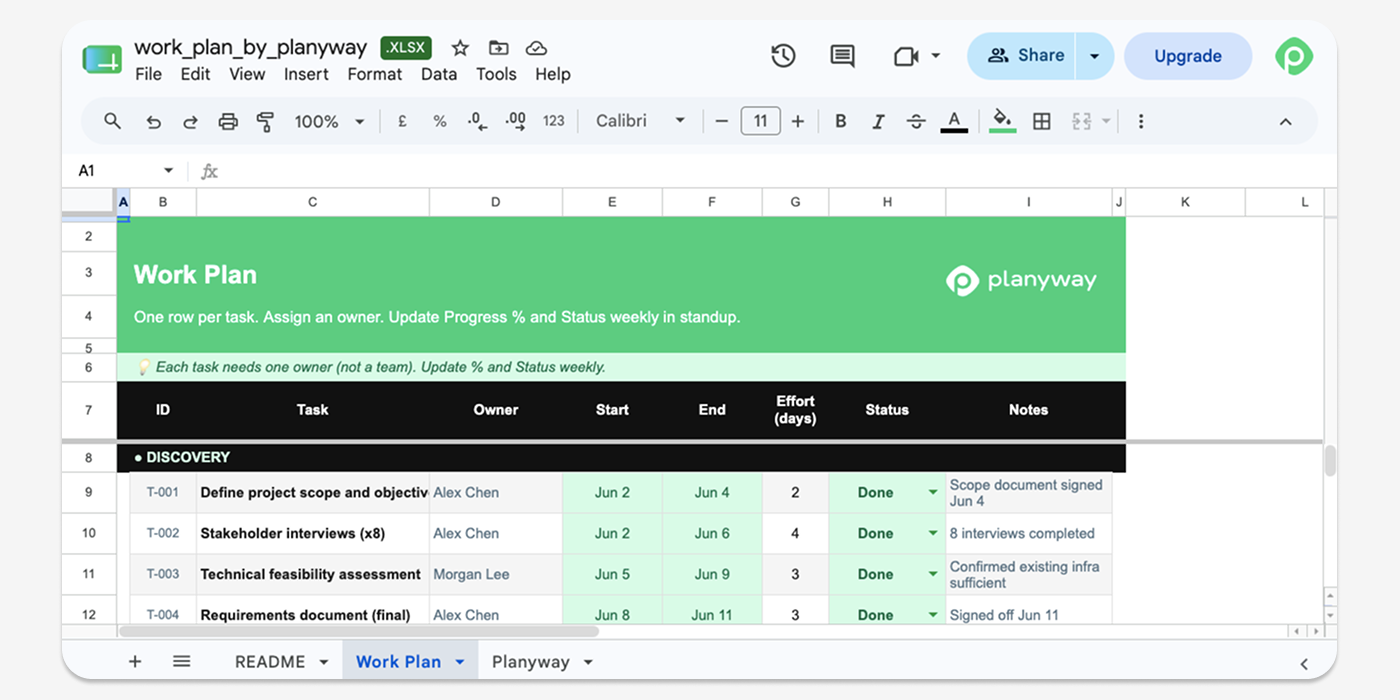
This is the bread-and-butter project plan template for putting together a straightforward, all-around work plan. It offers a clear structure and covers all the essential elements of work planning without overcomplicating things.
It's simple enough to adapt on the fly, yet defined enough to keep project managers and team members aligned on what's going on with the project.
Weekly work plan template
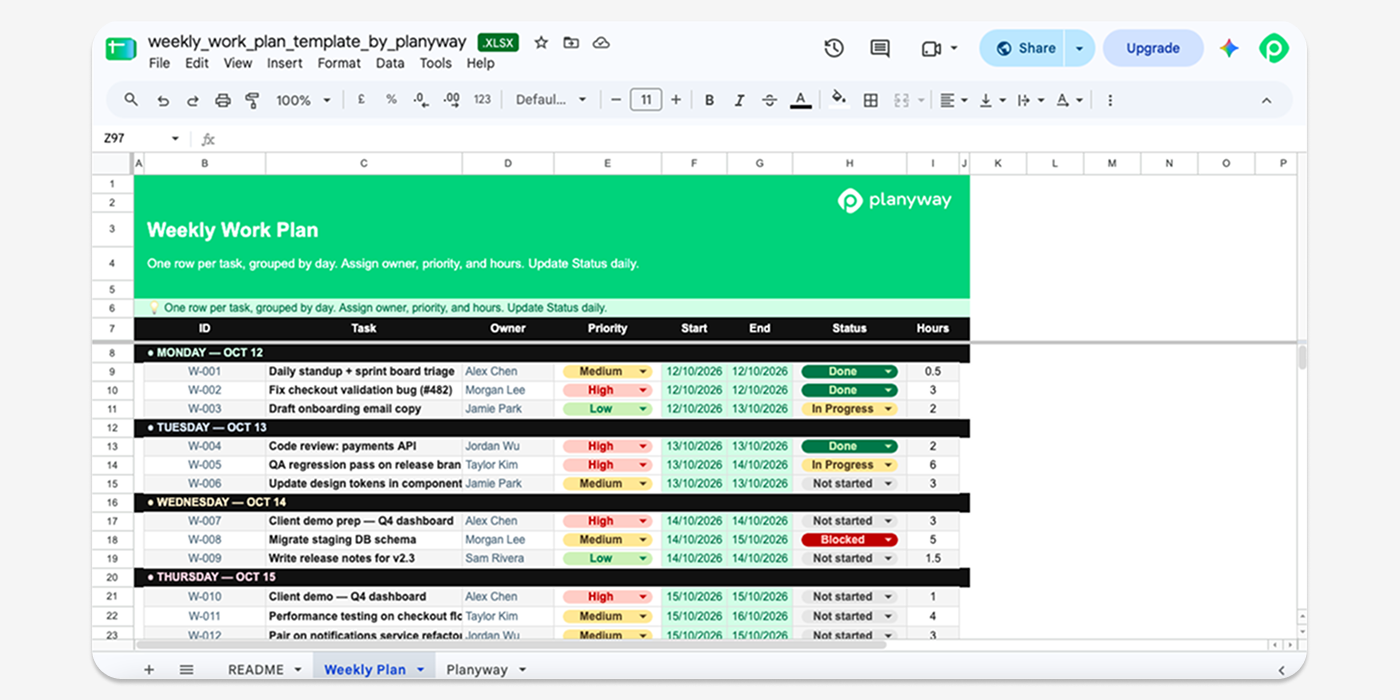
If your team plans in weekly cycles, the weekly work plan template will feel familiar. It's more operational than the general version, with fields for task, owner, priority, start/end date, status, and hours. This granularity makes it easier to track progress week by week and spot bottlenecks early.
You can use this weekly work plan template as a daily work plan template too — just treat each row as a day's worth of daily tasks if needed. It's especially useful for teams that run stand-ups or weekly check-ins and want a lightweight way to monitor progress.
Individual work template
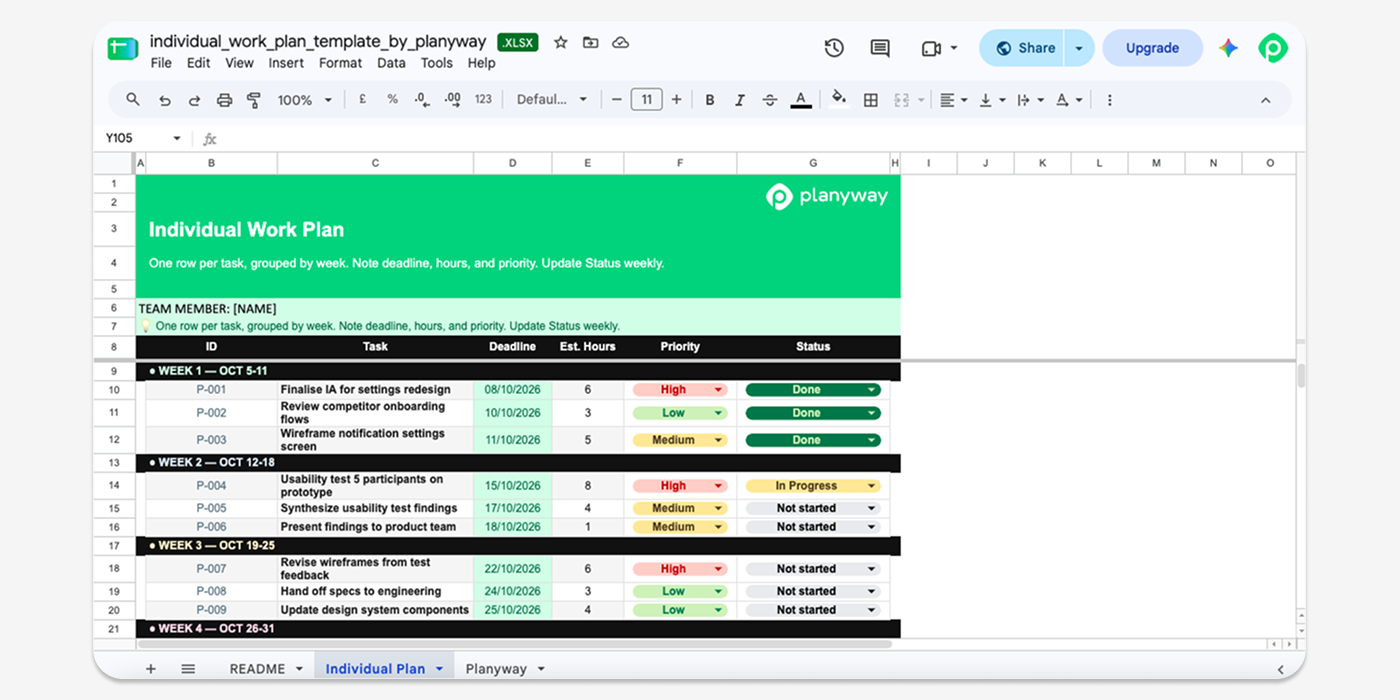
While the earlier template charts a team's week, this one narrows the aperture to one person, or a small pod, over a week or a month. Columns capture team member, tasks, deadlines, estimated hours, priority, and status. It's a good call for anyone who wants a personal lens on daily tasks and priorities without hoisting the entire team board into view.
Detailed work plan template
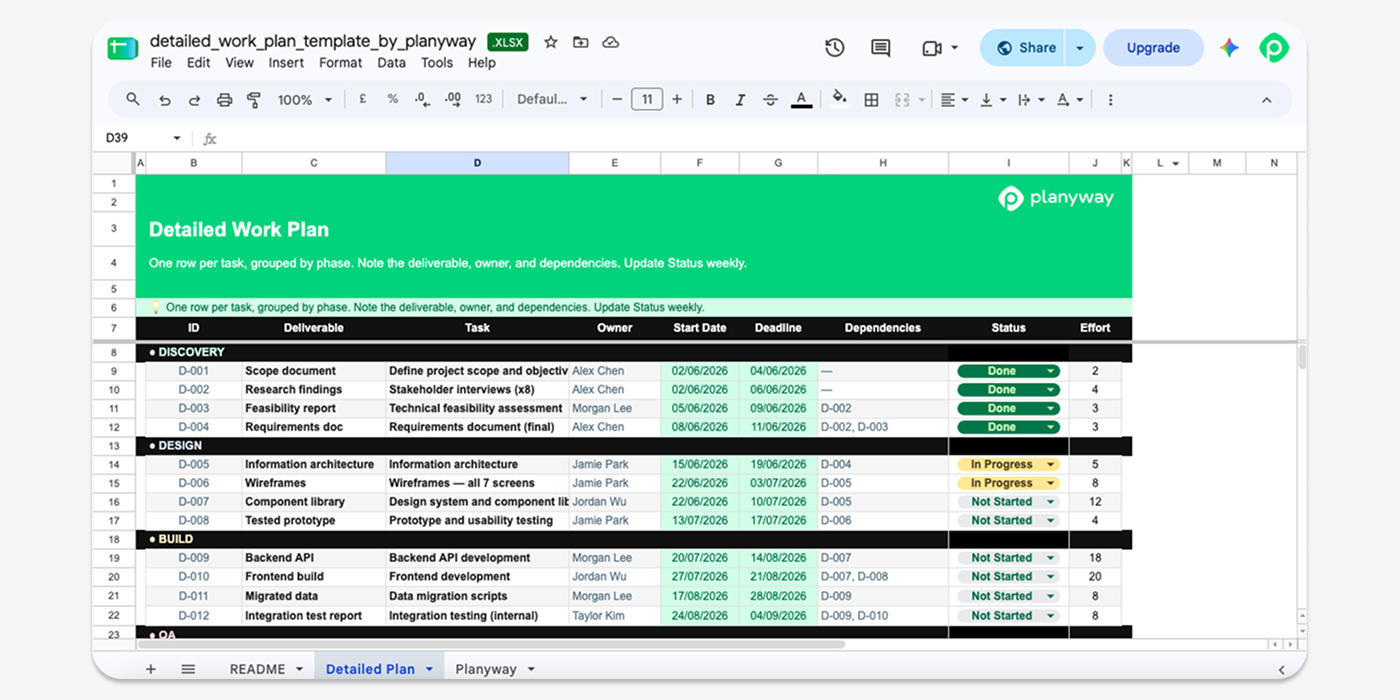
This is the most granular variant, built for sprawling initiatives with plenty of interlocking pieces. It decomposes work into project phase, deliverable, task, owner, start date, deadline, dependencies, status, and effort — and it's a natural home for a risk register, since risks tend to emerge at the same depth as dependencies. Reach for this when a large project has enough intricacy that a slimmer template would gloss over critical context.
Simple work plan template
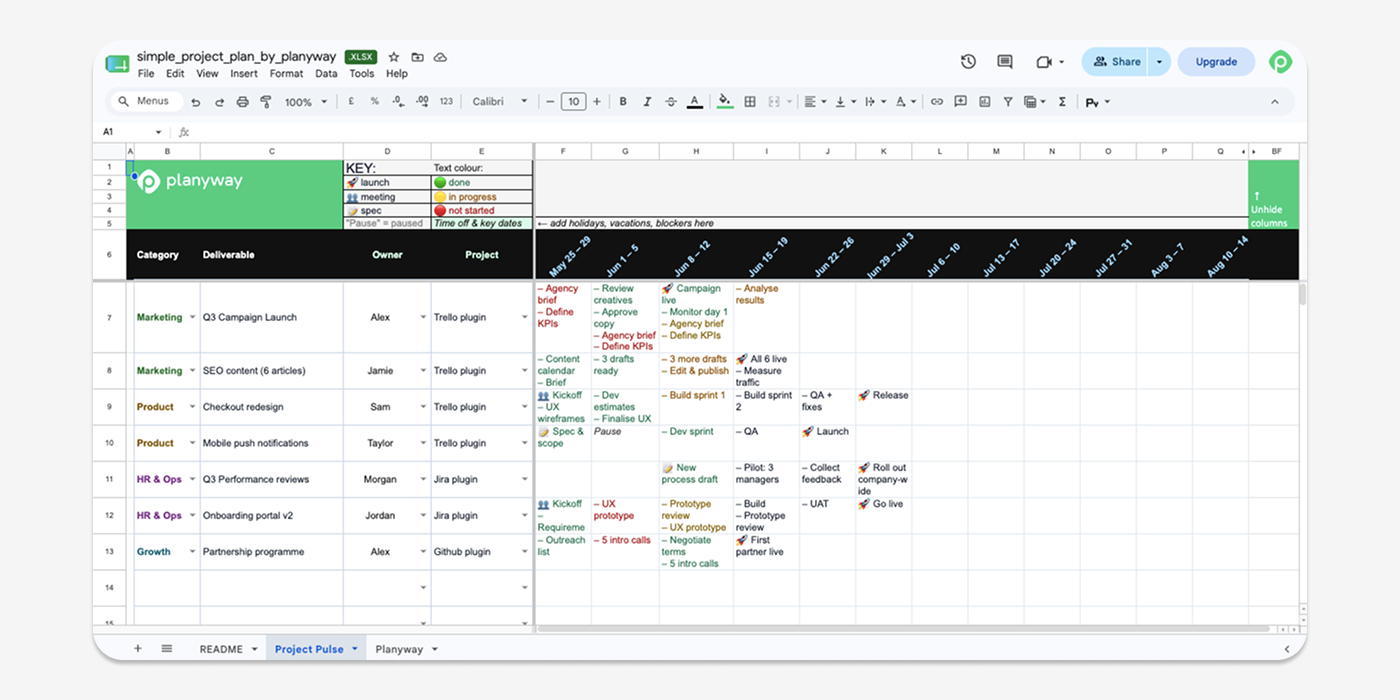
Sometimes you just need nothing but tasks, owners, and deadlines. This version strips away everything that isn't essential, so it’s perfect for small internal projects where a detailed work plan template would be overkill. It's fast to fill in and just as fast to read, which is the whole point.
Work plan schedule template
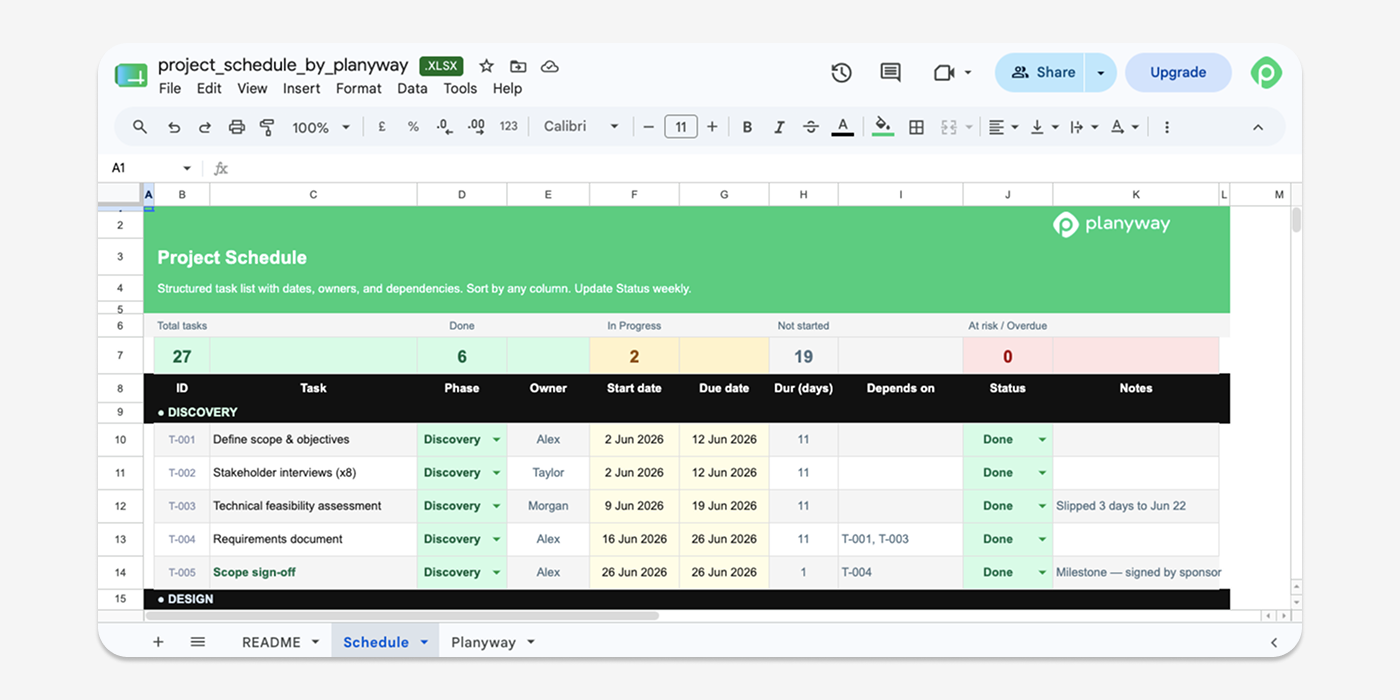
It's still a work plan at heart, but the structure revolves around the project schedule rather than task decomposition. You can see what's happening this week, next week, and the week after at a glance. Teams juggling several projects at once tend to like this view because it flattens everything onto one timeline.
Work breakdown structure (WBS) template
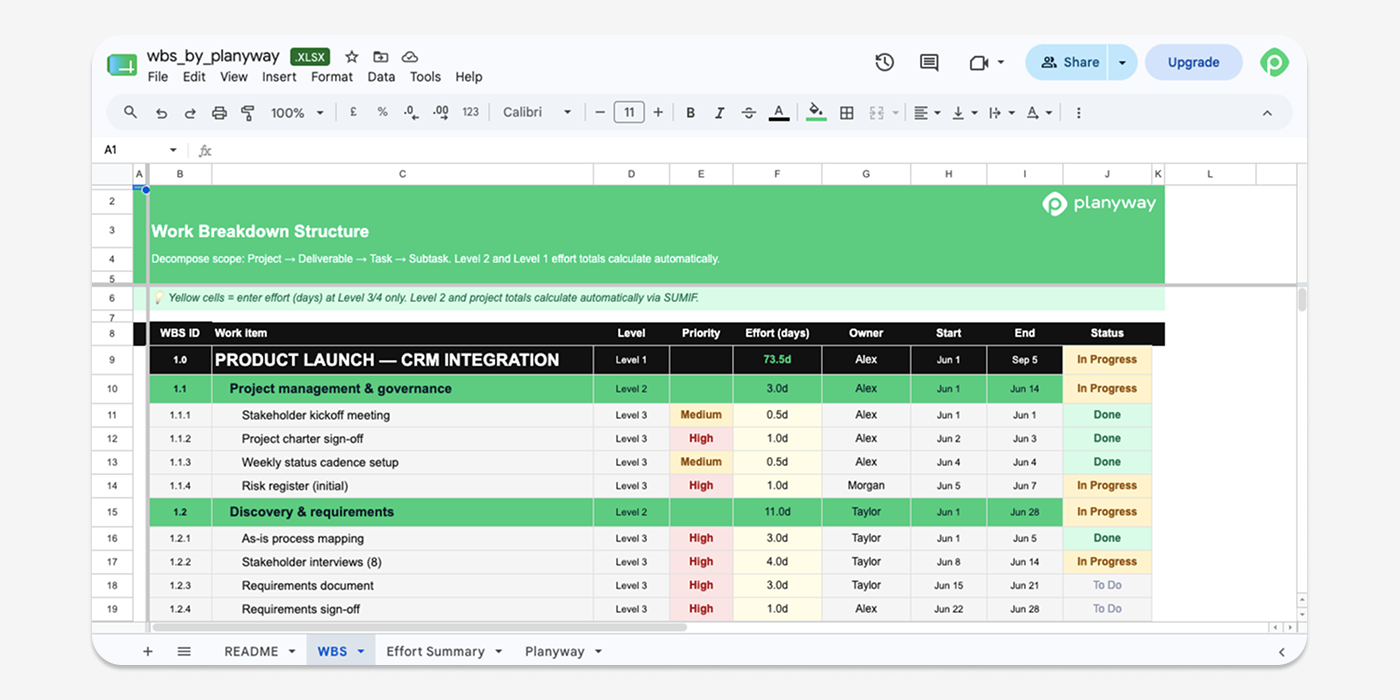
A work breakdown structure splits a project into deliverables, then tasks, then subtasks. With its help, a large project stops feeling like one enormous thing and starts looking like a set of smaller, achievable pieces. This template gives you that hierarchy ready-made — deliverables at the top, task descriptions underneath, and space to check off progress as each subtask closes out.
Work plan timeline template
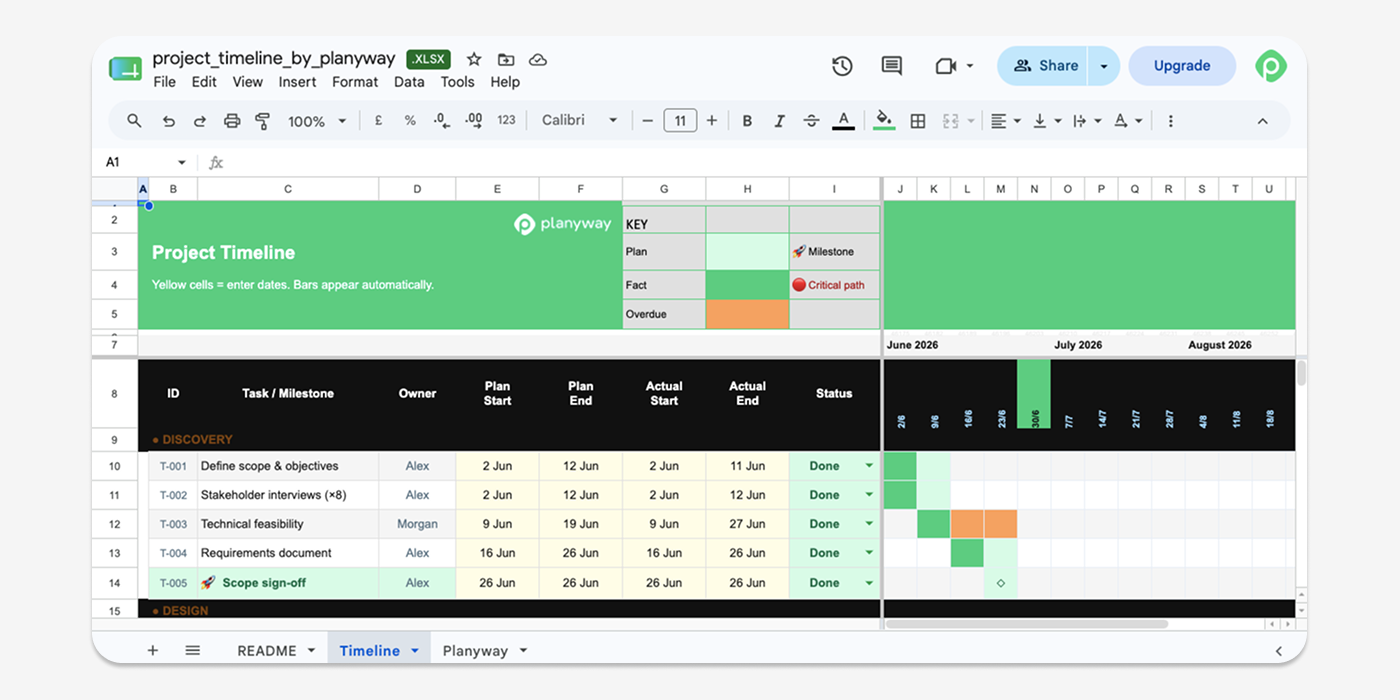
This one is built around sequencing. You get a visual timeline, essentially a Gantt chart template, that shows what needs to happen and when. This version makes it easy to see at a glance which tasks are on track and which are running late, and by how much. It's usually the version stakeholders want to see walked through in a meeting.
Work plan resource planning template
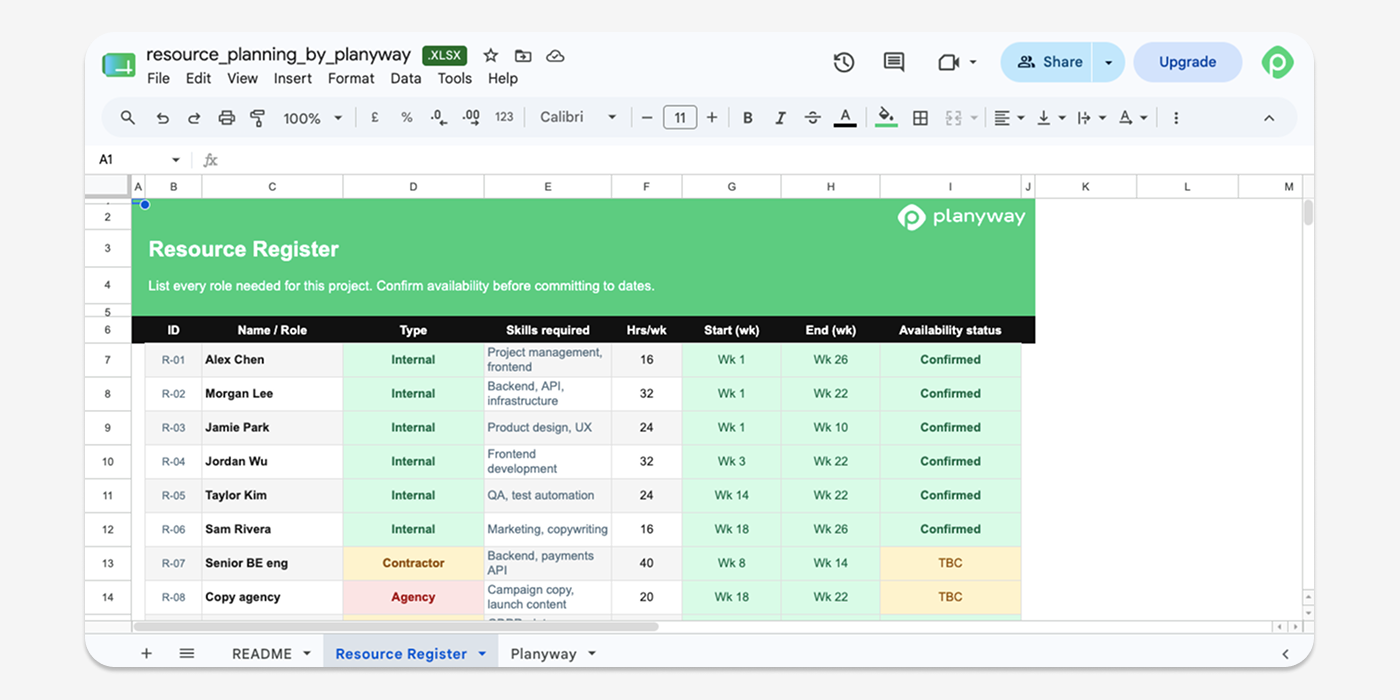
Here the focus shifts to people and the resources needed for the project: who has breathing room and who's already at full stretch. It also reveals where you'll need to allocate resources before a logjam forms. The work plan backbone remains intact — tasks and dates are still there — but the emphasis tilts toward workload, labor costs, and capacity. That focus becomes critical when a team is running several initiatives concurrently and needs to keep each one properly staffed.
Work plan action template
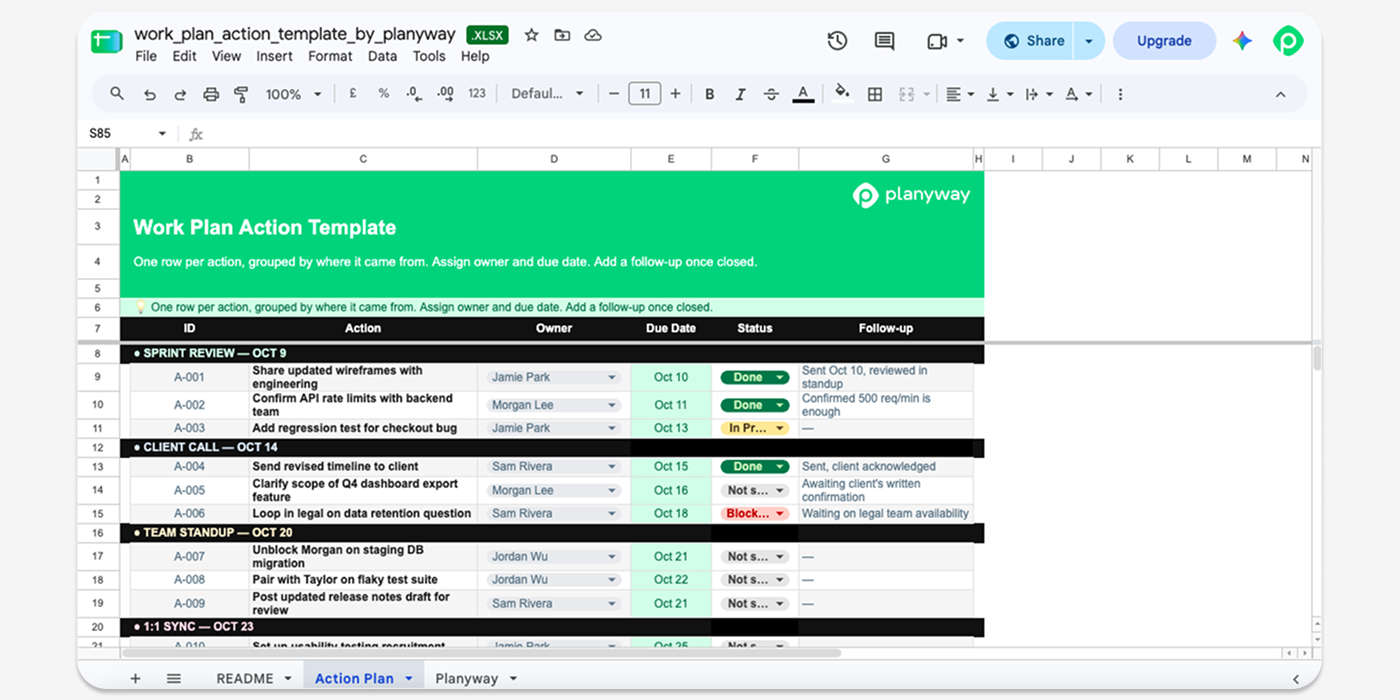
This work plan is the most execution-focused of the ten. It's built around concrete next actions rather than long-running tasks, which makes it a natural fit for post-meeting or post-review follow-up. Each line is an action plan item: what needs doing, who owns it, and by when. It's closer to an action plan template than a full project schedule but still anchored to the same project management objectives as everything else in this list.
How Planyway helps create work plans in Trello and Jira, spreadsheet-free
If your team uses Jira or Trello to manage day-to-day work, Planyway can add a more structured work planning layer on top of either tool.
For Jira teams, Planyway adds an advanced planning layer, extending Jira’s project planning, resource management, time tracking, and reporting capabilities for cross-project planning and management. You can view Jira issues in a Gantt chart or table, schedule work, assign tasks, manage dependencies and workloads, and compare planned vs. actual time — all in one Jira-synced workspace.
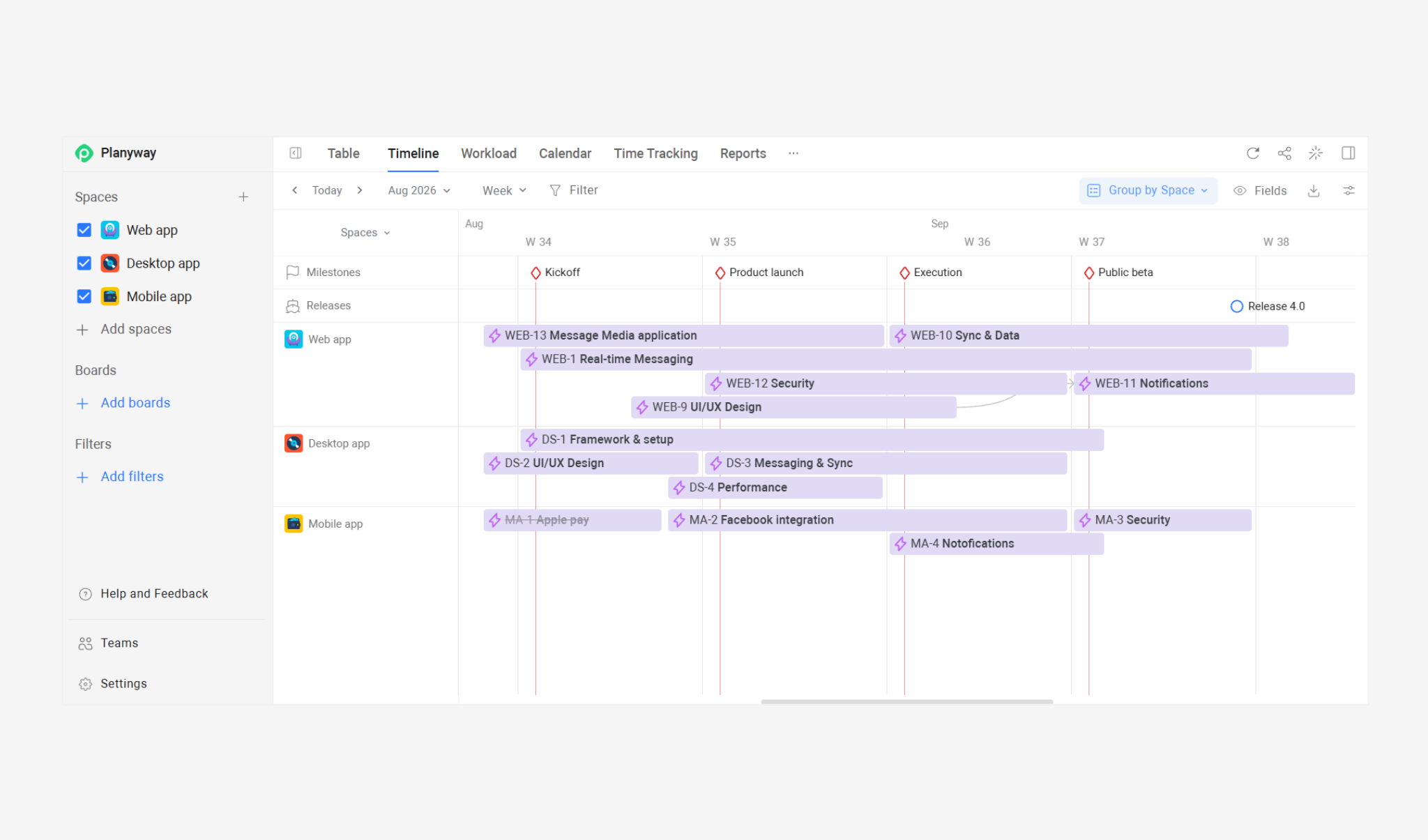
For Trello teams, Planyway adds more advanced, team-oriented planning views to your boards. You can schedule Trello cards on a timeline, assign work, add dependencies and milestones, and check team workload and capacity. You can also plan work across multiple Trello boards when you need a broader view of your projects.
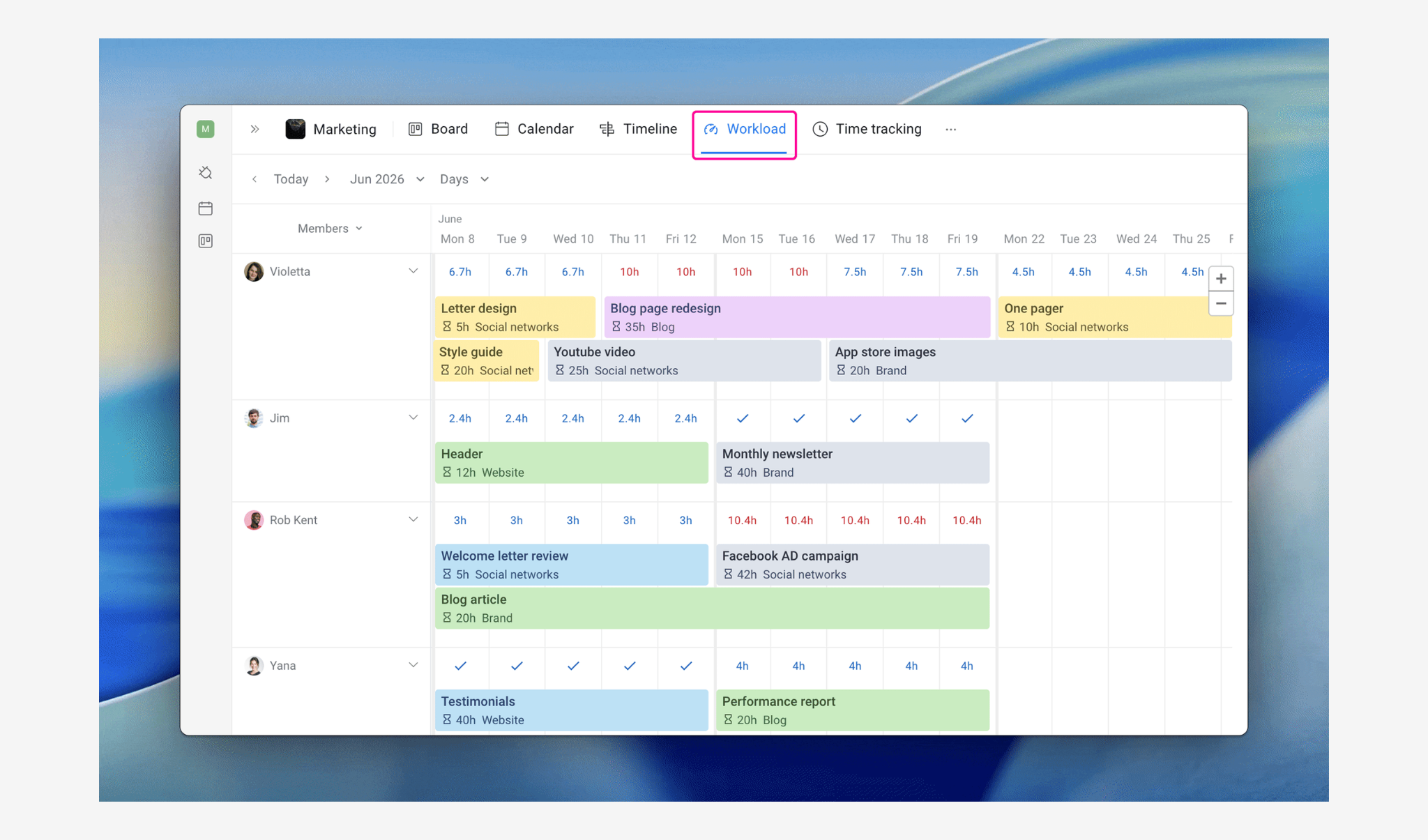
In both cases, your team can continue managing work in Jira or Trello, while Planyway gives you a more visual way to build, schedule, and manage the work plan.
Ready to build a better work plan?
A well-built template jump-starts the process. To keep it moving steadily, you'll need to keep the plan alive. Sure, Excel is a workhorse, but it still makes sense to lean on tools that trim down the number of manual steps you take every day.
Planyway brings cross-project and cross-team visibility into a single planning layer inside Jira and Trello, so your project schedule stays current automatically. Pair it with the right starting template above, and you've got an effective work plan with timelines that hold up.


FAQ
A good work plan template matches the size of the job: light enough to fill in quickly, but detailed enough to prioritize work efficiently, avoid duplication, and coordinate efforts. If it takes longer to set up than the project itself, simplify it until it doesn’t.
In its most basic form, a work plan logs project tasks, owners, due dates, status, and a way to track progress toward project goals. Heavier-duty plans for more complex projects tack on dependencies, estimated costs, and a risk register.
A project workplan is the operational map that captures a project's purpose, its project scope, and the actions required to see it through. Project managers lean on it to keep teams aligned, allocate resources, and measure progress from kickoff to wrap-up.