Billable utilization rate: formula, benchmarks for 2027, and how to improve it

Ask people who work in consulting or agencies about utilization, and you’ll hear the same few stories.
Someone bills 42 hours a week and works 60. Internal meetings don’t count, so the extra hours just disappear. Someone else spends days on architecture diagrams and client decks because they were told it would get them staffed on the project (it usually doesn’t). And then there’s the manager trying to answer a simple question in their time tracking tool: what share of this person’s week was billable? They’re surprised it isn’t built in.
All three are talking about the same number: billable utilization rate. Everyone gets measured by it, but very few teams can say with confidence what theirs actually is.
In this article, we’ll walk through how to count the billable utilization rate, with what formulas, based on which benchmarks, and with what tools.
TL;DR
- Billable utilization rate is the share of someone's available hours they spent on work you can bill a client for. The formula is: billable hours ÷ available hours × 100.
- Most professional services firms aim for about 75%. The industry average is below that, and the best-run firms stay above 80%.
- To raise the rate, start with the basics: log time daily, agree on what counts as billable, give every role its own target, and plan work against real capacity.
What is billable utilization rate?
Billable utilization rate measures how much of a person's (or a team's) available time goes to work that the client pays for.
The formula to calculate billable utilization rate is:
Billable utilization rate = billable hours ÷ available hours × 100
Let’s say a designer has 40 available hours in a week. They spend 28 of them on client projects and the other 12 on internal meetings, a portfolio refresh, and helping with a pitch. Their billable utilization rate for the week is 28 ÷ 40 × 100 = 70%.
Two things we need to remember from this example:
- Available hours aren't the same as logged hours. Available hours are the time someone could work, usually their scheduled hours minus time off. Divide by logged hours instead, and the number looks better than it is, especially if people don't bother logging internal work, such as meetings or portfolio refresh. If you stop logging non-billable time altogether, you'll hit a perfect 100% every week.
- Non-billable doesn't mean wasted. Hiring, training, sales, and internal projects keep a business running. Getting non-billable time to zero would be a wrong goal; the right one is to know how much of it there is and whether it's going where you expect.
Billable utilization by the numbers
The numbers below come from different industries and different studies, but they point to the same problem: most teams lose billable time before it ever reaches an invoice.
Utilization keeps sliding
- Billable utilization across professional services fell from 68.9% in 2024 to 66.4% in 2025, the lowest SPI Research has recorded in 19 years of benchmarking. Most firms aim for 75%. (Deltek / SPI Research)
- The top of the market looks very different: the most mature firms in the same benchmark stay above 80%. (Deltek)
- Law firms sit much lower. Clio's 2025 data puts average utilization at 38%, or about 3 billable hours in an 8-hour day. (Clio)
A lot of work never makes it to the timesheet
- In a study of 2,000+ professionals, people worked about 55 hours a week but logged only 39.5. Nearly 30% of working time never entered a billing system, and about 20 minutes a day of it was billable work. (Laurel)
- 22% of advisors say they record less than 70% of the time they spend on client work. Email is the biggest gap: 58% log less than a fifth of the time they spend on it. (TIQ and London Business School, via Consultancy.uk)
Timesheets get filled in from memory
- 60% of lawyers in one survey rebuild their time after the fact, from emails, calls, and calendars. Only 38% log it as they go. (Legal Technology)
- Waiting until the end of the day to log time costs 10–15% of billable hours, according to research compiled for the American Bar Association. (MinuteDock)
And many firms don't split billable from non-billable at all
- Only 60% of UK architecture practices in RIBA's benchmark record the time staff spend on billable work. (RIBA Journal)
- Among agencies, only 18% always hit the billable vs. non-billable targets they set for themselves. (Teamwork.com)
Are people working enough? Usually yes, sometimes even more than enough. Can everybody see which hours were billable in the first place? No — and that’s where the problem is: managing billable utilization is essential.
Billable vs. non-billable hours: what counts as what
Before you can calculate anything, the team has to agree on which hours to consider billable. Most of it is obvious, but not everything — or the problem wouldn’t even be there at all.
| Usually billable | Usually non-billable | Depends on the contract |
|---|---|---|
| Work on client deliverables | Internal meetings and standups | Calls and emails with the client |
| Client workshops and reviews | Hiring, onboarding, training | Travel to the client |
| Research done for a client project | Sales, pitches, proposals | Fixing bugs after launch |
| Project management on a client account | Admin, invoicing, internal tools | Rework caused by changed requirements |
Fixing a bug in something you shipped last week might be on you, or it might be a change request the client should pay for. Prep work for a project that hasn't been signed yet is usually non-billable, even if it feels like client work.
As it happens, there’s no answer that works universally well for everyone. But it matters greatly for everyone on the team to follow the agreed-upon rules, so the same task doesn't end up billable for one person and non-billable for another.
If your team tracks time in Jira, we've got a separate guide on how to split billable and non-billable hours in Jira.
Billable utilization vs. other utilization metrics
A few metrics sound alike, which is why they get mixed up all the time. The table below highlights how they differ.
| Metric | Formula | What it tells you |
|---|---|---|
| Billable utilization rate | Billable hours ÷ available hours | How much of someone's capacity turns into revenue |
| Resource (overall) utilization | All productive hours ÷ available hours | How busy someone is, billable or not |
| Billable ratio | Billable hours ÷ logged hours | What share of logged time is billable. Easy to inflate if people skip logging internal work |
| Realization rate | Hours invoiced ÷ billable hours | How much billable work actually makes it onto an invoice |
The gap between resource utilization and billable utilization is your overhead. If someone is 95% busy but only 55% billable, that's 40% of their week going to internal work. It’s not necessarily a problem, but it's worth knowing what that work is and how important it is for the business goals.
Want the wider view, with benchmarks and a formula for how busy people are overall? We cover it in our other breakdown.
How to calculate billable utilization rate
The formula fits on a sticky note. Most mistakes happen in the inputs, so here's how to get each one right.
Step 1: Pick a period
Weekly numbers jump around too much to mean anything on their own. One person has a slow week, another spends three days at a conference. Monthly or quarterly works better for decisions, and weekly is fine for spotting a trend early.
Step 2: Work out available hours
Start with scheduled hours, then take out holidays, vacations, and sick days. For example, if someone with a 40-hour week takes a day off, they have 32 available hours that week, not 40.
You can track that number in a spreadsheet, but it’s easier to use a dedicated tool that keeps everything in one place.
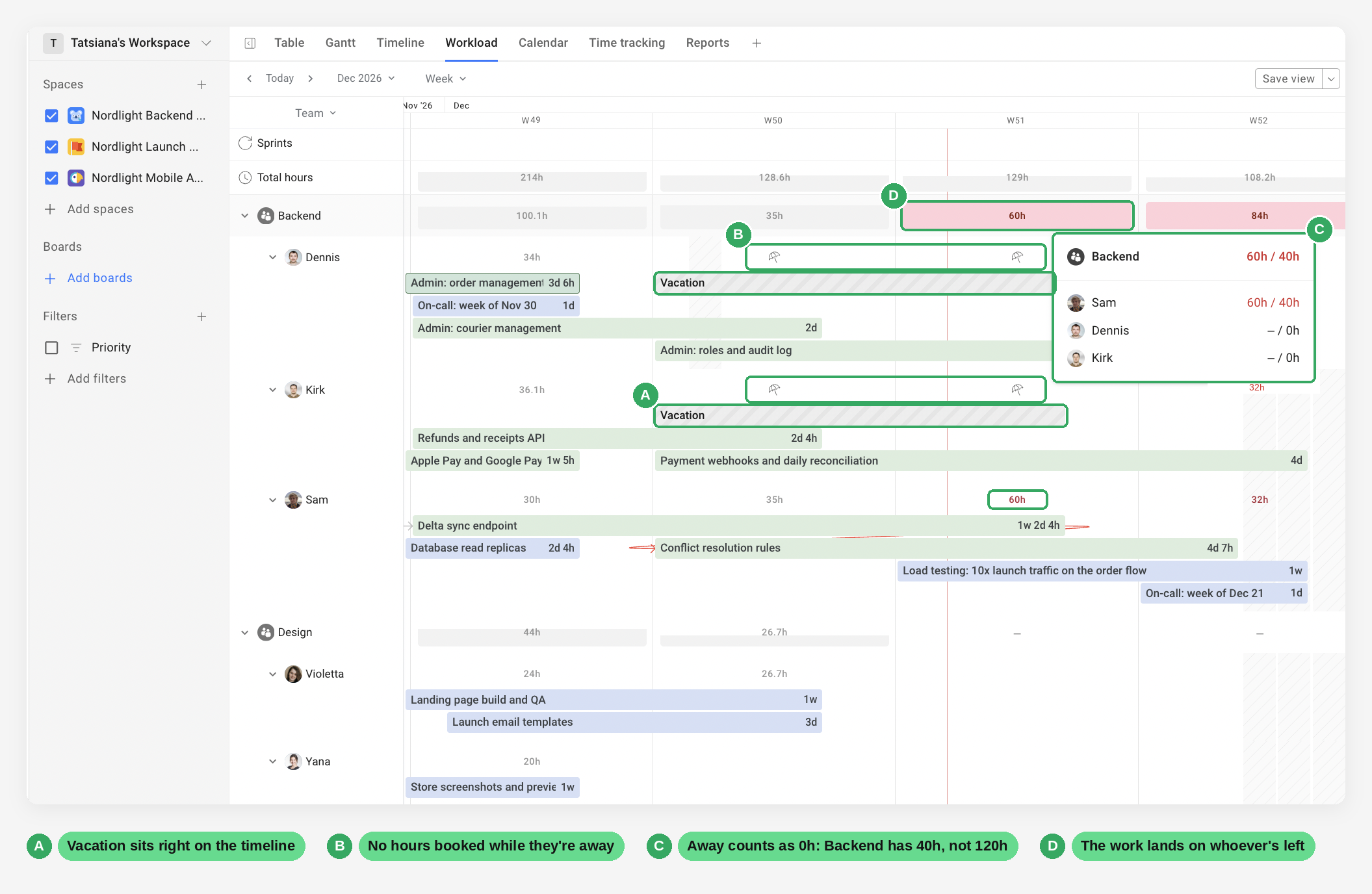
If you don't take time off out, people look underutilized every time they go on vacation, which isn't fair for employees and isn't useful for resource allocation.
Step 3: Add up billable work
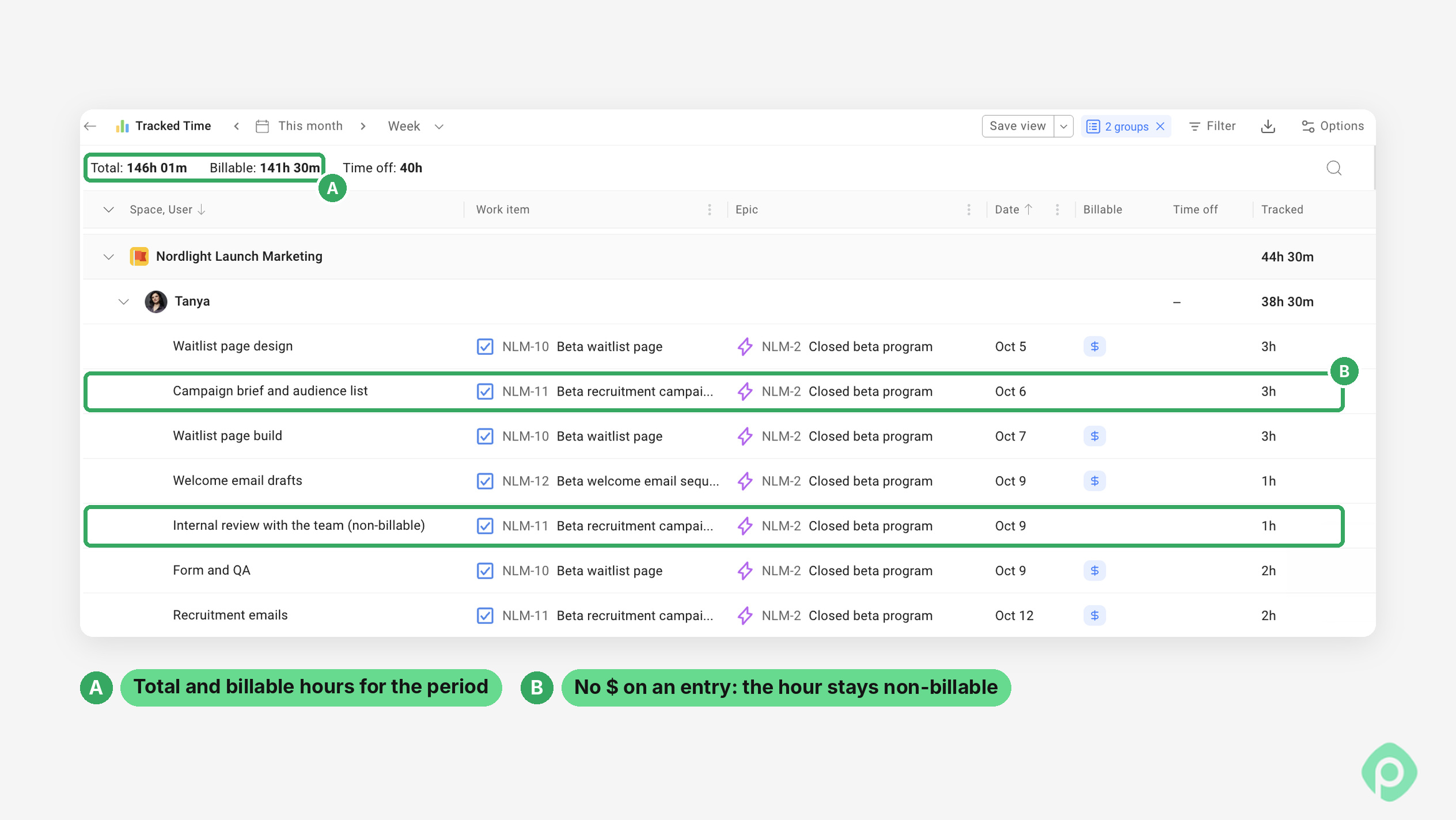
Use actual hours that were logged as billable for that period, following the rules your team agreed on. If billable and non-billable time aren't tagged separately, this is the step where everything falls apart.
Step 4: Divide and multiply by 100
A developer with 26 billable hours out of 32 available has a rate of 26 ÷ 32 × 100 = 81%.
For a team, add up everyone's billable hours and divide by everyone's available hours. Don't average the individual percentages: a part-timer at 90% and a full-timer at 60% don't average out to 75% for the team.
What's a good billable utilization rate?
The short answer would be “somewhere around 70–80% for people whose main job is client work.” But the longer (and the more reasonable) answer depends on who you're measuring and what your business looks like.
Let’s look at utilization benchmarks in different industries.
- 75% is the usual target for professional services firms, according to SPI Research.
- 66.4% is what firms actually averaged in 2025, in the same SPI benchmark. That's almost nine points short of the target.
- 80%+ is where the most mature firms land. SPI found that the best-run firms stay above that line (Deltek).
- 70–80% is a common target for delivery consultants, the people who spend most of their week on revenue generating client work (Everhour).
- 60% is a goal often quoted for agencies, where more of the week goes to pitches, account management, and creative reviews (Teamwork.com).
Different roles, different targets
The whole company cannot have one number as a common billable utilization standard.
A junior developer who spends the whole week in client work can easily sit above 80%. But a team lead who also hires, mentors, and joins sales calls might be doing great at 50%. When it comes to people in ops, finance, or internal marketing — they shouldn't be on a billable target at all.
Set targets by role, then look at the company-wide number as a result, not as the goal itself.
Why 100% billable utilization rate isn't the goal
Don’t put 100% as one of your utilization targets. A person with extremely high utilization has no time for anything that isn't client work. That would mean no training, no helping a colleague, no fixing the process that slows everyone down, and frankly not a spare second to breathe and not burn out. Keep that up for a few months and you'll see it in quality, in mistakes, and eventually in low employee satisfaction and people leaving.
If someone keeps landing above 90%, that's usually a sign the team needs another person, not a sign that person is a star.
How to improve your billable utilization rate
Pushing people to bill more hours is the obvious move, but usually the wrong one. Most of the improvement in billable utilization comes from seeing the hours you already have more clearly. Here are a couple of tips that could help you count all things billable and allocate resources better.
1. Log time daily
The longer people wait, the more they guess. And when they guess, they tend to round down or forget the small stuff: the 20-minute call, the quick fix, the email thread that ate an hour. Daily logging alone recovers a surprising amount of billable time spent.
The easiest way to encourage daily logging is to make it as comfortable and seamless as possible. If logging time means opening another tool, finding the right task, and filling in five fields, people will put it off until the last moment. The fewer hoops they have to jump through, the better your numbers get.
Planyway for Jira, for example, lets everyone log time the way that suits them, right in the work item or in the List, Calendar, and Timesheet views, and every entry is saved as a Jira worklog.
2. Write down what counts as billable
A one-page list is enough. Decide once what counts as billable or revenue-generating work, share it with everyone, and update it when a new gray area comes up.
3. Tag every entry as billable or non-billable
If the split happens later in a spreadsheet, it won't happen consistently. The person logging the time knows best what it was for, so that's when the tag should go on.
4. Look at where non-billable time goes
There’s no need to immediately cut it — you just need to know what's in it. If a third of someone's week goes to internal meetings, that may or may not mean operational inefficiencies. If it goes to building something the whole team will use, maybe that's fine.
5. Use capacity planning
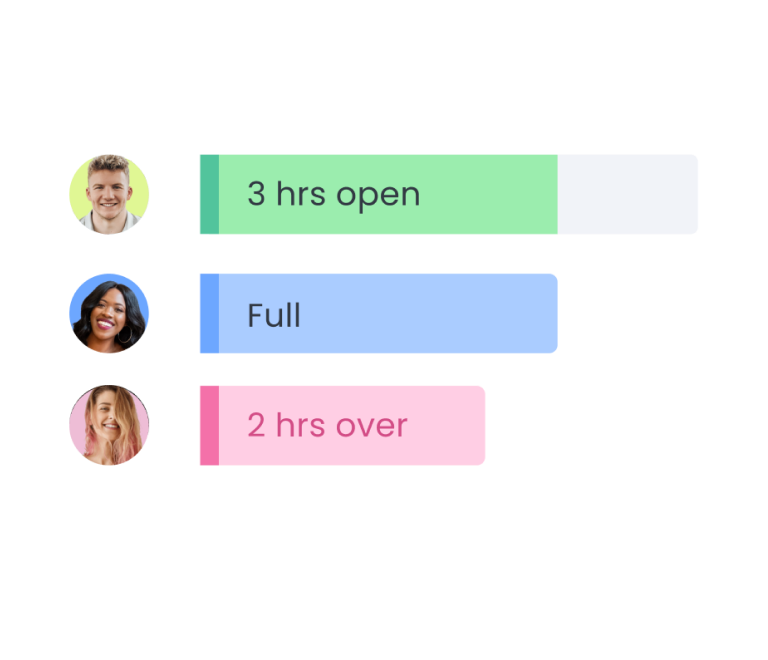
Low utilization may often come from staffing issues. If you can see everyone's capacity next to what's scheduled, you can move work around before the week is already lost.
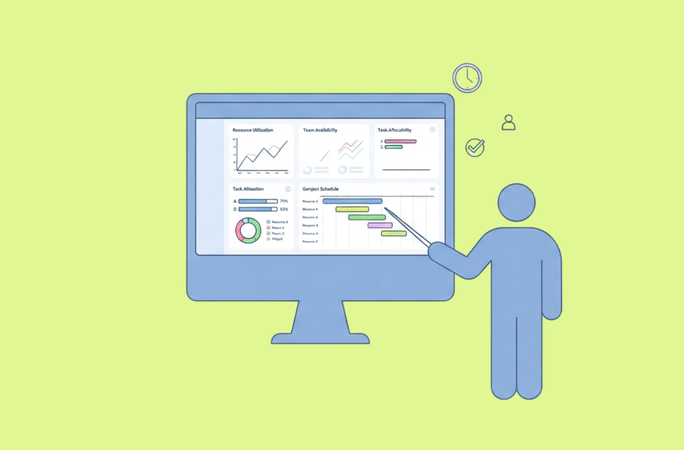
In Planyway, you can view your entire team’s employee workload in the Total hours tab, which helps understand how much work is planned and if there is enough capacity for the selected period. Not sure where to start? This walkthrough for Jira teams covers it step by step.
6. Review and watch the trend
Measuring performance by one bad week may not be the best call. However, three months of a slow slide already tell you a lot. To stay ahead of the cursed loop, review the number monthly, by role, and look for patterns.
Tracking billable utilization with the right tool
Many teams choose to calculate billable utilization in a spreadsheet, and you can definitely do it, too. However, it only works while you have a small team with few billable tasks, or until someone has to rebuild the .xlsx from scratch every month.
Whatever you use, it needs to do three things:
- Let people tag time as billable or non-billable work when they log it.
- Know everyone's capacity, including time off, so you're dividing by real available hours.
- Show the split by person, project, and team without anyone exporting and re-summing numbers by hand.
The hours nobody counts
If you read what people in consulting and agencies say about utilization, almost nobody complains about the formula. The complaints revolve around the internal stuff they do all week not counting anywhere, while managers have the opposite problem: they want to know how billable their team is, and their tools can't tell them without a spreadsheet on the side.
Both sides want the same thing, which is an honest picture of where the hours go. And you only get that if time is split into billable and non-billable when people log it, not reconstructed at the end of the month. Start there, and with the right tool to help you track utilization, it will be easy to calculate after that. And don’t forget that balancing billable work with internal stuff is essential for performance and employee well-being.


FAQ
The best software for tracking billable hours depends on your team's workflow, project complexity, and reporting needs. Tools like Planyway help teams plan resources, manage workloads, and organize project timelines, making it easier to understand how time is allocated across projects.
Billable utilization measures the percentage of an employee’s available working hours spent on billable work that can be charged to a client. It shows how much of your team’s time turns into revenue, and how much goes to non-billable tasks like internal meetings, admin, training or helping a colleague. It also helps with resource allocation: if one person is at 95% and another at 50%, you know who can take on the next client project.
To calculate the billable utilization rate, divide the total billable hours by the total available working hours and multiply the result by 100.
Billable utilization rate formula: Billable utilization rate = (Billable hours ÷ Available working hours) × 100
A good consultant utilization rate typically falls between 70% and 85%, although the ideal target utilization rates depend on the consulting firm's business model, role, seniority, and project pipeline. Client-facing consultants may have higher targets, while managers and senior leaders often spend more time on business development, mentoring, and internal operations. Healthy utilization rate depends on your industry specifics and business goals.
To improve billable utilization, optimize resource planning, balance workloads, reduce unnecessary administrative tasks, and track billable hours consistently. Regularly review utilization data to identify capacity gaps and adjust staffing.
The easiest way to track billable hours is to use a time-tracking tool that lets employees record time against specific clients, projects, and revenue-generating tasks. Establish a consistent process for logging hours daily, distinguish billable from non-billable activities, and review timesheets regularly to catch missing or inaccurate entries.