Project schedule management: how to build a timeline you can defend

Typing in some individual tasks and dragging Gantt bars — until the end date matches what the sponsor wants — can technically be called a project schedule, but it’s pretty challenging to explain and defend to stakeholders. A defensible schedule typically helps project managers answer two questions: When will the work realistically finish? and What exactly has to be done for this to happen?
In this article, we’ll walk through how to build schedules that answer both, using one small example from start to finish: throwing a surprise birthday party for — let’s say — Dave.
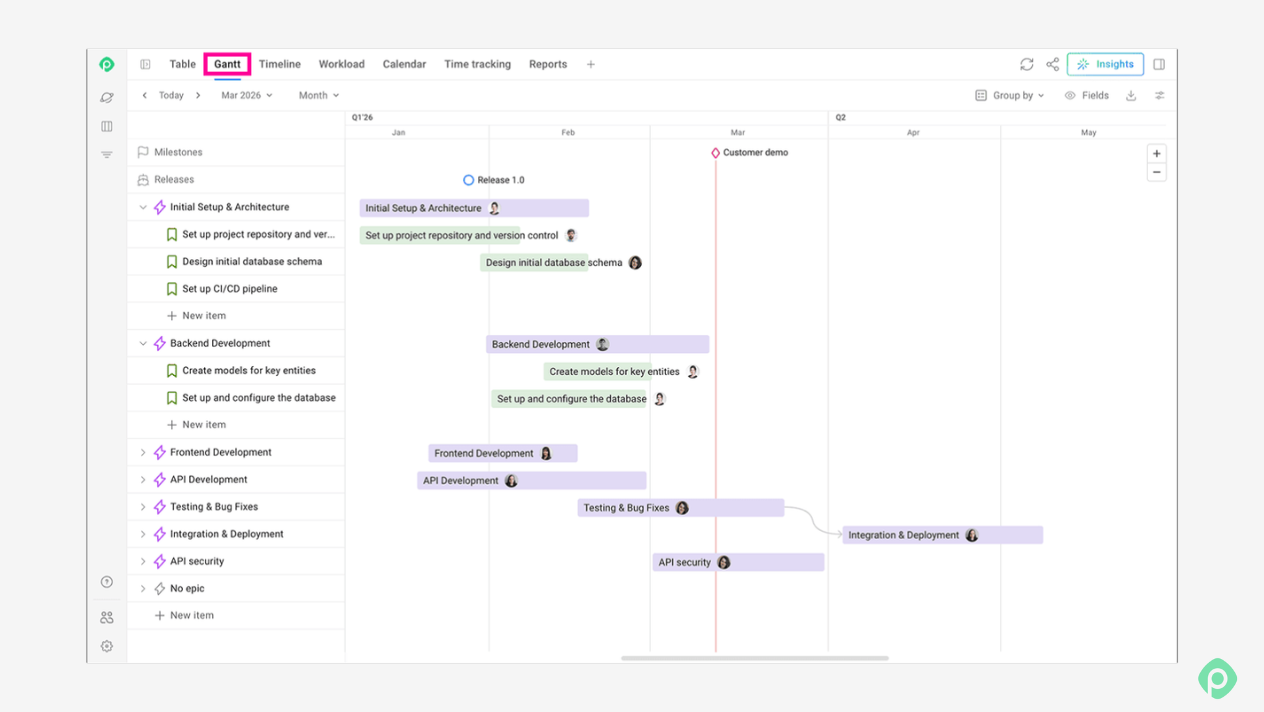
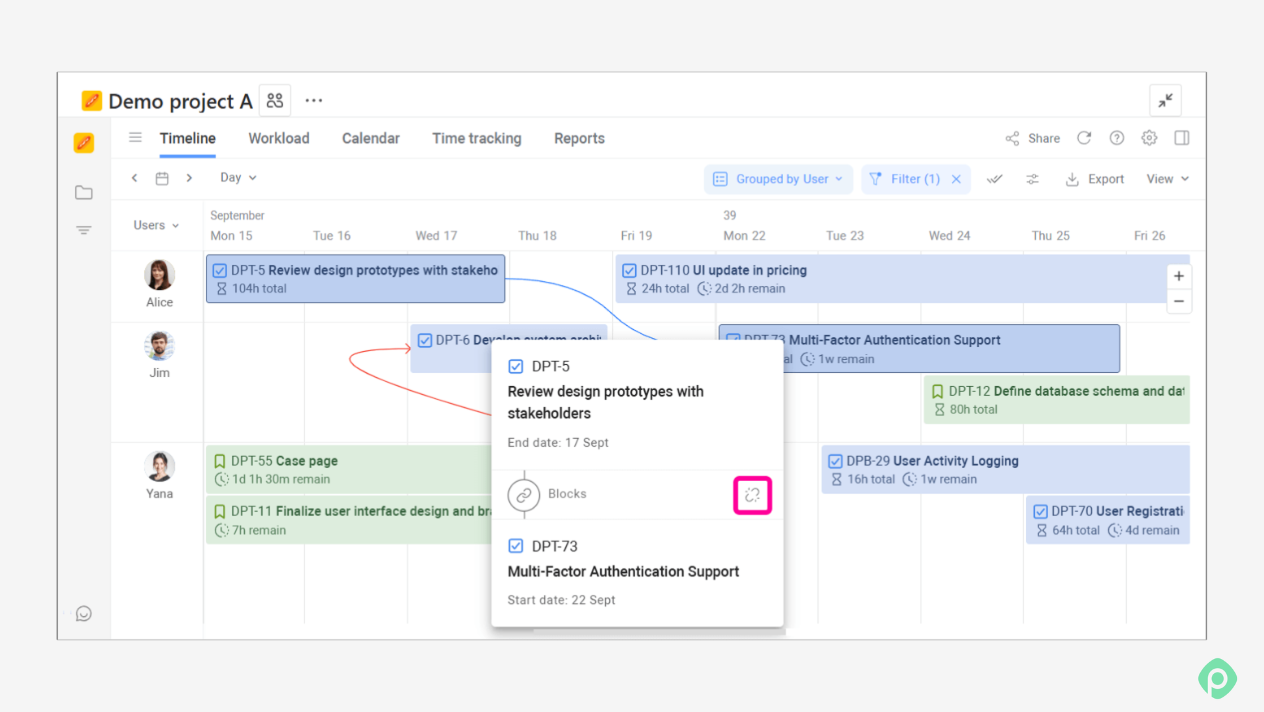
P.S. Along the way, we’ll also show how to do the same steps in Planyway for Jira, an app that turns your Jira issues into a working schedule, with a Gantt chart, dependencies, team workload, and milestones.
What is schedule management?
Project schedule management is the process of planning, developing, managing, and controlling the project timeline so that the project activities are completed on time. PMI describes scheduling as creating and maintaining a schedule model that shows how and when the project's work will be performed.
It typically covers six things:
- Defining the activities
- Putting them in order
- Assigning people to them
- Estimating how long each task takes
- Turning it all into a schedule baseline
- Monitoring progress against the baseline
Two ideas sit at the center of it.
- The baseline. The project charter usually fixes only the outer frame: "the party happens on Dave's birthday," "launch in Q3." That frame is a constraint, not a plan. The team's job is to replace it with a detailed schedule and get that schedule approved. The approved version is your schedule baseline.
- Proactivity. Managing the schedule means spotting problems while you can still fix them. Learning that the cake is late while Dave is already in the hallway is a bit too late.
Before you schedule: inputs and the WBS
Scheduling depends on several project artifacts you can't skip. Among them are:
- Charter, which sets the time frame.
- Stakeholder register, which tells you who sets expectations, who supplies people, and who absolutely must not tell Dave.
- Requirements and concept, which define what "done" looks like.
- Work breakdown structure (WBS), which splits the project into pieces of work you can schedule.
If your WBS is weak, your schedule will be too, no matter how good your tool is.
Let’s build a proper WBS for the project we already have in mind — that Dave party. Here’s how it can look:
| ID | Work package |
| 1 | Surprise party for Dave |
| 2 | Plan |
| 3 | — Pick a venue |
| 4 | — Draft the plan and guest list |
| 5 | — Approve the plan at the team huddle |
| 6 | Prepare |
| 7 | — Build a custom photo booth |
| 8 | — Bake a four-tier cake |
| 9 | — Set up the room |
| 10 | — Rehearse the "SURPRISE!" |
| 11 | — Final touches (balloons, banner, playlist) |
| 12 | Throw the party |
If your team works in Jira, the only issue you need to take care of is to make sure Dave doesn’t have access to the WBS.
How to build a project schedule in 7 steps
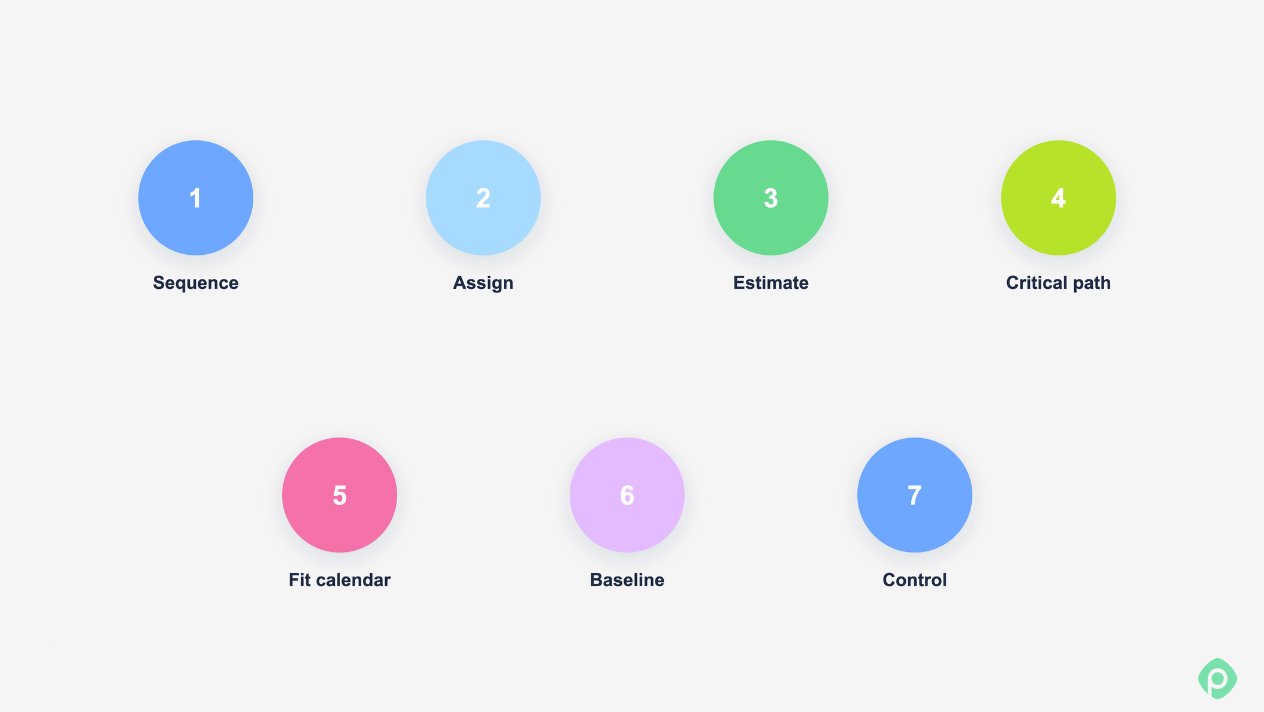
With the WBS in place, you can build a detailed project schedule in seven steps.
Step 1: Sequence the work
For each task, ask what has to be finished before it can start. Nothing else goes into this step. Leave out people, hours, and dates.
Here’s how the task list can look:
| ID | Task | Predecessor |
| 3 | Pick a venue | — |
| 4 | Draft the plan and guest list | 3 |
| 5 | Approve the plan | 4 |
| 7 | Build the photo booth | 5 |
| 8 | Bake the cake | 5 |
| 9 | Set up the room | 7, 8 |
| 10 | Rehearse the "SURPRISE!" | 9 |
| 11 | Final touches | 10 |
| 12 | Throw the party | 11 |
On a network diagram, "final touches" splits into three parallel tasks: inflating balloons, hanging the banner, and testing the playlist. That's the level of detail you want. If three things can happen at once, model them as three things.
In order to properly identify dependencies, consider following two key rules:
- Only link real dependencies. A common mistake is chaining tasks because "that's the order we'd probably do them in." Every fake link removes parallelism you might need later.
- Look for merge points. Task 9 needs both the booth and the cake. Merge points are where schedules break, and we'll come back to them in Step 4.
Step 2: Assign resources
Next, record who does each task and how many people you need. In our case, there are two groups: the core team (9 people) and marketing team volunteers (10 people).
| ID | Task | Resources |
| 3 | Pick a venue | 2 core |
| 4 | Draft the plan | 2 core |
| 5 | Approve the plan | 9 core |
| 7 | Build the photo booth | 4 core |
| 8 | Bake the cake | 5 core |
| 9 | Set up the room | 9 core |
| 10 | Rehearse the "SURPRISE!" | 9 core |
| 11 | Balloons / banner / playlist | 6 marketing / 4 marketing / 2 core |
| 12 | Throw the party | 10 marketing, 9 core, 1 DJ |
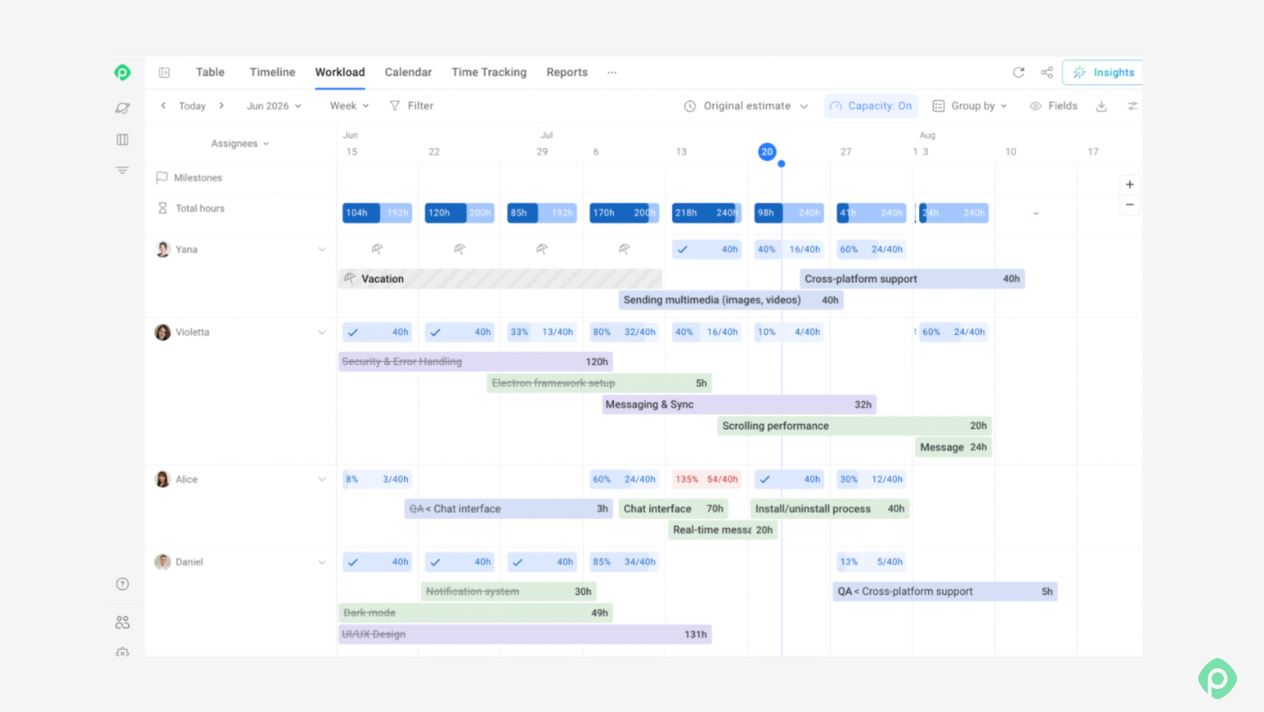
Sanity-check this table before moving on. It catches problems that a dependency diagram hides. The weakest spots of this particular one may be the following.
- The tightest point. Building the booth (4 people) and baking (5 people) run in parallel, which uses all nine core people. There's zero slack in headcount. If one person gets sick, or gets pulled into a meeting with Dave, you can't run both tasks at full strength.
- The missing task. Setup and rehearsal need all nine core people, so nobody is left to keep Dave away from the room. That's a gap in the WBS ("Distract Dave"), and it needs an owner outside the core team. Finding gaps like this is exactly what this step is for.
- Final touches, by contrast, work out: 6 + 4 = 10 marketing volunteers, plus 2 core people, all at once.
Step 3: Estimate durations
Now it’s time to estimate how long each task takes, given the people assigned in Step 2. Order matters here. Duration depends on who does the work, so you estimate it after staffing, not before.
| ID | Task | Duration (h) |
| 3 | Pick a venue | 0.5 |
| 4 | Draft the plan | 2 |
| 5 | Approve the plan | 0.5 |
| 7 | Build the photo booth | 24 |
| 8 | Bake the cake | 12 |
| 9 | Set up the room | 3 |
| 10 | Rehearse the "SURPRISE!" | 2 |
| 11 | Balloons/banner/playlist | 1 each |
| 12 | Throw the party | 5 |
This step will help you estimate activity durations, but not the project duration. Add up the column, and you get 52 hours — but the project will actually take less, since some tasks run in parallel. In this case, reporting “52 hours” to a sponsor (if you’re lucky to have a sponsor for a birthday party) is the most common mistake in project scheduling.
How to estimate
For most tasks, a quick method is enough. You can ask someone who has done it before (expert judgment), compare with a similar past task (analogous estimation), or calculate from productivity data (parametric estimation). In a group, planning poker or Delphi keeps the loudest person from anchoring everyone else.
For uncertain tasks, especially on the critical path, you can use three-point estimation.
➡️ Learn more about project estimation in our article about building a Rough Order of Magnitude (ROM)
Step 4: Calculate the schedule and apply the critical path method
Now we turn the network into time. You do a forward pass for earliest start and finish, then a backward pass for latest start and finish. Float is the difference between them: how long a task can slip without moving the end date.
| Task | Early start | Early finish | Late start | Float |
| Pick venue | 0 | 0.5 | 0 | 0 |
| Draft plan | 0.5 | 2.5 | 0.5 | 0 |
| Approve plan | 2.5 | 3 | 2.5 | 0 |
| Build booth | 3 | 27 | 3 | 0 |
| Bake cake | 3 | 15 | 15 | 12 |
| Set up room | 27 | 30 | 27 | 0 |
| Rehearse | 30 | 32 | 30 | 0 |
| Balloons/banner/playlist | 32 | 33 | 32 | 0 |
| Throw the party | 33 | 38 | 33 | 0 |
The project takes 38 working hours. The critical path is:
Venue → plan → approve → booth → setup → rehearsal → final touches → party
Every task on it has zero space for potential delays. If any one of them slips by an hour, the party slips by an hour, and Dave goes home.
For anything bigger than a surprise party, don't do these passes by hand. Even a simple network with fifty nodes is impossible to compute reliably in a meeting. But the numbers are only the start. Two things the textbook usually leaves out need your judgment.
Float is not free time
Baking the cake has 12 hours of float. On paper, it can start anywhere between hour 3 and hour 15. In reality, if the bakers start at hour 3, the cake is done at hour 15. Then it sits for twelve hours while the booth gets built. It dries out, and it sits in the office fridge where Dave, who opens every fridge, will find it.
Here, the right call is to schedule the cake late, to finish right when the booth does. Before you treat float as spare time, ask what happens to the output while it waits.
Parallel critical paths multiply risk
Final touches have three parallel key tasks, each 1h with zero float. That gives you three critical paths converging on the party.
If each of those tasks has a good chance of finishing on time, the chance that all three do is a lot less. This is called merge bias: every extra critical path feeding into a merge point lowers your odds of hitting the date. A coin-flip chance that the balloons, the banner, and the playlist are all ready when Dave walks in is not a plan.
When you see several zero-float branches converging, you either add a small buffer before the merge or get the riskiest branch started early. In our case, testing the playlist the day before costs nothing.
Step 5: Fit the schedule to real calendars and capacity
The 38-hour figure is still an idealized number. Two adjustments turn it into a schedule that can actually happen.
Apply calendars
38 working hours isn't 38 clock hours. At 8 hours a day, the booth alone takes three working days. Weekends, public holidays, and someone's pre-booked vacation all move the real dates. Since Dave's birthday is fixed, place hour 38 on the party time and count back to find the latest day you can start planning — and here’s your project calendar.
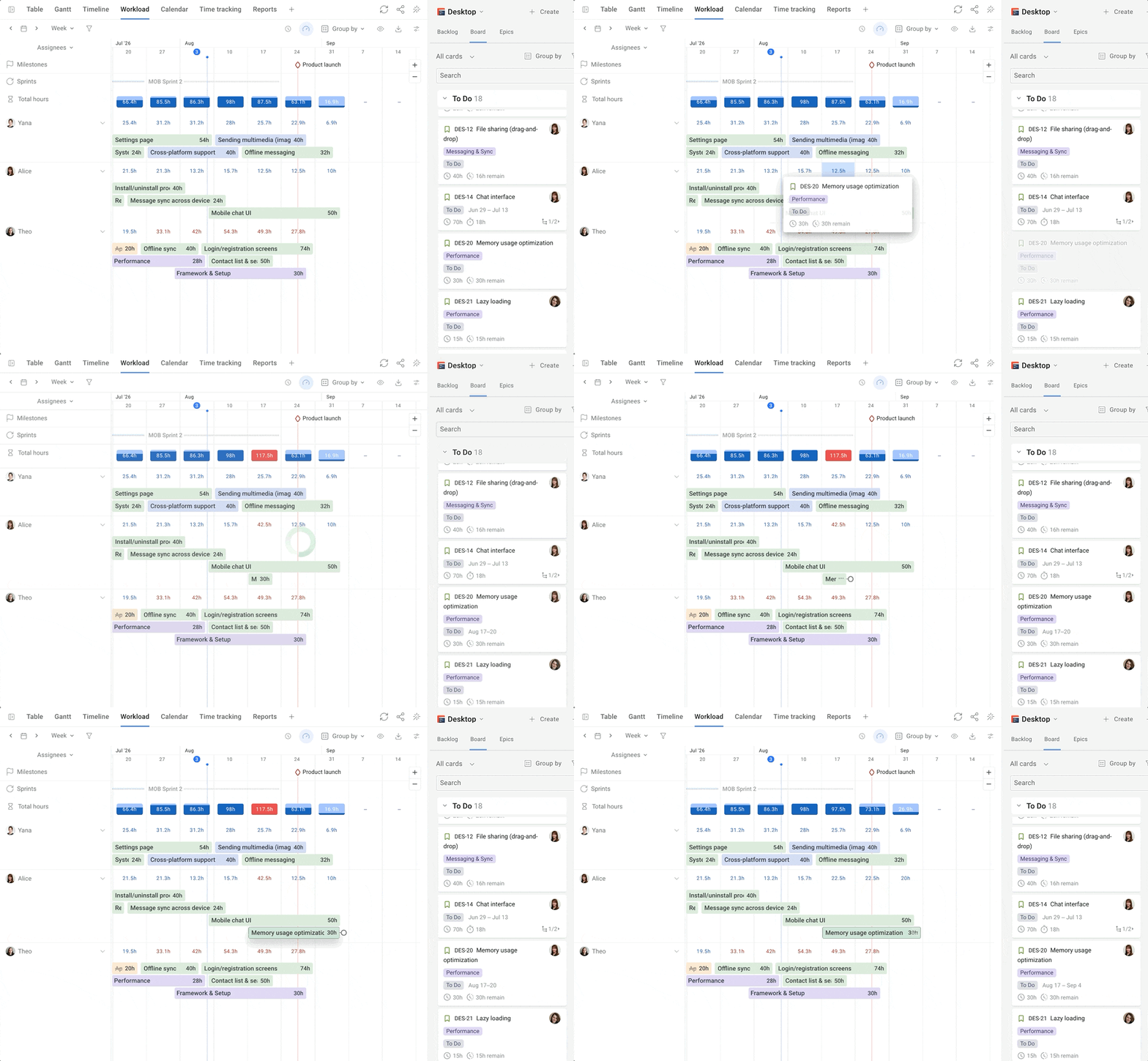
Level resources
Check every period for people who are booked twice. If a core team member is needed on two overlapping tasks, something moves. Sometimes that pushes a task off the critical path, and sometimes it puts a new one on it. After resource leveling, check the critical path again.
Step 6: Approve the baseline and set milestones
Once the schedule holds up against calendars and capacity, get it approved.
Lock the baseline
The approved version becomes your baseline. From here on, material changes go through change control, and you keep the old baseline for comparison.
Sometimes, your sponsor may not agree to the baseline that seems reasonable for you. That’s where the “defending your schedule” part may come in handy. While it may not happen with birthday party planning, for a more complex project you may need a project management triangle — Scope, Cost, and Time — to explain your scheduling choices.
If they want to reduce time, ask them which project scope (features) they want to cut, or how much extra budget (resources) they can allocate to speed things up. If Margaret from HR isn’t quite happy with how much the birthday party takes and costs, a photo booth can go, or you can opt for birthday muffins instead of a 5kg cake.
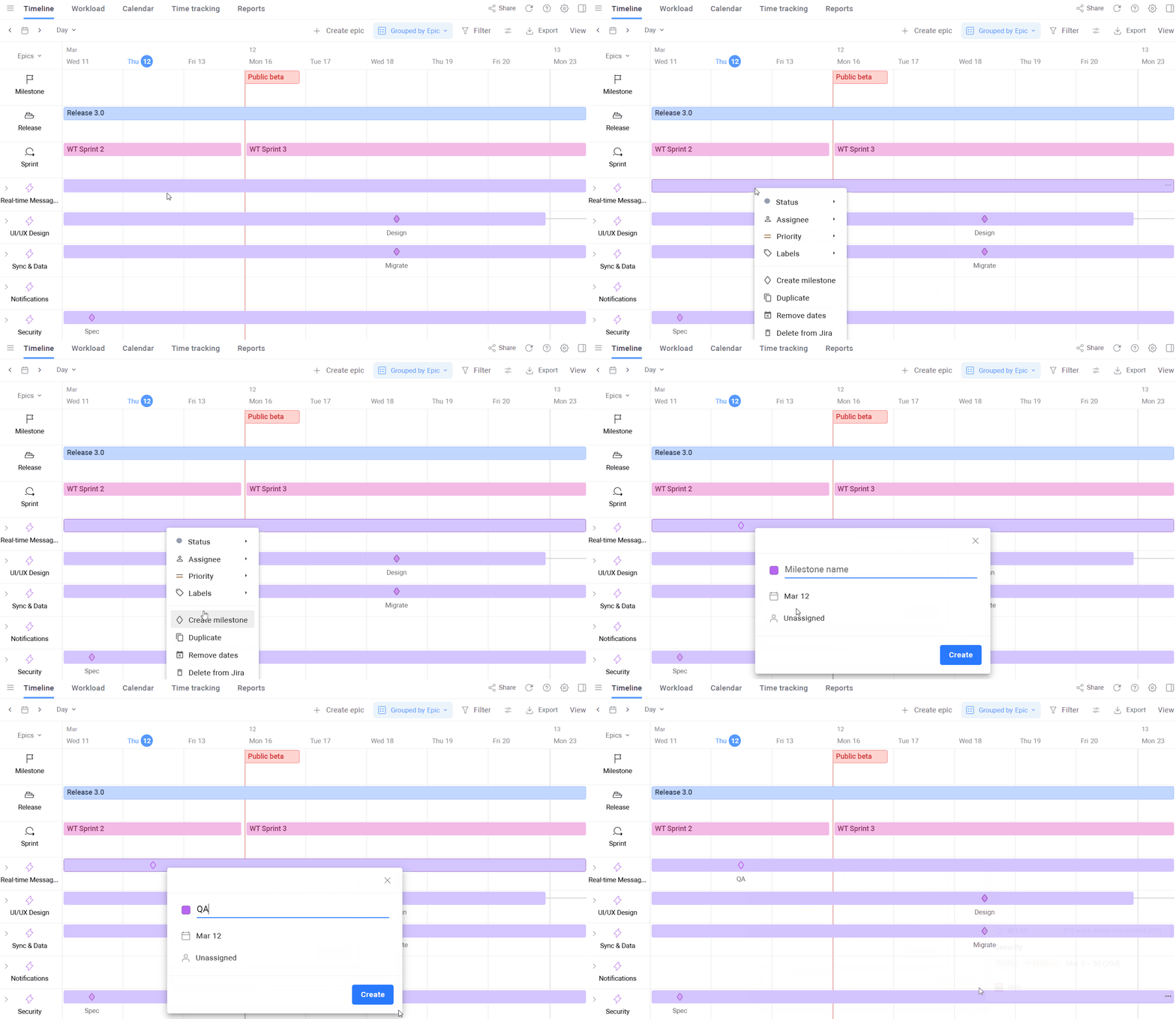
Give stakeholders milestones
The baseline is for the team. Your sponsor, in this case the manager paying for the cake, needs something shorter. For communication outside the team, create milestones: zero-duration markers at the points project stakeholders actually care about.
Our project may do fine with two milestones:
- Room ready: after final touches, at hour 33.
- Dave surprised: after the party, at hour 38.
A milestone chart that shows "Room ready: planned, on track" and "Dave surprised: planned" tells the manager everything she needs in five seconds. Sending executives a 200-line Gantt chart and expecting them to find the story in it would be way too optimistic.
Step 7: Control the schedule
After the baseline is approved, control comes down to three habits:
- Interpret incoming data. "Booth is 50% done after 14 hours" is a forecast that the booth will take about 28 hours, which is 4 hours late, with zero float, so the party is 4 hours late unless something changes.
- Watch float consumption, not just the finish date. A non-critical task that burns through its float becomes critical. If the cake's 12 hours of float shrinks to 2 because the bakers got pulled into other work, you now have two critical paths into the merge point, and your risk just went up. At each review, compare each bar's end with its successor's start and watch how that gap shrinks.
- Act while you still have options. Early in a slip, you can borrow a volunteer from marketing, buy a ready-made banner, or resequence. Late in a slip, all you can do is sing "Happy Birthday" in a half-decorated room.
The bottom line
When building and defending a schedule, remember that it’s a forecast rather than a promise of a project success. If you can say why the party lands at hour 38, which project tasks can't slip, and what happens if the booth runs long, you have a schedule. If you can't, something needs to be redone.
Build the plan in layers, question what the numbers tell you, keep checking it against reality after it's approved — and whenever you can, use additional scheduling tools to take the headaches out of the process. Do that, and when the lights come on, both Dave and his group will have a great time.


FAQ
The main stages are planning the schedule, defining activities, sequencing tasks, estimating durations, developing the schedule, and controlling the schedule. Together, these processes help teams create a realistic timeline, coordinate dependent tasks, control resource allocation, do basic risk management and keep the project on track.
A project plan covers the broader approach to delivering a project, including scope, resources needed, risks, communication, and other management areas. A project schedule focuses specifically on the timing and sequence of project activities, including start and end dates, durations, dependencies, and milestones.
To create a project schedule, start by identifying the project's activities. Then estimate their durations, determine dependencies, sequence the work, assign resources where needed, and establish start and finish dates. Finally, visualize the schedule and review it with stakeholders to make sure it is realistic.
Task duration can be estimated using historical data, expert judgment, similar past projects, team estimates, or techniques such as three-point estimation. Estimates should account for the complexity of the work, available resources, dependencies, and potential uncertainty.
Teams can use Gantt charts, calendars, Kanban boards, timelines, and project management software to create and manage schedules. Tools such as Planyway can help visualize project tasks, dependencies, milestones, deadlines, and progress in one place.